Shared Pet Care Calendar: How to Set One Up and Make It Work

A shared pet care calendar is one schedule that everyone who looks after your pet can see: feedings, walks, medications, vet visits and who is responsible for each. Set it up in three steps. List every recurring task for each pet. Assign each task to a named person. Keep the calendar where those people will actually look. If you live alone, add one more piece: a way to make sure someone acts when you can’t update the calendar yourself.
This guide walks through all of it, with a sample setup, a task checklist and a plan for the gap a calendar can’t cover.
TL;DR
- A shared calendar puts feedings, medications, walks and appointments in one place, so no one has to guess what’s been done.
- Give every task one owner and one backup, and rotate weekly chores so the load stays fair.
- Add care notes to each entry: portions, doses, the vet’s number and what the caregiver may decide without reaching you.
- A calendar only works if someone opens it. If you live alone, pair it with automatic check-ins and named emergency contacts.
- Review it monthly and after any change in your pet’s health, food or medication.
Table of Contents
- What a shared pet care calendar does
- Choose the format that fits your household
- What to put in the calendar
- Assign roles so tasks don’t fall through
- A sample week for a two-pet home
- Keep it accurate: reminders and monthly reviews
- What a calendar can’t do on its own
- Perspective
- Set up the backup in minutes
- A quick setup checklist
- A note on privacy
- FAQ
- Sources
What a shared pet care calendar does
A shared pet care calendar lets everyone in your pet’s circle see upcoming responsibilities, recurring tasks and reminders in one place. It can hang on a refrigerator or sit on a phone. Either way, a shared calendar promotes consistency and teamwork because the plan stops living in one person’s head.
The usual problems it solves are simple:
- Double feeding or missed meals. Two people each assume the other handled breakfast.
- Missed medication. A dose given late, twice or not at all.
- Forgotten appointments. Vaccinations, refills and grooming slip by.
- Handoff confusion. A sitter or neighbor doesn’t know the routine.
For a household of three, that is a convenience. For someone who lives alone, the same calendar doubles as the document a stand-in caregiver needs on a hard day.
Choose the format that fits your household
There’s no single right tool. Pick the one your people will open without being reminded.
| Format | Works best for | Watch out for |
|---|---|---|
| Paper wall calendar | Households in one home, people who dislike apps | Hard for an outside caregiver to see, and no alerts |
| Shared digital calendar | Families and friends with smartphones | Everyone needs an account and notifications turned on |
| Pet care app with task lists | Multi-pet homes with several helpers | Each helper must install it and keep it current |
| Printed care sheet plus calendar | Sitters, neighbors and emergency contacts | Needs reprinting when anything changes |
Many owners combine two: a digital calendar for reminders and a printed sheet on the fridge or in an emergency folder. If some of your helpers don’t use smartphones, paper and phone calls matter more than apps. That includes older relatives and neighbors who may be your best nearby backup.
What to put in the calendar
Start with each pet separately, then combine. Here’s a working list.
Daily recurring tasks
- Feeding times, with the food type and portion (a short note like “1 cup, wet food at night” is enough)
- Fresh water and bowl cleaning
- Walks or outdoor time, with the route or yard instructions
- Medications, with the dose and whether they go with food
- Litter box, cage or tank maintenance
- Play, training or enrichment, if your pet needs it for behavior
If your feeding details are complicated, write them once in a pet profile and link the calendar entry to it. Our guide to pet feeding schedule documentation shows how to word those blocks so a stranger can follow them.
Weekly and monthly tasks
- Brushing, nail trims and ear cleaning
- Deep cleaning of bedding, crates and tanks
- Weight checks, if your vet has asked for them
- Monthly flea, tick or heartworm preventives, as your vet prescribes
- Medication refills, set a week before you run out
Appointments and one-off events
- Vaccinations and annual exams
- Dental cleanings and lab work
- Grooming appointments
- Boarding or sitter dates when you travel
- Dates when a prescription or microchip registration needs renewal
Your veterinarian sets the real schedule for vaccines and preventives. Put those dates in the calendar, but follow your vet’s guidance for what each pet needs and when.
Notes that make entries useful
An entry that says “Give meds” is a reminder. An entry that says “Give 1 tablet with dinner, hide in cheese, call Dr. Lee at the clinic if he vomits” is an instruction. Add these to the entries or the pet profile:
- Veterinarian name, clinic address and phone, plus the nearest emergency clinic
- Allergies, conditions and what normal behavior looks like
- Where food, medication, leashes and carriers are kept
- Which behaviors matter (a dog that bolts at the door, a cat that hides when guests arrive)
Assign roles so tasks don’t fall through
A calendar full of tasks nobody owns is a wish list. Use these rules:
- One owner per task. Put a name on every entry, not “family.”
- One backup per task. If the owner is away, the backup is notified or steps in.
- Rotate chores. Rotating weekly tasks helps share the work fairly and keeps one person from burning out.
- Mark tasks done. A checkmark or a quick text tells others it’s been handled, which prevents double feeding.
- Keep one place to talk. A group chat or comment thread beats scattered messages.
If you are building a team that goes beyond family, our article on pet caregiver roles breaks the job into five assignments, such as who picks up the pet, who contacts the vet and who handles the home.
A sample week for a two-pet home
Here’s how entries can look for a senior dog (Biscuit) and a cat (Juniper) cared for by two people, with a friend as backup.
| Day | Time | Task | Owner | Backup |
|---|---|---|---|---|
| Daily | 7:00 a.m. | Feed Biscuit and Juniper, give Biscuit’s joint supplement | Alex | Sam |
| Daily | 7:30 a.m. | Walk Biscuit, 20 minutes | Alex | Sam |
| Daily | 6:00 p.m. | Dinner for both, fresh water | Sam | Alex |
| Mon | Evening | Brush Juniper | Sam | Alex |
| Wed | Evening | Clean litter box fully | Alex | Sam |
| Sat | Morning | Weigh Biscuit, log it in notes | Sam | Alex |
| 1st of month | Morning | Give monthly preventives as directed by the vet | Alex | Sam |
| 1st of month | Morning | Check medication supply, reorder if under one week | Sam | Alex |
The format is the point. Every line has a time, a task, an owner and a backup. Copy it and replace the names.
Keep it accurate: reminders and monthly reviews
A calendar that drifts out of date is worse than none, because people trust it.
- Turn on reminders for medications and appointments, ideally the evening before and the morning of.
- Update the same day the vet changes a dose, a diet or a schedule.
- Review monthly. Take ten minutes to check that portions, contacts and refill dates are still right.
- Review after any change: a new pet, a move, a new caregiver, a health diagnosis.
- Remove old entries. Finished medications and ended routines clutter the view.
Once a year, check that every person on your list is still willing and able to help. The ASPCA advises you to check in with your chosen caregivers periodically to make sure they can still care for your pets.
What a calendar can’t do on its own
A calendar shows what should happen. It doesn’t tell anyone that something has gone wrong. If you wake up unwell, fall at home or are taken to a hospital, no one will notice your calendar is untouched unless they are looking. That matters most for people who live alone, because nobody in the house sees the missed feeding.
Three additions close the gap.
1. Name emergency contacts and give them permission to act
The American Red Cross suggests older adults build a support network of several people, ideally at least three at each location where you spend time. It also suggests exchanging keys, showing them where emergency supplies are kept, sharing copies of emergency documents and agreeing on how you’ll contact each other.
For pets, tell each contact what they may decide. One guide on backup plans notes you should say which clinic to use, how to transport the pet and whether they may proceed without reaching you first. Giving people that permission ahead of time avoids a delay at the worst moment.
If you’re unsure how many people to name, see our guides on pet emergency contacts and how many emergency contacts you need.

2. Keep a pet portfolio in a findable place
The ASPCA recommends a Pet Alert Card in your wallet listing two emergency contacts, an emergency contact sheet in a visible spot, and a pet portfolio with habits, food preferences, medical conditions, medications and vet records, with copies shared with everyone in your pet’s circle of care. The AVMA also lists medical records, medication instructions and emergency contact cards with your vet and pharmacy among the items to gather. Our pet care handoff checklist and emergency document essentials guide cover what belongs in the folder.
3. Add a check-in that triggers help when you don’t respond
This is the step most calendars lack. A check-in asks you, on a schedule you choose, whether you’re okay. If you don’t answer, the next step happens without you. Our article on auto check-ins and unreachable contacts explains how this works when a contact can’t be reached.
Perspective
We built MyPetsSafetyNet around one question: who steps in for your pets if something happens to you and no one else is home?
A shared calendar is a great answer to “who feeds the dog on Tuesday?” We recommend one to every pet owner. But a calendar depends on people looking at it. When you live alone, the person who would notice a missed day is often you, and you’re the one who can’t.
That’s why we designed our service to work as the safety layer behind the calendar. You set a check-in schedule and countdown that suit you. If you don’t respond, we escalate and notify your emergency contacts with your pets’ care details, so they can check on you and on your animals. Your caregivers get instructions, not a vague alert.
We also built it for people who don’t want to depend on a smartphone. It works with any phone through text messages or calls, and setup is designed to take less than 10 minutes.
MyPetsSafetyNet
Set up the backup in minutes
If you already have a calendar, you’re most of the way there. MyPetsSafetyNet adds the part that watches for you: scheduled SMS, phone or email check-ins, pet profiles with care instructions, an escalation workflow and customizable countdown intervals. You can add up to 5 pets and 3 emergency contacts, and your contacts receive full pet care details if you don’t respond.
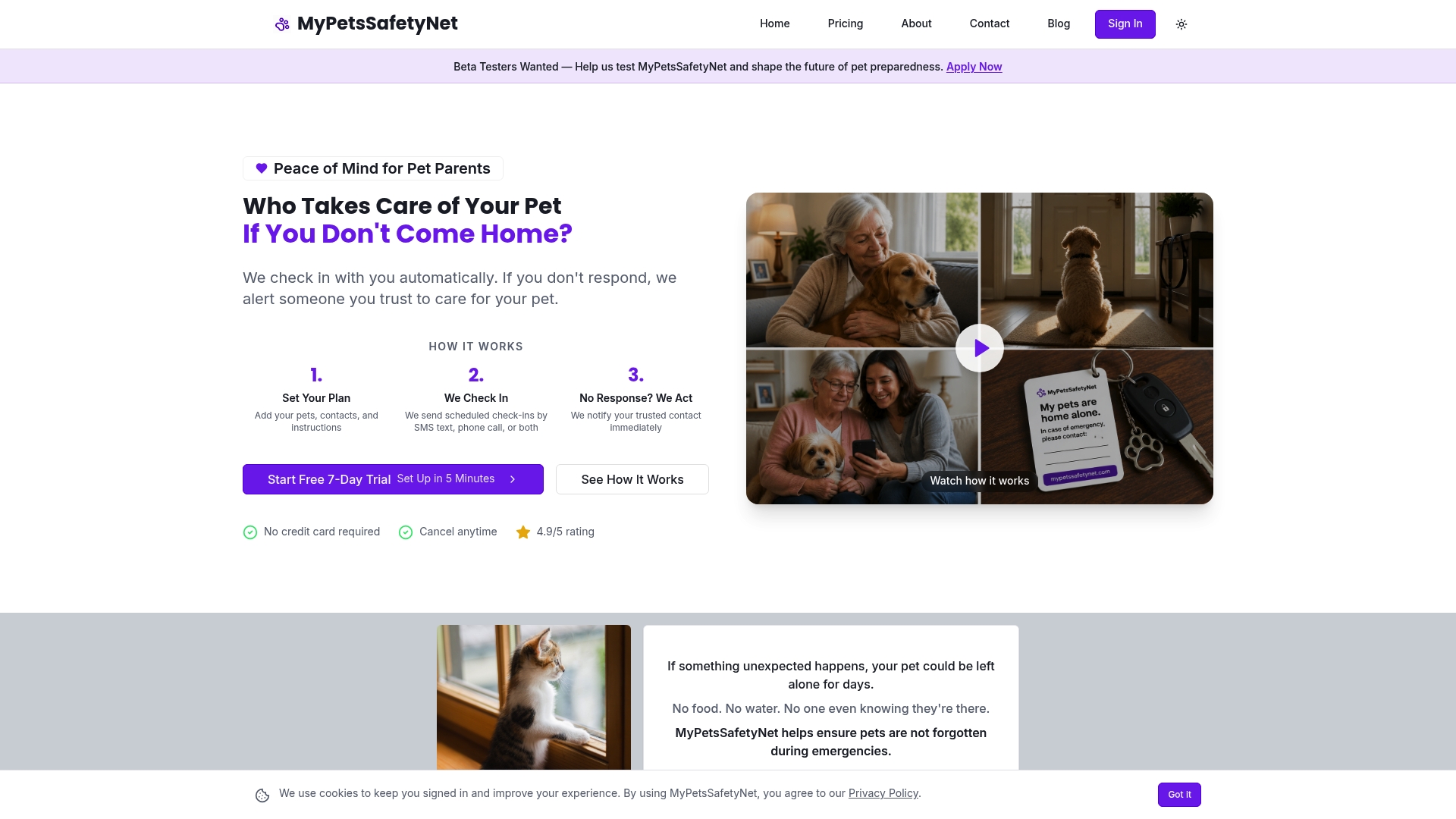
The Monthly plan is $6.99 per month, and it starts with a 7-day free trial with no credit card required. You can also visit MyPetsSafetyNet to see how it fits your routine.
A quick setup checklist
Use this list the next time you sit down to organize things.
- Write every daily, weekly and monthly task for each pet.
- Add portions, doses and the vet’s number to the entries or to a profile.
- Assign an owner and a backup to each task.
- Choose a format everyone will open, and a printed copy for those who won’t.
- Turn on reminders for medications and appointments.
- Name two to four emergency contacts and tell each what they may decide.
- Put the pet portfolio and keys where a contact can find them.
- Set up a check-in that alerts your contacts if you don’t respond.
- Review everything monthly and after any change.
If you also use a sitter when you travel, set the communication rules ahead of time. Our pet sitter communication plan lists what to settle before you go. For the bigger picture, read our emergency pet care plan guide.
A note on privacy
A shared calendar shows when you’re home, when you’re away and where your pets’ supplies are kept. Share it only with people you trust, and keep sensitive details such as door codes in a place you control and hand to emergency contacts directly. If you’re concerned about what contacts see, our piece on emergency contact privacy for pet owners explains how to share only what’s needed.

FAQ
What should I put in a shared pet care calendar?
Include feeding times and portions, walks, medications and doses, grooming, preventives, vet appointments and refill dates. Add the vet’s contact details and any behavior notes for each pet. Give every task one owner and one backup.
Do I need an app, or can I use a paper calendar?
Either works if everyone who helps will actually use it. Paper suits one household, while a digital calendar suits helpers in different places. Many owners keep both: a digital version for reminders and a printed sheet for sitters and emergency contacts.
How do I make sure someone cares for my pet if I can’t update the calendar?
Name emergency contacts, share your pet’s care details with them and tell them what they may decide on their own. Then add a check-in that alerts them if you don’t respond. MyPetsSafetyNet is designed to do this by notifying your contacts with your pets’ care instructions.
How often should I update the calendar?
Update it the same day your vet changes a dose, a diet or a schedule. Do a full review once a month, and again after any big change such as a move, a new pet or a new caregiver.
Who should have access to the calendar?
Give access to the people who feed, walk or medicate your pets, plus your backups and emergency contacts. Share only what each person needs. Sensitive details can go to your emergency contacts separately.
Sources
- Creating a Pet Care Family Calendar, Vet Playas
- Making a Plan for Your Pet, ASPCA
- Building Your Support Network, American Red Cross
- Backup Plans for Childcare and Pet Care, Pet Insurance Cloud
- Pets and disasters, AVMA