Supports Up to 5 Pets: Pet Profile Template for Wellness Checks
A pet profile template for automated wellness checks is a one-page emergency-ready record covering your pet’s medical needs, feeding routine, and caregiver contacts. The next step is simple: fill it out, paste it into your wellness-check account, and add at least two emergency contacts. Mypetssafetynet supports up to five pet profiles per account with feeding schedule documentation and a free printable pet card, so the record you build today is exactly what gets used the moment someone needs to step in for you.
TL;DR:
- A pet profile should include detailed medical, feeding, and caregiver information, and be formatted for quick understanding by someone unfamiliar with the pet.
- Sharing access with at least two caregivers involves physical key distribution and multiple copies in visible locations, including cloud storage.
- Update the profile whenever veterinary or contact information changes, or at least every three months to prevent outdated details.
- Automated wellness checks require complete profiles, with feeding, medication, and contact details, to enable timely escalation during emergencies.
- Storing physical copies in accessible places and digital backups ensures the profile is always available for emergency use or caregiver reference.
Table of Contents
- What Goes in a Pet Profile Template?
- How Do You Share the Profile with Caregivers?
- When Should You Update the Pet Profile?
- Where Automated Wellness-Checks Fit into the Plan
- Where Should You Store Copies of the Profile?
- A Practitioner’s Note: The Habit That Prevents Plan Failure
- Turn Your Template into an Active Wellness-Check Plan
- Sources
What Goes in a Pet Profile Template?
An emergency-ready pet profile isn’t a scrapbook. It’s a working document with specific fields a stranger could read and act on within minutes. The ASPCA’s pet planning guidance recommends pairing a wallet alert card with a fuller portfolio of medical and care details, and that two-tier structure is worth copying exactly.
Here’s what belongs in the full version:
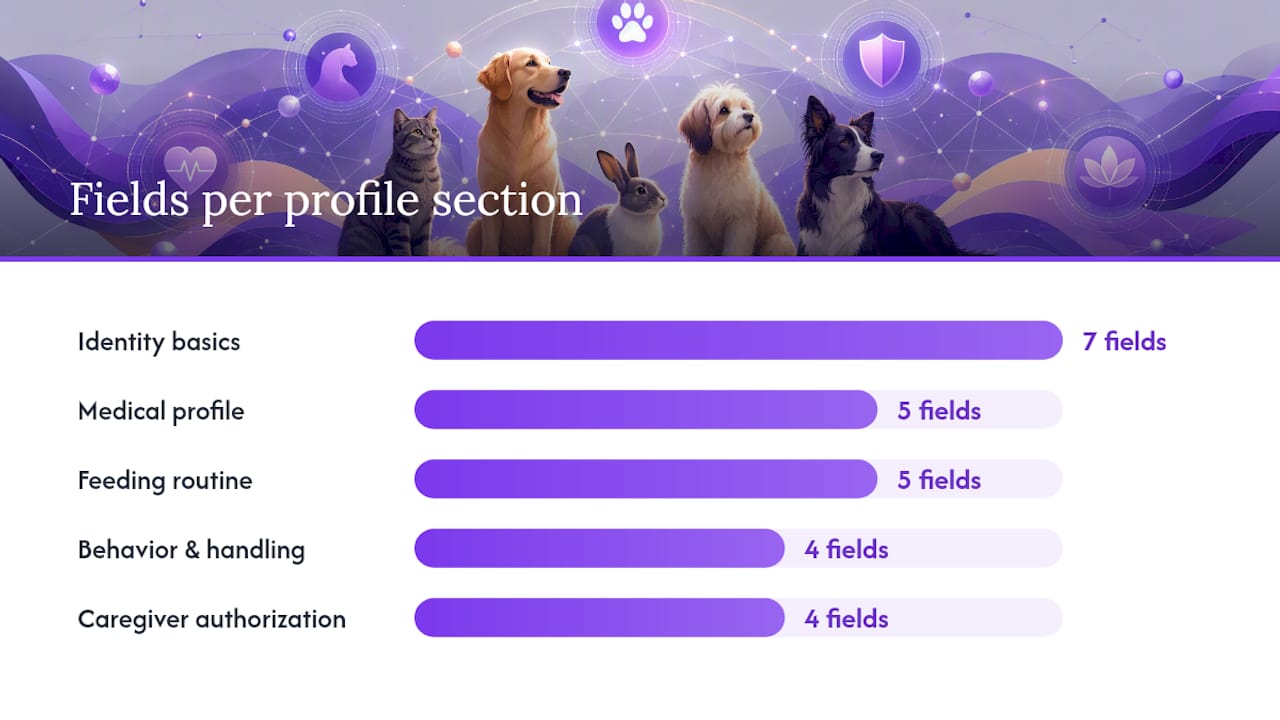
- Identity basics: pet name, a clear recent photo, species and breed, sex, date of birth or approximate age, current weight, and microchip number with the registry name.
- Medical profile: diagnoses, medications (brand name, dose, frequency, and where they’re stored), known allergies, your regular vet’s contact info, and the nearest 24-hour emergency animal hospital.
- Feeding routine: food brand, exact amount (“1/2 cup twice daily” beats “some food”), feeding times, where the bowls live, and any supplements or additives.
- Behavior and handling notes: anxiety triggers, safe approach methods, bite risk if any, and where the leash or carrier is kept.
- Caregiver authorization: full names, phone numbers, how they’ll get in (key, code, hidden lockbox), and a written note authorizing them to seek veterinary care on your behalf.
- Logistics: location of printed backup records, extra food and medication supply, and the crate or carrier.
Pro Tip: Write medication instructions the way you’d explain them to a stressed teenager. “One pill, hidden in a spoonful of peanut butter, every morning by 8 AM” gets followed correctly. “As directed” does not.
A pet emergency folder checklist built by veterinary planners lists nearly the same fields, plus vaccination records and caregiver permissions, and recommends keeping both a digital and a printed copy. That redundancy matters more than it sounds like it should. Mypetssafetynet’s pet care emergency document guide walks through formatting these fields so they’re easy to scan under pressure, not just complete.
How Do You Share the Profile with Caregivers?
A filled-out template does nothing sitting on your laptop. It has to reach real people who know they’re on the hook.
- Pick at least two caregivers and get a real yes. Don’t assume a neighbor or sibling will step up. Ask directly, and confirm they understand what’s expected.
- Give one caregiver physical access. A spare key, a lockbox code, or a shared access method. Planners who work with people living alone consistently recommend at least one caregiver holding a key plus written authorization for emergency vet decisions.
- Distribute three copies: a wallet-sized alert card, a fridge or entryway copy, and a cloud link they can open from their phone.
- Confirm receipt. Text them the link and ask them to open it once, so you know it actually loads before an emergency proves it doesn’t.
- Walk them through feeding and meds in person or over video. Reading instructions and doing them are two different skills.
Pro Tip: Set a specific expectation out loud: “If you get an alert and I don’t respond within two hours, please go to the house.” Vague goodwill fades. A specific ask sticks.
Caregivers who know the routine ahead of time respond faster and make fewer mistakes than caregivers reading cold. That’s the entire point of doing this now instead of during a crisis.
When Should You Update the Pet Profile?
Treat the profile as a living document, not a one-time form you fill out and forget. Practitioners who build these emergency templates recommend scheduled reviews triggered by real changes, not just a calendar reminder.
Update it whenever:
- Your vet changes a medication, dose, or diagnosis.
- You switch veterinary practices or emergency clinics.
- Your pet’s diet or feeding schedule shifts.
- You move, or a caregiver’s contact info changes.
- You add or lose a designated caregiver.
Beyond those triggers, do a quick three-month check even if nothing obvious has changed. Weight drifts, supplements get discontinued, and phone numbers turn over more often than people expect. Many wellness-check systems can double as a forced update prompt: when the system nudges you for your regular check-in, glance at the profile at the same time. Pairing the two habits means the record never goes stale without your noticing.
Where Automated Wellness-Checks Fit into the Plan
A written plan is only as fast as the person who notices something’s wrong. That’s the actual failure point for most solo pet owners: not a missing document, but a delay before anyone realizes help is needed.
Automated wellness-check services close that gap by design. You confirm you’re okay on a schedule you set, often daily or every other day. Miss that check-in, and the system escalates automatically, notifying your emergency contacts and handing them the exact profile details they need to act. Research on solo pet owner planning shows early-warning triggers shrink response windows from days to hours, which is the difference between a hungry, scared pet and a distressed one.
For the escalation to work, your profile needs to arrive complete, not partial. The fields automation leans on hardest:
- Feeding amounts and times
- Medication names, doses, and storage
- Vet and emergency clinic numbers
- Key or access location
- Caregiver phone numbers, in priority order
Pet trusts are a legal backstop worth knowing about. All 50 states permit them, but a trust takes time to execute. It’s not built for the first six hours of an emergency. That’s what daily check-ins are for.
Where Should You Store Copies of the Profile?
Keep it in places a stranger would actually look, not just places that feel organized to you.
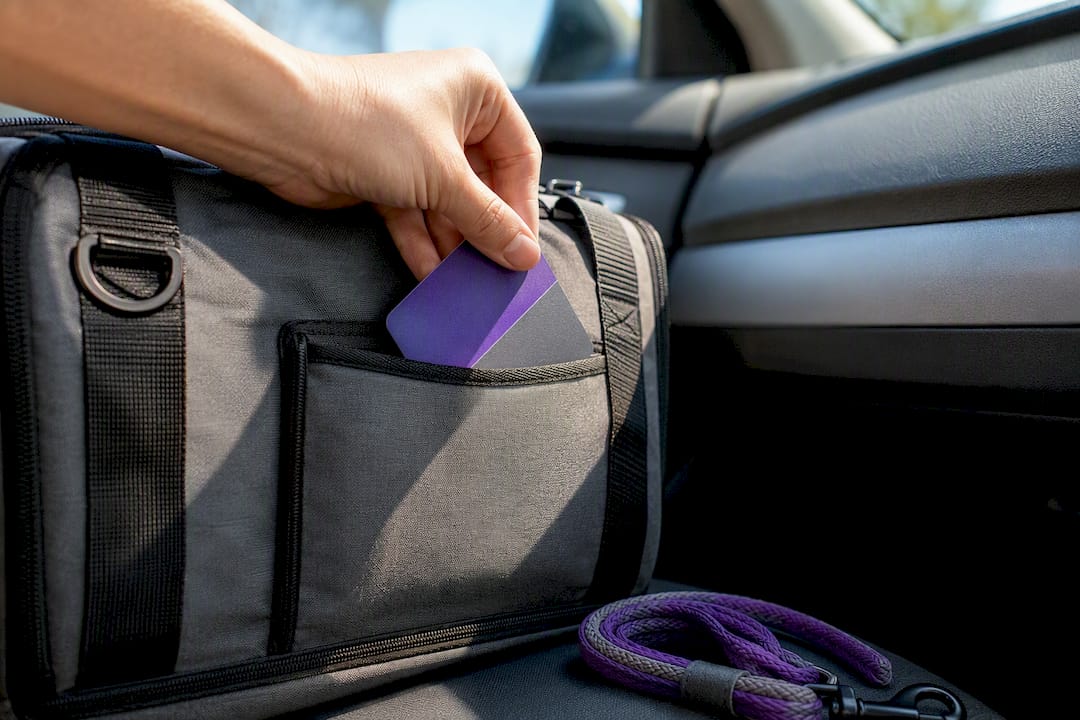
Physical copies: a wallet-sized pet alert card, a copy taped inside the front door or on the fridge, one in the carrier’s outer pocket, and one in the glove compartment if you drive with your pet often.
Digital copies: a scanned PDF in a shared cloud folder your caregivers can already open, a saved version inside your wellness-check account, and a labeled photo folder on your phone as a backup.
A printable emergency contact card placed in multiple spots beats one perfect document buried in a drawer. For quick door-entry situations, build a one-page summary with just the essentials and post it somewhere visible. Anyone considering more durable physical storage for critical documents generally might look at options like StokdUp’s disaster-ready storage for keeping printed originals protected.
A Practitioner’s Note: The Habit That Prevents Plan Failure
The plans that fail almost always share the same two problems: an assumed caregiver who never actually agreed to help, and a notification delay that gives an emergency hours or days to get worse before anyone notices.
The fix isn’t complicated. It’s a daily check-in, paired with a caregiver who has confirmed access and knows the routine before anything happens. That combination catches the failure before it compounds.
Start small. Some services support multiple pet profiles, feeding schedule documentation, and a free pet card to make the physical side easy. Build the habit of checking in daily, and the rest of the plan holds up when it’s tested.
— MyPetsSafetyNet
Turn Your Template into an Active Wellness-Check Plan
A finished template is only useful once it’s connected to something that acts on it. Some wellness-check services run daily check-ins, escalate to emergency contacts the moment one is missed, and provide pet profile details to facilitate care without a frantic phone tree.

The account holds up to five pet profiles with feeding schedule documentation attached to each one, plus a free pet card you can print and slip in a wallet or tape to the fridge. Getting started takes three steps: sign up, paste your completed template into the profile fields, and add your emergency contacts. Turn on daily check-ins and the escalation workflow does the watching so your caregivers don’t have to guess when something’s wrong. Head to the Mypetssafetynet wellness check-in service to set up your first pet profile and claim your free pet card.
Sources
- Making a plan for your pet | ASPCA
- Pet emergency contact update form | Jotform
- Pet Emergency Folder Checklist: What to Keep Ready | Petio
- Pet Care Plan for Emergencies: A Solo Pet Owner’s Guide