2–4 Pet Emergency Contacts Solo Pet Owners Must Name to Get Help Fast
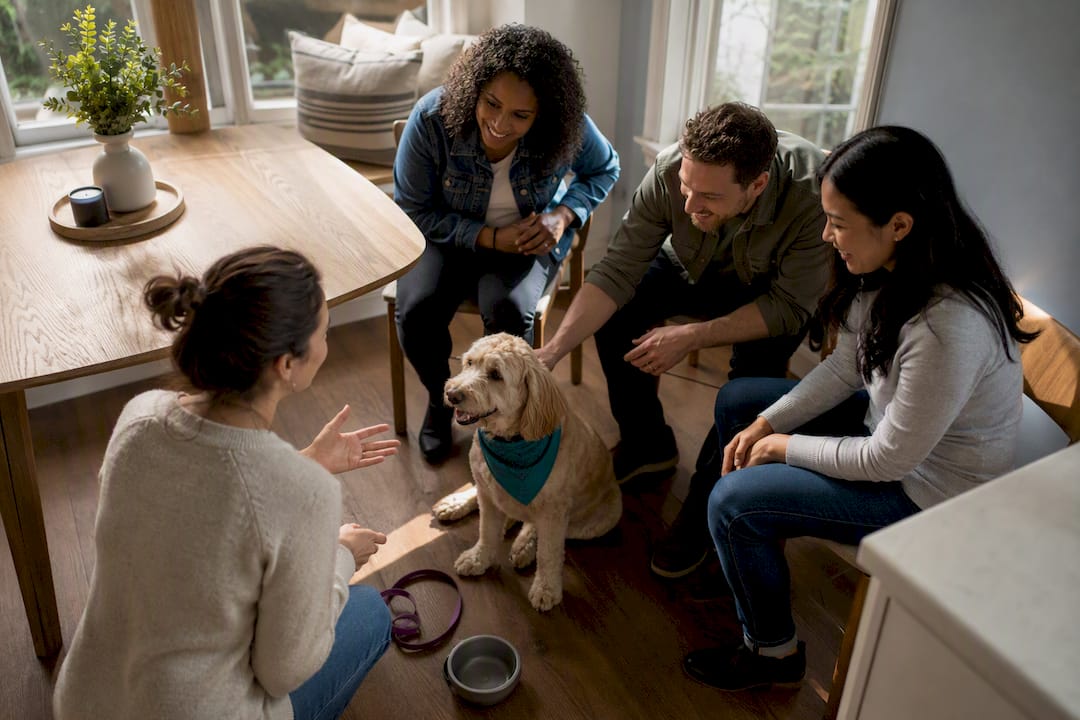
Pet emergency contacts are the people your automated wellness check-in service notifies with your pet-care instructions if you stop responding to a scheduled check-in. The single best action you can take today is registering for a daily automated check-in and naming 2 to 4 confirmed contacts who already have access to your home. That short setup step closes the gap between “something happened to me” and “someone is feeding my dog,” and services like Mypetssafetynet exist specifically to run that alert for you.
TL;DR:
- Register for a daily automated check-in and select 2 to 4 contacts with access to your home, ensuring quick response times in emergencies.
- Confirm your contacts are nearby, have access, and are willing to act fast, then communicate clearly and practice the plan with them.
- Create a concise, one-page pet emergency sheet with essential information like pet ID, feeding, medications, vet contacts, supplies location, behavioral notes, and authorization.
- Regularly review and update your plan at least once a year or after any significant change, testing contact details and access to prevent mundane failures.
- Use an automated system like Mypetssafetynet to handle daily check-ins, instructions, and escalation, reducing the time pets are left alone from days to hours.
Table of Contents
- Who Should Be Your Pet Emergency Contacts?
- What Goes on a One-Page Pet Emergency Contact Sheet?
- How Do Automated Wellness Check-Ins Actually Work?
- How to Set Up Your Pet Emergency Contacts Today
- How Often Should You Review Your Pet Emergency Plan?
- Why Mypetssafetynet Recommends This Exact Setup
- Set Up Your Pet’s Safety Net in Minutes
- Where to Go for More Guidance
- Sources
Who Should Be Your Pet Emergency Contacts?
Two to four people is the number that shows up across most credible planning guidance, and there’s a reason it holds up. One contact is a single point of failure. Five or more gets confusing fast. Nobody knows who’s actually supposed to show up, and in an emergency, ambiguity costs time your pet doesn’t have.
The right structure is a primary contact who can respond within an hour or two, plus one or two backups in case the primary is traveling, sick, or unreachable. Practical guidance from the ASPCA recommends this exact primary and backup structure, along with confirming access ahead of time rather than assuming someone will figure it out later.
When you’re deciding who makes the list, weigh these factors:
- Proximity. Someone 10 minutes away beats someone reliable but two hours out.
- Access. Do they already have a key, a garage code, or a way into your building?
- Comfort with your pet. A contact who’s never handled your reactive dog isn’t a good first call.
- Availability. A shift worker who’s unreachable for 12 hours at a stretch shouldn’t be your only primary.
- Willingness to act fast, without a lot of back and forth.
Once you’ve picked your people, have the actual conversation. AloneAssist’s guidance on solo pet owner planning points out that assuming “my sister would help” isn’t the same as her explicitly agreeing to it. Get a real yes, hand over a key or access code, and if you can, walk through a quick practice scenario together so nothing is a surprise later. For more detail on structuring this exact setup, see how many emergency contacts to name and how they connect to a check-in system.
What Goes on a One-Page Pet Emergency Contact Sheet?
A good contact sheet is short enough that a stressed, unfamiliar caregiver can scan it in under a minute and know exactly what to do. Long histories and extra notes just slow people down when speed matters most.
Include these essentials, in this order:
- Pet identification — name, species, breed, age, and a recent photo.
- Feeding instructions — food type, amount, and schedule.
- Medications — names, doses, and timing, if any.
- Vet and emergency clinic contact info — phone numbers and address.
- Microchip number and registry, if your pet has one.
- Where supplies live — leash, carrier, meds, food, in that order.
- Behavioral notes — anything a stranger needs to know before opening the door (skittish around men, escape artist, doesn’t like the crate).
- Simple authorization language — a sentence stating this person has your permission to access your home and make care decisions for your pet.
PetNPrep’s emergency pet care plan guidance lists nearly this exact set of fields as the planning essentials, and the CDC’s pet preparedness resources echo the same core idea: keep records accessible and current, not buried in a drawer.
Keep a printed copy somewhere visible, like on the refrigerator or taped near the front door, and share a digital version with each contact so there’s a backup if the paper copy gets missed. For a deeper walkthrough of authorization wording and document structure, Mypetssafetynet’s guide to pet care emergency document essentials breaks down exactly what language holds up.
Pro Tip: Skip the temptation to write a full medical history. A caregiver who’s never met your cat doesn’t need three years of vet visit notes in the first five minutes. They need feeding instructions, meds, and a phone number.
How Do Automated Wellness Check-Ins Actually Work?
An automated check-in sends you a scheduled prompt, usually daily, by text, phone call, or email. You confirm you’re okay with a quick reply. If you don’t respond within a set grace period, the system treats that silence as the alert itself and starts notifying your contacts in order, primary first, then backups if nobody confirms.
That missed-response trigger is the whole point. A passive plan, like a note taped to your fridge, only helps once someone happens to notice something’s wrong. Practitioner guidance suggests a daily check-in narrows that discovery window from potentially days down to hours, since the system itself flags the problem instead of waiting for a neighbor to notice your mail piling up.
Here’s what that shift actually produces in practice:
- Contacts get notified within hours of a missed check-in, not days.
- Your care instructions arrive automatically, so no one is guessing what your pet eats or where the leash is.
- If a vet needs to get involved, your contact already has that number in hand.
Automated check-ins can shrink the time a pet is left alone from days to hours simply by converting silence into a signal, rather than requiring someone to notice something is wrong on their own.
How to Set Up Your Pet Emergency Contacts Today
Getting this running doesn’t take a full weekend. Work through these steps in order:
- Pick your 2 to 4 contacts and confirm each one is willing, reachable, and reasonably close by.
- Build your one-page contact sheet using the fields above, then print one copy and save a digital one.
- Register with an automated check-in service. Set your check-in time, choose a grace period that fits your schedule, and set the escalation order, who gets notified first, second, and third.
- Add each contact’s phone number and email to the system so alerts actually reach them.
- Hand over physical access, a spare key, a door code, or instructions on where a hidden key is stored.
- Run a test. Miss a check-in on purpose (tell your contacts first) and confirm the alert actually reaches them and the instructions make sense.
Pro Tip: Test the whole chain once before you actually need it. A contact who says “yes, I’ll do it” but never gets the alert notification, or can’t find your spare key, is functionally the same as having no contact at all.
If you’d rather see how this looks inside an actual product before building it yourself, Mypetssafetynet’s automated check-ins and pet safety guide walks through grace periods and escalation design in more detail.
How Often Should You Review Your Pet Emergency Plan?
Review your plan at least once a year, and immediately after any real change: a move, a new pet, a health diagnosis, or a contact who’s no longer available. PetNPrep recommends testing phone numbers and access methods on a regular cadence, not just writing the plan once and forgetting it.
During a test drill, check three things specifically:
- Are the phone numbers on your sheet still correct?
- Does each contact still have working access, keys, codes, whatever you set up originally?
- Can a contact who hasn’t looked at the sheet in months understand it in under a minute?
The most common failures aren’t dramatic. They’re mundane: a single point of failure because you never named a backup, a contact sheet with a phone number that changed two years ago, or instructions so detailed nobody can find the one line that actually matters. Simple, current, and redundant beats thorough and stale every time.
Why Mypetssafetynet Recommends This Exact Setup
We built Mypetssafetynet around a pattern we kept seeing: solo pet owners with good intentions and no actual system. A name on a sticky note isn’t a plan. A neighbor who “probably” has a key isn’t a plan either.
Two to four confirmed contacts, a concise one-page document, and a daily automated check-in is the combination that consistently closes the gap between an emergency happening and someone actually showing up. Our platform’s escalation workflow, instruction delivery, and pet-care card generator exist to put structure behind this exact approach, rather than leaving it to memory or good intentions. It’s also why we cover the full version of this system in our guide on what happens to your pets if you’re hospitalized, where the stakes of a missing plan become concrete.
— MyPetsSafetyNet
Set Up Your Pet’s Safety Net in Minutes
Mypetssafetynet turns everything in this guide into a system that runs itself: automated daily check-ins by text, call, or email, a built in pet-care instruction card generator, and an escalation workflow that notifies your contacts in order if you miss a check-in.

Instead of hoping a note on the fridge gets noticed, you set your check-in schedule, add emergency contacts and pets, and let the system handle the rest. Setup takes a few minutes: add your pets, write your care instructions once, confirm your contacts, and choose your grace period. If a friend agreeing to “check in on the dog sometimes” is where your current plan stands, that’s worth fixing before you need it. Start your free trial and get your check-in schedule running today, or visit Mypetssafetynet to see how the full service works.
Where to Go for More Guidance
For official emergency preparedness basics, the CDC’s pet emergency guidance covers household planning fundamentals. The ASPCA’s pet planning resource and PetNPrep’s emergency plan template offer document structure you can adapt directly. For a checklist-style look at broader pet safety practices, see this pet emergency preparedness overview.
Sources
- CDC Healthy Pets — Emergency preparedness
- ASPCA — Making a plan for your pet
- PetNPrep — Emergency pet care plan
- AloneAssist — Pet care plan for solo owners