Daily Check-In Calls: How They Work and What Your Pets Need

A daily check-in call is a scheduled call, text or email that asks you to respond, and if you don’t, someone you chose is told to check on you. If you live alone with pets, the check-in only solves half the problem: the person who is alerted also needs to know who is waiting at home and how to care for them. MyPetsSafetyNet sends scheduled check-ins by SMS, phone call or email, and when you don’t respond it notifies your emergency contacts with your full pet care details.
TL;DR
- A daily check-in asks you to confirm you’re okay at a set time. A missed response triggers a chain of attempts and then an alert to people you named.
- Many local programs run by counties, states and police departments offer free daily calls for older adults. They are built to check on the person, not to carry pet care instructions.
- Pets need their own plan: named caregivers, feeding and medication details, a vet contact and a way to get into your home.
- MyPetsSafetyNet works with any phone, covers up to 5 pets and 3 emergency contacts, and costs $6.99 per month after a 7-day free trial with no credit card required.
Table of Contents
- What a daily check-in call actually is
- What public check-in programs offer
- Where pets fall through the gap
- How a missed check-in unfolds
- Daily calls, texts and emails: which fits you
- Check-in service vs. medical alert system
- What to include in your pet care plan
- Choosing your emergency contacts
- What to look for in a daily check-in service
- Why we built this the way we did
- Start your pet safety net
- FAQ
- Sources
What a daily check-in call actually is
The idea is simple. At a time you choose, you get a call or message. You answer or reply. That tells the system you’re fine for another day. If you don’t, the system tries again, and after a set number of unanswered attempts it reaches out to a person who can go and look.

You will see this idea under several names. Programs of this kind are also called telephone reassurance, Friendly Caller, Phone-a-Friend, outreach or check-in calls, and they are run by aging agencies, mental health organizations, crisis centers and warmlines for both social connection and safety monitoring.
The model has been around for years. A 2017 PBS News report found that hundreds of police agencies in the U.S. offer free, computer-generated reassurance calls for seniors living alone. Police departments often use these calls as a low-cost way to support a growing older population. The same report notes that false alarms do happen when someone forgets to mention a schedule change, but they are not frequent.
What public check-in programs offer
If you’re 55 or 60 or older, there may be a program near you. Three examples show how they typically work:
- Anne Arundel County, Maryland provides daily safety-check phone calls to adults 55 or older, and to homebound adults with disabilities, who don’t have family or friends to check on them.
- Maryland’s statewide Senior Call Check offers free daily automated calls or texts to residents 60 and older. After three unanswered attempts, an alternate contact is notified, and non-emergency services may be asked for a welfare check.
- El Dorado County, California runs the YANA (You Are Not Alone) program, with free daily check-in calls for residents 60 and older. After three unanswered calls, family, friends or neighbors are asked to check, and law enforcement is contacted if those attempts fail.
These programs are valuable for the people they serve. They also show the common pattern: a few attempts, then a person, then, if needed, a welfare check. Eligibility depends on age, disability and where you live, and the details differ from one program to the next.
Notice what the pattern leaves out. The goal is to find out whether you are okay. Nothing in it tells the person who comes to your door that two cats need insulin-free dinner at six, that your dog is nervous around strangers, or where the spare key is.
Where pets fall through the gap
When you can’t respond, the first question is about you. The second, which often goes unasked for hours, is about your animals. Pets can’t call anyone, open a door or refill a water bowl.
A check-in built around pets answers four questions at the moment an alert goes out:
- Who is being told? Named people you’ve already asked, not a stranger.
- Do they know there are pets? An alert that says “please check on Dana” is different from one that says “please check on Dana and her two cats.”
- Can they care for them? Feeding amounts, medications, carrier location and vet details have to be in front of them.
- Can they get in? Access instructions belong in the plan, shared only with the people you trust.
This is the gap MyPetsSafetyNet was created for: what happens to pets if their owner has an emergency and lives alone. If you miss a check-in, your emergency contacts are notified promptly so they can check on both you and your pets, and the alert carries your full pet care details.
How a missed check-in unfolds
It helps to picture the sequence, because it’s what you’ll be setting up. With MyPetsSafetyNet, the flow looks like this:
- Scheduled check-in. You receive an SMS, phone call or email at a time you set.
- Countdown. If you don’t respond, a countdown interval begins. You can customize the length of these intervals.
- Escalation. The service moves through its escalation workflow instead of alerting everyone at once.
- Notification. Your emergency contacts receive a notice with your pet care details so they know what to do when they arrive.
The countdown is the part to think about most. A short window gets help to your pets sooner. A longer one gives you room for a nap, a dead phone battery or a busy morning. You know your routine better than any default does, which is why the intervals are yours to set.
Daily calls, texts and emails: which fits you
People searching for automatic check-in texts and daily calls often wonder whether there’s a real difference. There is, in how you respond.
| Method | How you respond | Good fit if |
|---|---|---|
| Phone call | Answer and follow the prompt | You prefer a voice, or don’t text |
| SMS text | Reply to the message | You carry a basic or smart phone and read texts |
| Reply or confirm from your inbox | You check email through the day |
MyPetsSafetyNet doesn’t require a smartphone. Check-ins work with any phone through SMS or calls, which matters for many older adults and people with disabilities who use a basic phone or a landline. If you’d like to know how your contact details stay protected, our guide to pet emergency privacy without a smartphone walks through it.
Check-in service vs. medical alert system
These are different tools, and it’s worth knowing which one you’re looking at. Maryland’s Senior Call Check, for example, has no live operator for daily check-ins and does not call 911 the way paid emergency response providers do. It offers weekly live check-ins as an extra option.
A wearable alert button responds when you press it. A check-in works the other way around: it responds when you don’t do something, which covers situations where you can’t reach a button at all.
MyPetsSafetyNet is built around that second case and around your animals. Its alerts go to named caregivers you’ve chosen, with pet instructions attached, rather than to emergency services. Many solo owners use a check-in for pets and daily routine alongside whatever other safety devices they already have.
What to include in your pet care plan
A check-in is only as useful as the information behind it. Official and veterinary guidance agrees on the basics.
Supplies and kit
- Ready.gov’s guidance for older Americans says to plan to be self-sufficient for at least three days, including pet food, extra water and supplies.
- Ready.gov’s pet guidance lists several days of food and water, extra medicines, identification and registration information, a carrier or crate, sanitation supplies and familiar items.
People
- Ready.gov says that if you may be unable to care for your pets, set up a buddy system with neighbors, friends or relatives so someone is available to care for or evacuate them.
- The ASPCA suggests carrying a Pet Alert Card in your wallet to tell authorities you have a pet at home, listing two emergency contacts.
Records
- The American Veterinary Medical Association’s pet first-aid form recommends recording owner and pet identification, current medications, veterinarian and emergency-hospital contacts and relevant emergency numbers.
- The AVMA also advises keeping a contact list with your veterinarian, an alternate veterinarian and boarding-facility details.
- For friends or neighbors who agree to help, the AVMA recommends a signed letter releasing them from responsibility if a pet is injured during evacuation.
MyPetsSafetyNet keeps this in one place. You manage pet profiles and care instructions for up to 5 pets, and the pet care instruction card generator turns them into a card your caregivers can use. Our articles on the emergency pet care plan every owner needs and a 15-minute pet disaster plan go deeper on what to write down.
Choosing your emergency contacts
Your contacts are the human half of the system. Pick people who live close, can reach your home, and have said yes in advance. MyPetsSafetyNet supports up to 3 emergency contacts, so choose carefully and tell each one what to expect.
A few practical points:
- Ask first. A contact who is surprised by an alert loses time.
- Give each a role. One person might handle feeding, another the vet. See our guide to five pet caregiver roles for ideas.
- Think about reachability. Contacts who travel or work overnight may not see an alert quickly. Our piece on naming 2 to 4 emergency contacts explains how to cover that, and auto check-ins and unreachable contacts shows why a spread of contacts matters.
- Prepare the home. Leave food, leashes, carriers and medication where a caregiver can find them. Our checklist on preparing your home for pet caregivers covers it.
- Tell neighbors. A short word with the person next door helps; see how to notify neighbors about your pets.
Apartment dwellers have extra things to settle, such as building access. Our apartment emergency plan for pets covers them. And if a hospital stay is what worries you, read what happens to your pets if you’re hospitalized.
What to look for in a daily check-in service
Whether you’re comparing the best daily check-in options or choosing a service for an emergency plan, these are the questions that matter:
- Does it work on your phone? A service that needs a specific app leaves out anyone with a basic phone.
- Can you set the schedule and the wait time? Your day isn’t someone else’s default.
- Is there an escalation path? A sequence of attempts before alerting people cuts down on false alarms.
- Who gets the alert, and what does it say? For pet owners, the message should carry pet care details, not just your name.
- How long does setup take? A tool you finish in one sitting is one you’ll actually use. MyPetsSafetyNet setup takes less than 10 minutes.
- What does it cost? Look for a simple price and a trial.
MyPetsSafetyNet meets each of these: it works with any phone via SMS or calls, has customizable schedules and countdowns, an escalation workflow, alerts with full pet care details to your named contacts, and a simple price.
Why we built this the way we did
We started MyPetsSafetyNet from one worry: if you live alone and something happens to you, who knows your pets are waiting?
Daily check-ins are a good idea, and they work best when they carry the whole picture. We built ours around your pets, so the people you’ve chosen get the details they need, not only a message that you didn’t answer.
We also kept it simple. It works with any phone, setup takes less than 10 minutes, and you set the schedule and the countdown. Your plan should fit your life, and it should keep working on the days you can’t.
MyPetsSafetyNet
Start your pet safety net
MyPetsSafetyNet is a monthly plan at $6.99 per month, with a 7-day free trial and no credit card required. It covers scheduled SMS, phone or email check-ins, up to 5 pets, up to 3 emergency contacts, customizable countdown intervals and the pet care instruction card generator.
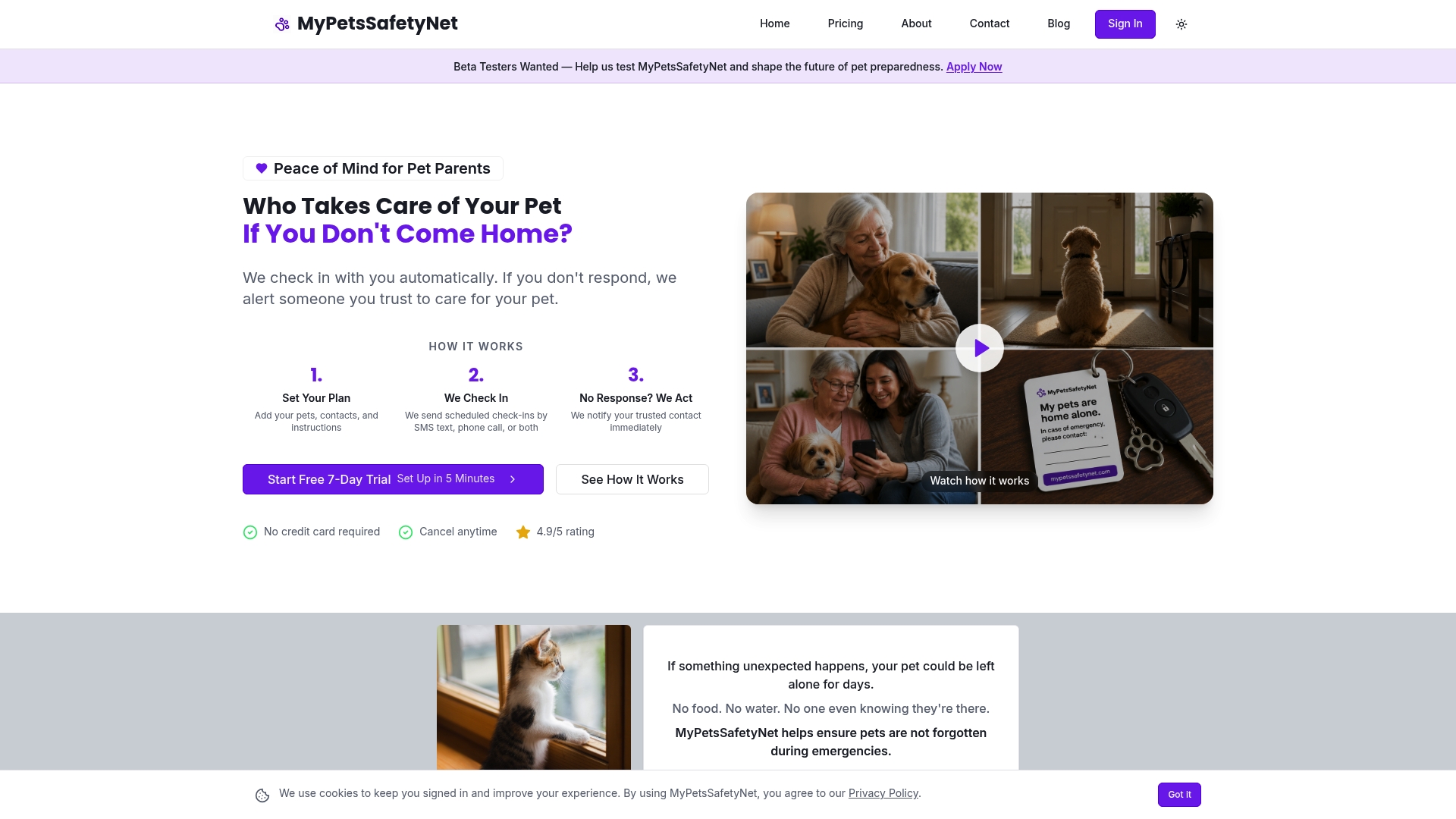
You can see the plan and begin your trial on the MyPetsSafetyNet pricing page, or look around the MyPetsSafetyNet home page first.
FAQ
Can a daily check-in call make sure my pets are cared for?
It can get the right people to your door and put the right information in their hands. With MyPetsSafetyNet, if you don’t respond, your emergency contacts are notified with full pet care details so they can check on you and your pets. The care itself is carried out by the caregivers you’ve named.
What happens if I miss a check-in?
In a typical program, there are a few more attempts to reach you, then a notification to a contact. Public programs such as Maryland’s Senior Call Check make three attempts before notifying an alternate. With MyPetsSafetyNet, you set the countdown interval, and the escalation workflow then notifies your contacts.
Do I need a smartphone for check-in texts or calls?
No. MyPetsSafetyNet works with any phone through SMS or calls, and you can also choose email. That makes it practical for older adults and people with disabilities who don’t use a smartphone.
Who should I name as emergency contacts?
Choose people who live nearby, can get into your home and have agreed in advance. MyPetsSafetyNet lets you add up to 3 contacts. The ASPCA suggests listing two emergency contacts on a wallet Pet Alert Card, so two reliable people is a good place to begin.
How much does it cost?
The Monthly plan is $6.99 per month. You can try it free for 7 days without entering a credit card.
Sources
- Telephone Reassurance Programs
- Local police departments restore peace of mind by phoning seniors (PBS News)
- Telephone Reassurance, Anne Arundel County Government
- Senior Call Check and Social Connections, Maryland Department of Aging
- Y.A.N.A. (You Are Not Alone), El Dorado County
- Preparing Makes Sense for Older Americans, Ready.gov
- Prepare Your Pets for Disasters, Ready.gov
- Making a Plan for Your Pet, ASPCA
- Pet First Aid, AVMA (2025)
- Pets and disasters, AVMA