Medical Device Alerts for Solo Pet Owners: 2026 Guide
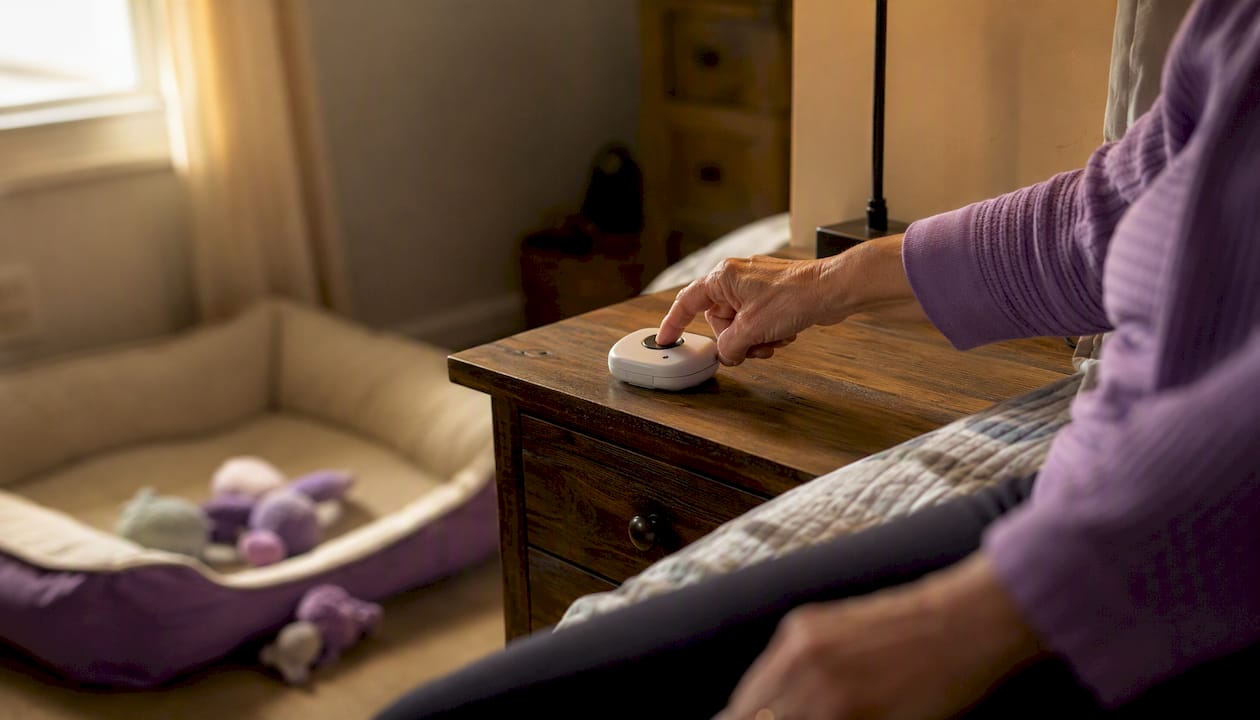
In this guide, “medical device alerts” means automated wellness notifications that contact your emergency contacts when you don’t respond to a scheduled check-in, so your pets get care fast. The verdict is simple: set up a daily automated check-in, name two emergency contacts, and keep a written pet care card accessible. Here’s what to do in the next 15 minutes:
- Sign up for an automated wellness check-in service and set your daily check-in window.
- Name two contacts (a primary and a backup) and share your pet care instructions with both.
- Create a wallet card or QR card with your pet’s name, feeding schedule, vet contact, and your emergency contacts’ numbers.
Table of Contents
- How do medical device alert systems actually work for pet owners?
- What are the three essentials every solo pet owner needs?
- What exactly should you put in your pet care instructions and wallet card?
- What legal options let your contacts authorize veterinary care?
- How do you set up and test an automated wellness alert system today?
- How do you choose the right wellness-alert service for your pets?
- How do you keep your alert plan current and ready to activate?
- Key Takeaways
- Why a daily check-in changes everything for solo owners
- Mypetssafetynet gives solo owners a complete, ready-to-use system
- Useful sources and next readings
How do medical device alert systems actually work for pet owners?
The logic is straightforward: you respond to a daily check-in prompt, and nothing happens. You miss it, and the escalation starts. That absence is the signal.
A typical automated check-in works in stages. First, the system sends you a reminder via SMS, phone, or email. If you don’t respond within your chosen window, it escalates: a second alert goes out, then a direct call, then your emergency contacts receive a notification with your pet care details. The whole sequence can complete within hours, not days. That speed is what protects your pets.
Response windows matter. A pet left without food or medication for 24 hours faces real harm. Narrowing the discovery window from days to hours is the core value of any health device alert system for solo owners. Daily check-in services show that a missed check-in, automatically flagged the same day, is the infrastructure that activates every other part of your plan.
Privacy and consent are part of the setup. SMS notifications to your emergency contacts require their opt-in under US carrier rules. Mypetssafetynet handles this through a recorded SMS consent workflow, so every contact is lawfully enrolled before they ever receive an alert.
What are the three essentials every solo pet owner needs?
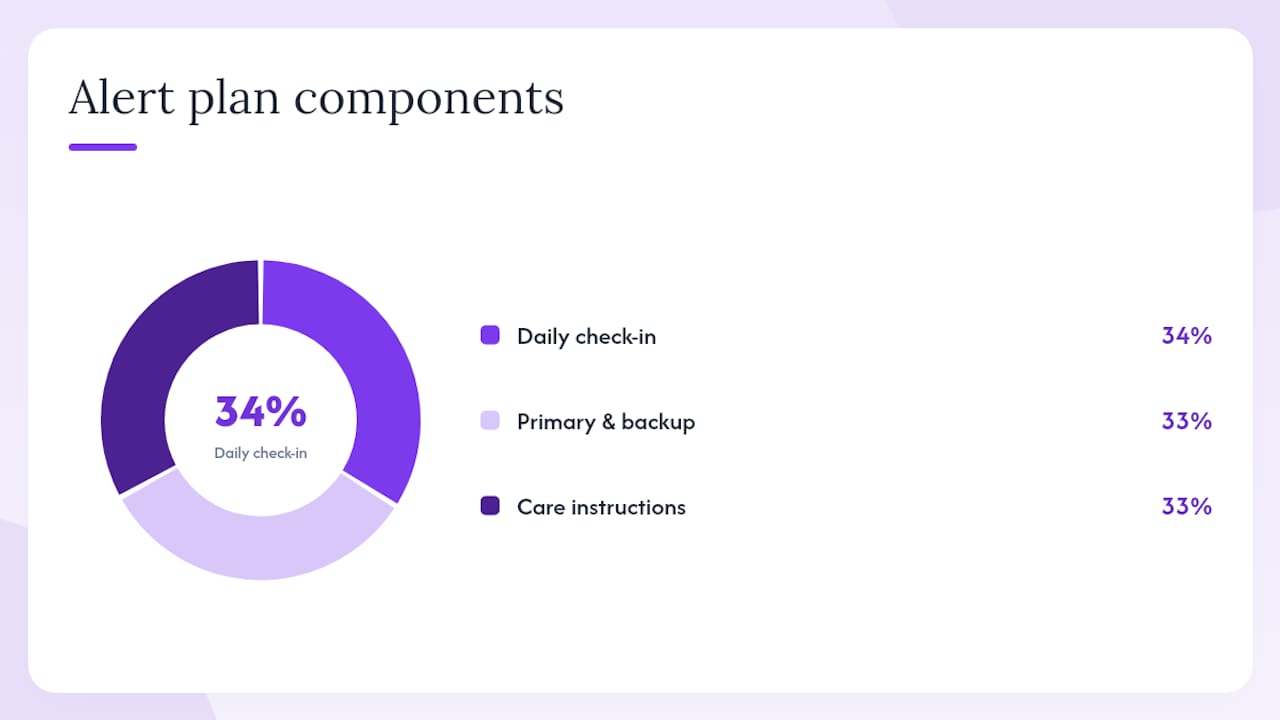
Three things make an alert plan work: an early-warning trigger, two designated contacts, and written care instructions in an accessible place. Miss any one of them and the system breaks down.
1. A daily check-in as your trigger. This is the automated signal that something is wrong. Without it, your contacts have no way to know you need help until someone notices your absence, which can take days.
2. A primary contact and a backup. The ASPCA recommends keeping an emergency contact sheet so responders know who to call. Name someone who can physically reach your home within a few hours as your primary. Your backup should be someone equally reliable who steps in if the primary is unavailable. An unmaintained contact list is effectively no plan at all.
3. Written care instructions in a place anyone can find. A wallet card, a printed sheet on the fridge, or a QR card on your door all work. The goal is that anyone who arrives at your home, whether a neighbor or a first responder, can immediately see that pets are inside and know what they need. Your emergency pet care plan should be readable in under two minutes.
Quick checklist to confirm you have all three:
- Daily check-in service active and tested
- Primary emergency contact confirmed and briefed
- Backup contact confirmed and briefed
- Written pet care instructions accessible at home and shared digitally
Pro Tip: Run a live test with both contacts once a quarter. Call them, confirm they have your current address and a key or access method, and ask them to read back your pet’s feeding schedule. If they can’t, update the instructions before you assume the plan works.
What exactly should you put in your pet care instructions and wallet card?
Your wallet card and QR landing page need to give a caregiver everything required to act in the first hour. The single most important detail is that pets are in the home and need immediate attention.
Wallet card essentials:
- Pet name, species, breed, age, and a recent photo
- Feeding schedule (food brand, amount, frequency)
- Current medications (name, dose, timing, storage location)
- Vet name, clinic, and phone number
- Your emergency contacts’ names and numbers
- Location of food, leash, carrier, and spare key
For a QR card or digital profile, link to your pet’s microchip registration, vaccination records, and any behavioral notes a caregiver needs to know (fear of strangers, separation anxiety, other pets in the home). A caregiver who knows your dog is microchipped and registered can verify identity at the vet without delay.
Multi-pet households need per-pet entries. A single card that lists “two cats and a dog” without individual details creates confusion under stress. Write one short profile per pet, even if they share a vet. Guidance on writing clear caregiver instructions can help you organize this quickly.
What legal options let your contacts authorize veterinary care?
The two-layer approach covers both immediate needs and long-term arrangements. For the short term, a written veterinary authorization or durable power of attorney (POA) lets a designated person consent to treatment, pick up medications, and manage your pet’s care while you’re incapacitated. For the long term, a pet trust provides funded, enforceable oversight.
The Ohio Bar’s pet planning guide includes sample POA clauses that explicitly authorize an agent to consent to veterinary care and arrange treatment. Without written authorization, a bystander or even a close friend may lack legal authority to approve surgery or access your pet’s records. A one-page authorization statement prevents avoidable delays.
| Document | Best for | Trade-offs |
|---|---|---|
| Written veterinary authorization | Immediate, short-term care consent | Simple to create; limited scope |
| Durable POA with pet clauses | Broader authority during incapacity | Requires attorney review for best results |
| Pet trust | Long-term funded care and oversight | More setup cost; strongest protection |
A pet trust names a caregiver, a trustee, and specifies care standards and funding. It can activate during your lifetime or at death. The ACTEC estate planning guidance confirms that pet trusts provide legally enforceable funding, which matters when care costs are high or needs are complex.
Without any of these documents, Varnum LLP warns that pets face immediate harm (no food or water) and long-term risks including shelter placement. Steps to get started:
- Draft a one-page veterinary authorization and share it with your emergency contacts and vet today.
- Add pet care clauses to your durable POA when you next update it with an attorney.
- If your pet has complex medical needs or you want funded long-term care, consult an estate planning attorney about a pet trust.
- Store all documents in a shared digital folder your contacts can access.
How do you set up and test an automated wellness alert system today?
Do these five steps now and you’ll have a working system by end of day.
- Choose your check-in window. Pick a consistent daily time when you’re reliably awake and available, such as 8:00 AM. Consistency reduces false alarms.
- Add your emergency contacts. Enter at least two contacts with their phone numbers and preferred notification channels (SMS, call, or email). Confirm they’ve completed SMS opt-in.
- Build your pet profiles. Add each pet’s name, photo, feeding schedule, medications, and vet contact. Upload or link care instructions.
- Set your escalation timing. Decide how long the system waits before alerting contacts. A window of one to two hours after a missed check-in is a practical starting point.
- Run a test. Deliberately miss one check-in and confirm your contacts receive the alert with the correct pet details. Ask them to read the instructions back to you.
After setup, verify:
- SMS opt-in is recorded for every contact
- Contact phone numbers are current and tested
- Wallet card or QR card is printed and accessible
- Pet profiles include photos and current medication details
For a full solo-owner checklist, the pet care plan for living alone walks through each step in detail.
How do you choose the right wellness-alert service for your pets?
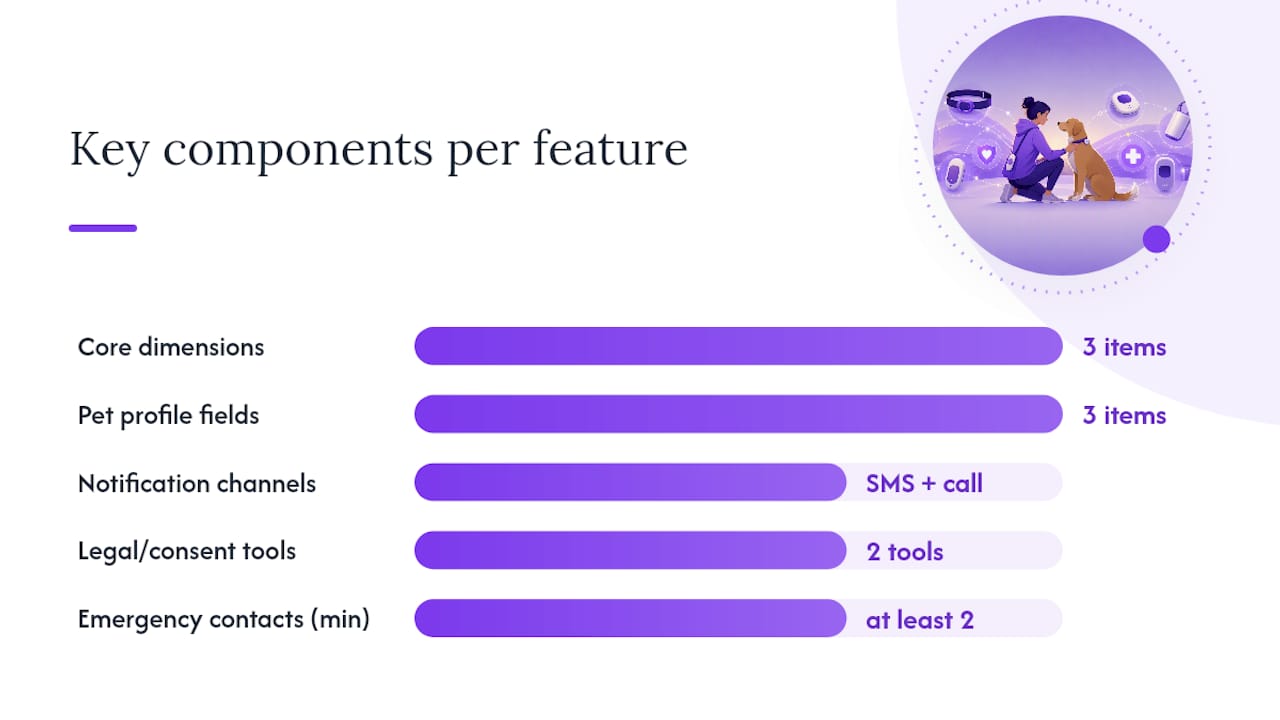
Three dimensions matter most: the escalation workflow, emergency contact support, and pet-profile storage with legal tools. Everything else is secondary.
When evaluating any platform, ask these questions:
- How many escalation steps occur before contacts are notified, and how fast?
- Which notification channels are supported (SMS, phone call, email)?
- How many emergency contacts can you designate?
- Can you store full pet care instructions, photos, and vet details in the profile?
- Does the platform provide legal document templates or wallet card generators?
- Is SMS consent recorded and compliant with US carrier rules?
- What is the pricing model, and is there a free trial?
| Feature | What to look for |
|---|---|
| Escalation workflow | Multi-step, timed escalation within hours |
| Notification channels | SMS + phone call at minimum |
| Emergency contacts | At least 2, ideally 3 |
| Pet profile storage | Per-pet instructions, photos, vet info |
| Legal/consent tools | Authorization templates, wallet card/QR generator |
| Pricing model | Monthly subscription with a free trial |
| Privacy/data retention | Clear SMS consent, stated data policy |
Integration with microchip registries or wearable pet health sensors is a useful bonus. Daily check-in implementations show that the best services work on existing phones without special hardware, which keeps the barrier to adoption low.
How do you keep your alert plan current and ready to activate?
A three-step recurring schedule keeps the plan reliable: monthly check-ins, quarterly contact updates, and an annual legal review.
Monthly (one minute): Confirm your check-in service is active, your contact numbers haven’t changed, and your pet’s current medications and food brand are accurate in the profile.
Quarterly: Run a live missed-check-in simulation with both contacts. Confirm they still have access to your home (key, code, or spare). Update any vet contact changes. Re-brief your backup contact if they haven’t heard from you in a while.
Annually: Review your veterinary authorization and POA with your attorney. Update your pet trust if care needs have changed. Reprint your wallet card if any details have changed. The proactive pet planning guide includes a full annual review checklist.
Keep a shared digital folder with your authorization documents, pet profiles, and contact list. When you update anything, drop the new version in the folder and notify your contacts. That single habit makes every update frictionless.
Key Takeaways
A daily automated wellness check-in, two briefed emergency contacts, and accessible written pet care instructions are the three non-negotiable components of a solo pet owner’s emergency plan.
| Point | Details |
|---|---|
| Daily check-in is the trigger | A missed check-in, not a phone call, is what activates your emergency contacts within hours. |
| Two contacts minimum | Name a primary and a backup; brief both and confirm access to your home at least quarterly. |
| Written instructions save time | A wallet card or QR profile gives any responder immediate, actionable pet care details. |
| Legal authorization prevents delays | A one-page veterinary authorization lets your contacts approve treatment without legal barriers. |
| Mypetssafetynet automates the system | Mypetssafetynet provides automated check-ins, escalation workflows, pet profiles, and wallet card generation with a free trial. |
Why a daily check-in changes everything for solo owners
The hardest part of living alone with pets isn’t the daily care. It’s the gap between when something goes wrong and when anyone finds out. For most solo owners without a check-in system, that gap is measured in days. A daily wellness alert closes it to hours.
That shift matters more than any other single step in this plan. Pets left without food, water, or medication for 48 hours face real medical risk. When the discovery window shrinks to the same day, the likelihood that your pets stay in their home, with people who know them, increases substantially. The plan only works, though, when the trigger is connected to people who are ready to act. A check-in service without briefed contacts is just a notification that goes nowhere.
Mypetssafetynet gives solo owners a complete, ready-to-use system
Solo pet owners who need automated wellness check-ins and rapid escalation have a clear, purpose-built option in Mypetssafetynet. Rather than assembling a plan from separate tools, you get the check-in trigger, escalation workflow, pet profile storage, and wallet card generator in one subscription.

Key features that match what this guide recommends:
- Automated daily check-ins — via SMS, phone, or email with customizable timing
Start your free trial at Mypetssafetynet and complete the SMS consent setup for each contact during signup. Your pets are protected the day you finish setup.
Useful sources and next readings
These sources back the guidance in this article and are worth bookmarking for templates and deeper reading:
- Making a Plan for Your Pet | ASPCA
- Pet planning & pets POA guide (Ohio Bar PDF)
- Pet trusts primer (American Bar Association) — 2025 Jan/Feb
- ACTEC — Estate Planning Essentials
- Securing Your Pet’s Future with Estate Planning - Varnum LLP
- Pet Care Plan for Emergencies: A Solo Pet Owner’s Guide
- Safety Plan for Pet Owners Who Live Alone — Snug Safety
- Automated Check-Ins and Pet Safety: A 2026 Guide
Share your veterinary authorization and emergency contact sheet with your contacts and attorney. Keep digital copies in a shared folder they can access without your help.
This article provides general information for planning purposes. It is not legal or veterinary advice. Confirm current legal requirements with a licensed attorney in your state.