Automated Pet Welfare Check Systems: Your 2026 Guide
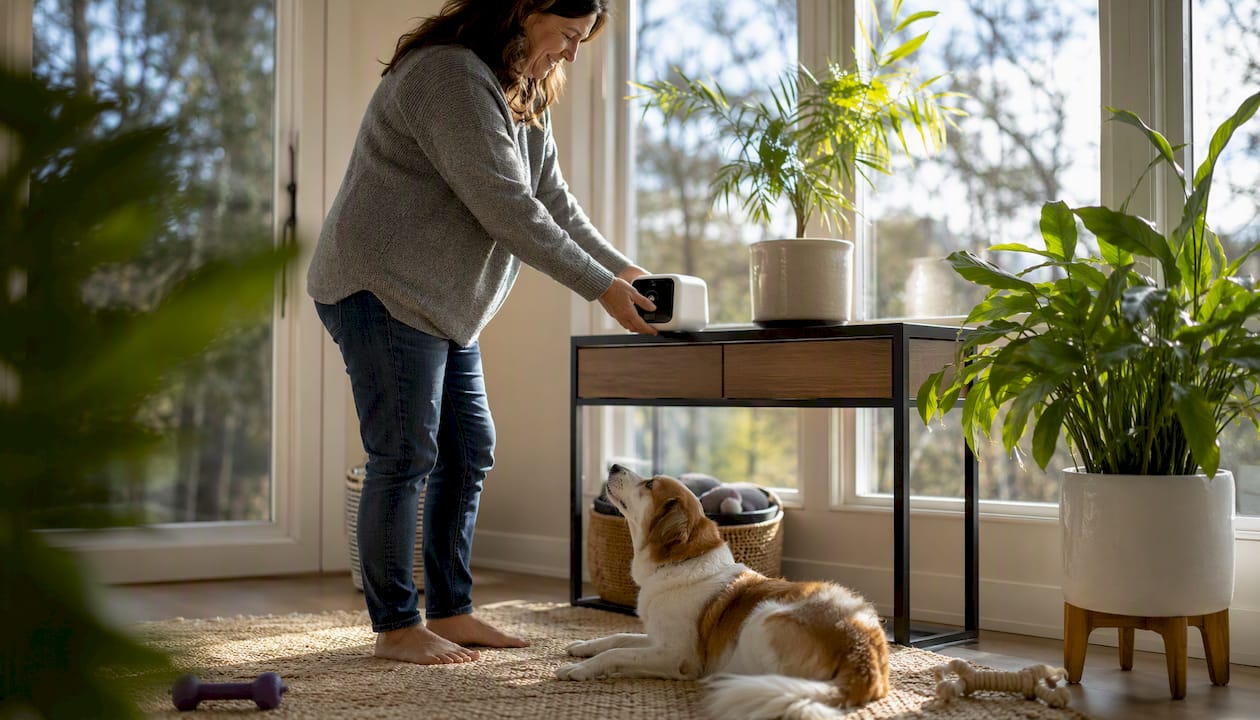
For solo pet owners, Mypetssafetynet is the clearest example of a neighbor welfare check system built specifically for you. It sends scheduled SMS, phone, or email check-ins, manages your pet profiles and care instructions, and automatically notifies your emergency contacts with full pet-care details if you don’t respond.
- What it does: Automated daily check-ins with escalation logic that alerts up to three emergency contacts, complete with feeding schedules, medication details, and access instructions.
- Best for: Solo pet owners, elderly adults living alone, and disabled pet parents who need a reliable backup plan if they become unresponsive.
- Quick reason to act: A free trial and a free pet card generator mean you can create basic protection for your pet today, before you even subscribe.
Key Takeaways
Automated pet welfare check-in systems protect your pets by alerting emergency contacts with care instructions the moment you miss a scheduled check-in, and Mypetssafetynet is the clearest ready-to-use example for solo pet owners.
| Point | Details |
|---|---|
| Daily check-ins are the minimum | A daily check-in narrows the detection window from days to hours for solo pet owners. |
| Pet-care card is non-negotiable | Your card must include feeding, medications, vet contact, and spare-key location before you go live. |
| Test before you need it | Run a full escalation drill quarterly to confirm contacts receive the correct alert and details. |
| Ask privacy questions upfront | Confirm data retention, encryption, and SMS consent practices before sharing home-access codes. |
| Mypetssafetynet | Offers automated check-ins, a free pet card generator, and a free trial for solo pet owners. |
Table of Contents
- What is an automated pet-welfare check system?
- What are the main types of neighbor welfare check systems for pet owners?
- What features should you prioritize when comparing these systems?
- How do you set up a pet welfare check-in system?
- What will your emergency contacts receive when the system escalates?
- What does a pet welfare check-in service typically cost?
- What privacy and security questions should you ask before activating?
- How do you test and maintain the system so it works when you need it?
- Mypetssafetynet’s perspective on why this matters
- Mypetssafetynet gives solo pet owners a ready-to-use safety plan
- Useful sources and further reading
What is an automated pet-welfare check system?
An automated pet-welfare check system is a service that sends you scheduled prompts (via SMS, phone call, or email), waits for your confirmation, and notifies designated emergency contacts with your pet’s care instructions if you don’t respond. This article covers only that category. It does not cover police wellness checks, neighbor door-knocks, or general medical alert devices for people.
The core components of these automated check-in services typically include:
- A check-in scheduler you configure (daily, twice daily, or custom)
- Escalation logic that triggers after a missed response, without specifying a precise countdown time
- Emergency-contact messaging that includes your pet’s care card
- Optional integrations with cameras, wearables, or GPS collars
These systems differ from pure pet cameras, which only let someone watch your pet remotely. They also differ from medical alert buttons, which focus on getting help to you but don’t automatically deliver pet-care instructions to a neighbor or friend. A pet-welfare safety net closes both gaps at once.
What are the main types of neighbor welfare check systems for pet owners?
Three practical archetypes cover most situations. Matching the right one to your lifestyle matters more than picking the most feature-rich option.
Archetype A: SaaS automated check-in service
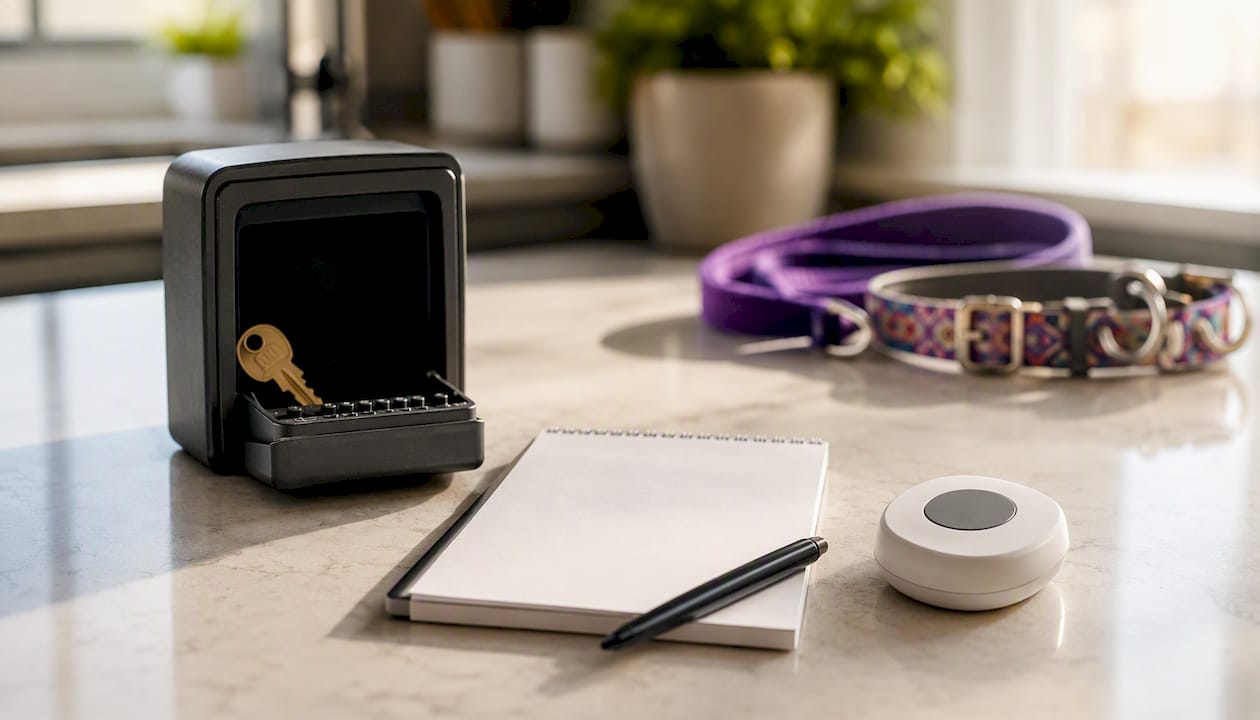
This is the simplest and most accessible option. You sign up, set a daily check-in time, add your pet profiles and care instructions, and list two or three emergency contacts. If you miss a check-in, the system escalates automatically. Daily automated check-ins narrow the window between an incident and someone taking action from days down to hours, which is decisive for preventing a pet welfare crisis.
- Pros: No hardware, low monthly cost, easy to set up in under an hour
- Cons: Relies on your phone or email being accessible; no real-time pet monitoring
- Best for: Pet owners who are comfortable with smartphones and want a straightforward, affordable plan
- Example scenario: A 68-year-old living alone sets a 9 AM daily check-in. She misses it one morning after a fall. By 9:30 AM, her neighbor receives a text with her cat’s feeding instructions and the spare-key location.
Archetype B: Wearable and health-monitor integration
Health collars and monitoring devices can feed near-real-time vital signs, GPS location, behavior patterns, and activity data into an escalation workflow. Some platforms pair cellular data with AI analytics to flag changes in your pet’s health before symptoms appear visibly.
- Pros: Adds real-time pet health data; useful when your pet has a chronic condition
- Cons: Higher cost (hardware plus subscription), more complex setup, requires charging or battery management
- Best for: Owners of pets with known health conditions who want medical telemetry alongside owner check-ins
- Example scenario: A disabled owner pairs a health-monitoring collar with a check-in service. When the collar flags an abnormal heart rate and the owner misses their check-in the same morning, both signals reach the emergency contact simultaneously.
Archetype C: Camera plus care workflow
Home cameras with smart-alert subscriptions provide motion and sound detection, cloud video storage, and in some packages, online vet access. Camera workflows can be effective for active monitoring, but without clear pet-care instructions and a named person who will act, they create false reassurance. A camera alone doesn’t tell your neighbor where the food is or which vet to call.
- Pros: Visual confirmation of your pet’s status; useful for remote check-ins by family
- Cons: Passive; requires someone to be watching; no automatic escalation without a paired check-in service
- Best for: Owners who want a visual layer on top of an existing automated check-in plan
- Example scenario: A son checks the camera feed after receiving an escalation alert and can see his mother’s dog is safe and calm while he drives over.
Pro Tip: Pair any camera or wearable with a SaaS check-in service. The camera shows what’s happening; the check-in service ensures someone is automatically told to look.
What features should you prioritize when comparing these systems?
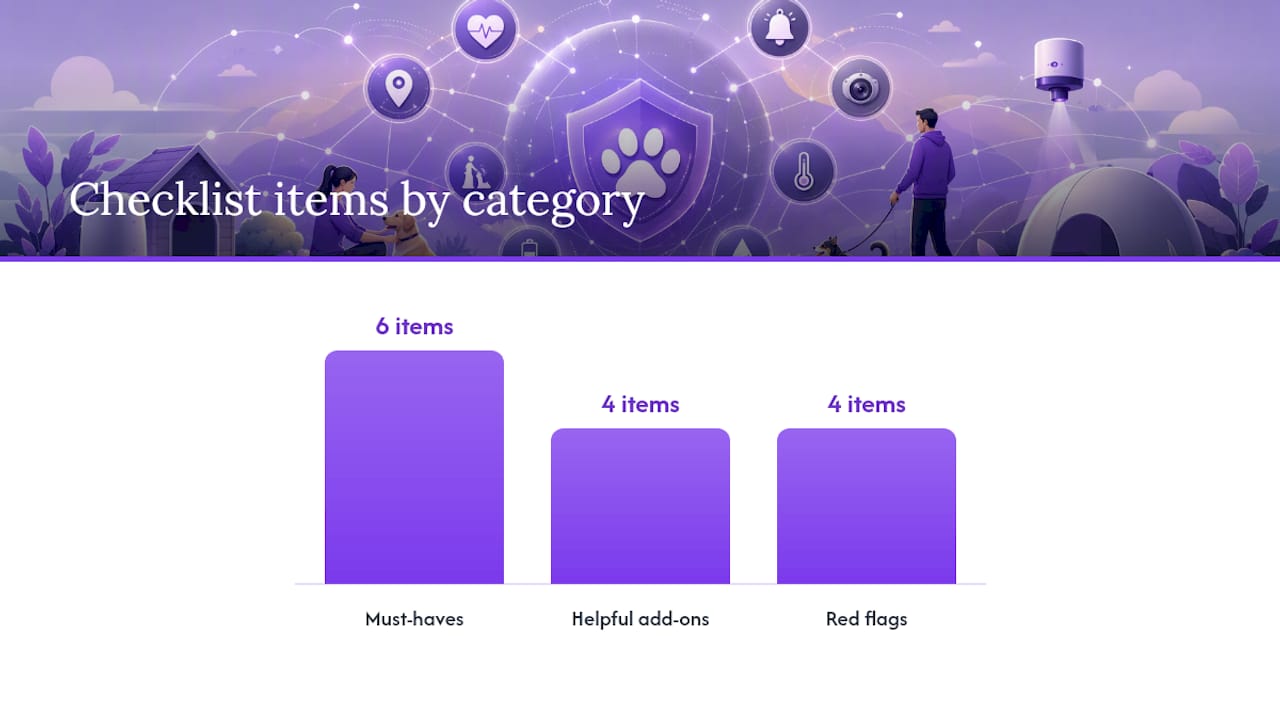
Start with the must-haves, then consider add-ons once the basics are covered.
Must-have features:
- Reliable escalation with a configurable countdown (you set how long after a missed check-in before contacts are notified)
- A pet-care card that includes feeding schedule, medications, vet contact, and supply locations
- Customizable check-in frequency, generally at least once daily and potentially more often for higher-risk situations
- Access instructions (spare key location, door code, building entry)
- Multi-contact escalation (at least two contacts notified in sequence)
- Audit logs so you can confirm the system sent alerts as expected
Helpful add-ons:
- Telehealth integration for disabled pet owners who need vet access alongside owner check-ins
- GPS or vital-signs data from a paired collar
- Camera snapshots attached to escalation alerts
- Neighborhood volunteer network integration for community welfare check coverage
Red flags to avoid:
- No way to run a test escalation before you need it
- Unclear data retention or third-party sharing policies
- Hidden fees for editing pet profiles or adding contacts
- No remote editing of pet-care instructions
Pro Tip: Ask at least one of your emergency contacts to confirm they can receive SMS alerts from an automated number before you finalize your setup. Carrier filtering occasionally blocks automated messages, and discovering that on the day of an emergency is too late.
How do you set up a pet welfare check-in system?
Follow these steps in a single session and you’ll have a working system in under an hour.
- Create your account with your chosen service and verify your phone number and email.
- Add your pet profiles — name, species, breed, age, weight, and any health conditions.
- Add two or three emergency contacts and confirm each one has agreed to receive automated alerts. SMS consent matters: contacts should know they may receive automated messages.
- Create your pet-care card using the fields below and attach it to each pet profile.
- Set your check-in cadence — once daily is the practical minimum; twice daily if you have a health condition.
- Enable escalation rules — set the countdown window after a missed check-in, typically configured to notify contacts within an hour and confirm contact order.
- Run your first test by deliberately missing a check-in and confirming your contacts receive the alert with the correct pet-care details.
Sample pet-care card template:
- Pet name: Luna
- Feeding: 1/2 cup dry food at 7 AM and 6 PM; fresh water daily
- Medications: Apoquel 16 mg, one tablet with morning meal
- Vet: Riverside Animal Clinic, (555) 234-5678
- Supplies location: Pantry shelf, second shelf from top
- Access: Spare key in lockbox at front door, code 4821
Check-in services that include pet information and ask you to name at least two contacts, one of whom has a key, reflect practical best practice for pet welfare during owner incapacity.
What will your emergency contacts receive when the system escalates?
Understanding the escalation flow helps you set expectations with your contacts before anything happens.
Typical escalation sequence:
- You miss your scheduled check-in.
- The system sends you a reminder prompt (SMS or call) and waits for your configured countdown window.
- If you still don’t respond, Contact 1 receives a message with your pet-care card, access instructions, and a request to confirm they’ve seen it.
- If Contact 1 doesn’t confirm within a set window, Contact 2 receives the same alert.
- Some services allow an optional final escalation to emergency services or a community volunteer network.
Sample escalation message your contact might receive:
Permission levels to assign your contacts:
- Can enter the home and care for the pet directly
- Can pick up the pet and take them to a safe location
- Can coordinate care remotely but does not have home access
Automated phone or AI check-in services that notify multiple emergency contacts with pet-protection instructions reduce the window between an incident and someone acting on it.
What does a pet welfare check-in service typically cost?
Pure SaaS check-in services generally run from a few dollars to low double digits per month after a free trial. Device-based options add hardware costs on top.
Typical cost breakdown:
- SaaS check-in service: Free trial period, then a monthly subscription; no hardware required
- Wearable collar add-on: One-time hardware purchase, plus a separate monthly cellular or analytics subscription
- Camera add-on: One-time camera purchase, plus a monthly cloud storage or smart-alert subscription
Budgeting checklist:
- Confirm whether the free trial requires a credit card upfront
- Check whether adding or editing pet profiles costs extra
- Ask whether escalation calls (live operator) cost more than SMS-only escalation
- Verify cancellation is straightforward with no long-term contract lock-in
Start with the free trial. Test the full escalation workflow, including the alert your contacts receive, before you commit to a paid plan. A service that works perfectly in a test is worth paying for; one that doesn’t is worth skipping.
What privacy and security questions should you ask before activating?
Sharing home-access codes and pet medication records with a third-party service requires some due diligence. Ask these questions before you sign up:
- How long is my data retained, and can I delete it on request?
- Who within the company can access my pet profiles and contact information?
- Are messages encrypted in transit and at rest?
- Does the service share my data with third parties for marketing or analytics?
- How does the service handle SMS consent for my emergency contacts? (Mypetssafetynet documents its SMS consent and messaging practices clearly for users.)
- What happens to my account and data if I cancel?
For camera or wearable integrations, also ask whether live feeds are stored on company servers and for how long. Use time-limited access links for contacts rather than permanent door codes when possible.
Pro Tip: Enable two-factor authentication on your check-in service account and store your pet’s medication list in the app rather than in an unencrypted notes file. If your phone is lost, your pet’s care details stay protected.
How do you test and maintain the system so it works when you need it?
A system you set up once and never revisit will likely fail at the worst moment. Build a simple maintenance routine.
- Monthly: Verify all emergency contact phone numbers and email addresses are current. Confirm your pet’s medication doses and feeding schedule are accurate.
- Quarterly: Run a full escalation drill. Miss a check-in deliberately, let the countdown run, and confirm your contacts receive the correct alert with the right pet-care details. Update any stale information you find.
- After every vet visit: Update medications, dosages, and any new health conditions in your pet profile immediately.
- If using a wearable or camera: Check device battery levels monthly and apply firmware updates as they become available. A dead collar battery means no health data when it matters most.
A daily check-in system narrows the detection window for older adults living alone from days to hours. That window only stays narrow if the system is tested and the contact list is current.
Mypetssafetynet’s perspective on why this matters
Mypetssafetynet was built around one straightforward concern: if something happens to you and you live alone, your pets should never be left waiting for days before anyone knows to help. That’s not a hypothetical worry for solo pet owners. It’s a real gap that most emergency plans don’t close.
The service exists to close it automatically, without requiring your neighbors to remember to check on you or your family to guess whether something is wrong. A free trial and a free pet card generator mean there’s no reason to wait until you feel like you need it. The best time to set this up is before anything happens.
Mypetssafetynet gives solo pet owners a ready-to-use safety plan
Mypetssafetynet is the practical next step for any solo pet owner who wants automated wellness check-ins without building a system from scratch.

Here’s what you get:
- Automated check-ins via SMS, phone, or email on a schedule you control
- Pet-care card generator that stores feeding, medications, vet contact, and access instructions
- Emergency contact management for up to three contacts with escalation sequencing
- Escalation workflow that notifies contacts automatically if you don’t respond
- Free trial so you can test the full system before committing to a subscription
Generate your free pet care card today, then run a test escalation after signup to confirm your contacts receive everything they need.
Useful sources and further reading
These resources support the guidance in this article and are worth bookmarking for setup and ongoing reference:
- Mypetssafetynet: Emergency Check-Ins to Protect Your Pet — overview of the service, mission, and how automated check-ins work for solo pet owners
- Automated check-ins and pet safety — technical explanation of check-in mechanics and best practices for seniors and disabled owners
- Services that notify others if you can’t care for your pet — background on escalation workflows and how notification services operate