Automated Pet Safety Check-Ins for Disabled Owners
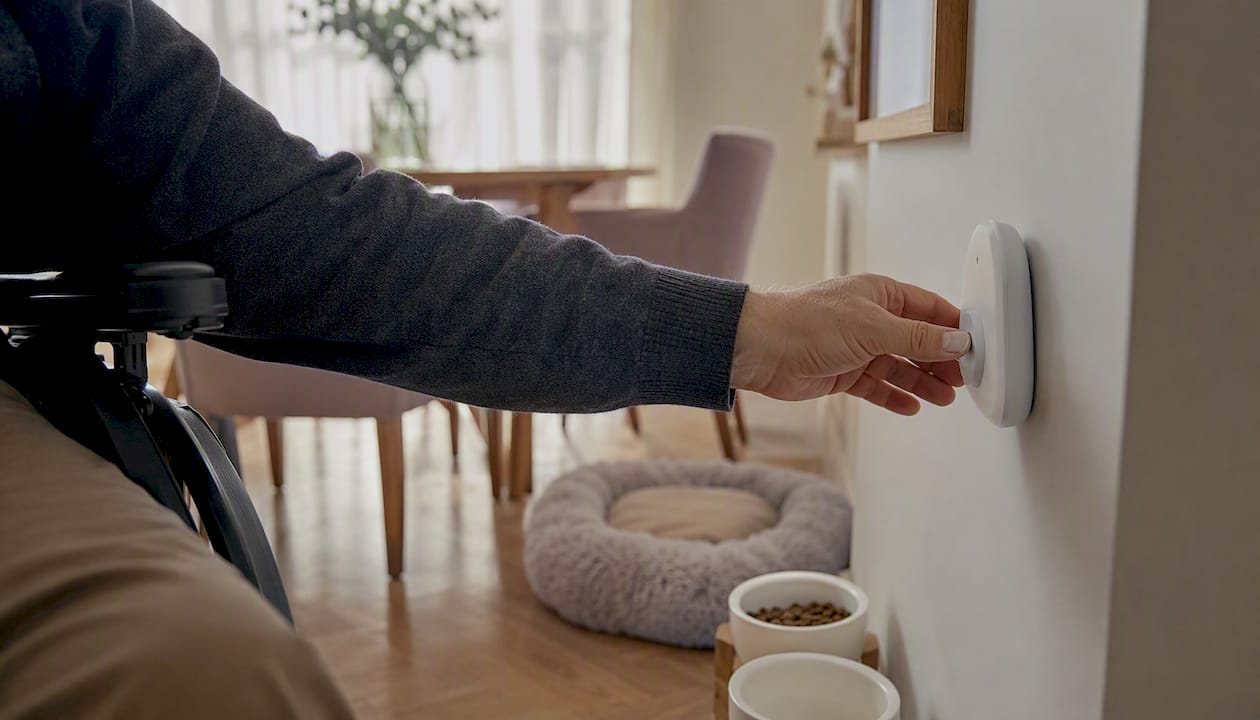
Automated wellness check-in and emergency-alert services can substantially reduce the risk of your pet being left unattended if you’re incapacitated. Services like Mypetssafetynet send scheduled SMS, phone, or email prompts, and if you don’t respond, they automatically notify your emergency contacts with your pet’s full care instructions. Organizations like AARP and rescues like Tyson’s Place Animal Rescue have documented what happens when no plan exists, and the outcomes are preventable. You can have a working safety net in place today.
Three things you can do in the next 30 minutes:
- Sign up for a free trial and confirm your preferred check-in method (SMS, phone, or email)
- Add at least two emergency contacts with their phone numbers and permissions
- Complete your pet’s profile with vet contact, medications, and feeding schedule
Pro Tip: Stagger your contacts with different response windows. Ask your first contact to respond within two hours, and your second within four. This reduces false alarms while keeping real emergencies covered.
Table of Contents
- How do automated wellness check-in and emergency-alert systems work?
- Why automated check-ins matter for disabled, elderly, and solo pet owners
- What should you include in your pet profile and emergency instructions?
- How do you choose the right automated wellness check-in service?
- How to set up your check-in plan this afternoon
- What do these services typically cost, and how fast does escalation happen?
- How do you get the most out of your check-in service?
- Key Takeaways
- Why automated check-ins are the most underused safety tool for solo pet owners
- Mypetssafetynet gives your pets a real safety net
- Trusted resources for further help
How do automated wellness check-in and emergency-alert systems work?
The service runs on a simple but reliable loop: it sends you a scheduled prompt, you confirm you’re okay, and if you don’t respond within a set grace period, it escalates to your emergency contacts in order, delivering your pet’s care instructions automatically.
| Trigger | Action | Who Is Notified | What They Receive |
|---|---|---|---|
| Scheduled check-in sent | Owner responds “OK” | No one | No action needed |
| No response within grace period | First escalation | Primary emergency contact | Pet profile, vet info, access instructions |
| Primary contact unreachable | Second escalation | Backup contact(s) | Same care package |
| All contacts exhausted | Final escalation | Last-resort contact or organization | Full care card with location and access |
Your emergency contacts receive a secure link to your pet care card, which includes your vet’s name and number, medication details, feeding schedule, and how to access your home. You can customize the countdown window, from minutes to several hours, based on your health situation and daily routine.
What the owner sets up:
- Check-in frequency and preferred contact method
- Escalation order and timing for each contact
- Complete pet profile with photos, medications, and behavioral notes
- Home access instructions (stored securely, shared only on escalation)
Pro Tip: If you use a medical alert device or smart-home system, set a reminder to run your check-in at the same time each day. Pairing it with an existing routine, like a morning medication alarm, makes it far less likely you’ll forget.
Why automated check-ins matter for disabled, elderly, and solo pet owners
Automated check-ins reduce the window when pets are unattended and give a trusted person the information they need to help quickly. Without a plan, that window can stretch from hours to days.
AARP has documented cases where seniors’ sudden incapacity led to pets being found alone, sometimes after several days, with no caregiver notified and no care instructions available. Tyson’s Place Animal Rescue in Michigan started a program specifically to address this gap, helping numerous older pet owners in recent times.
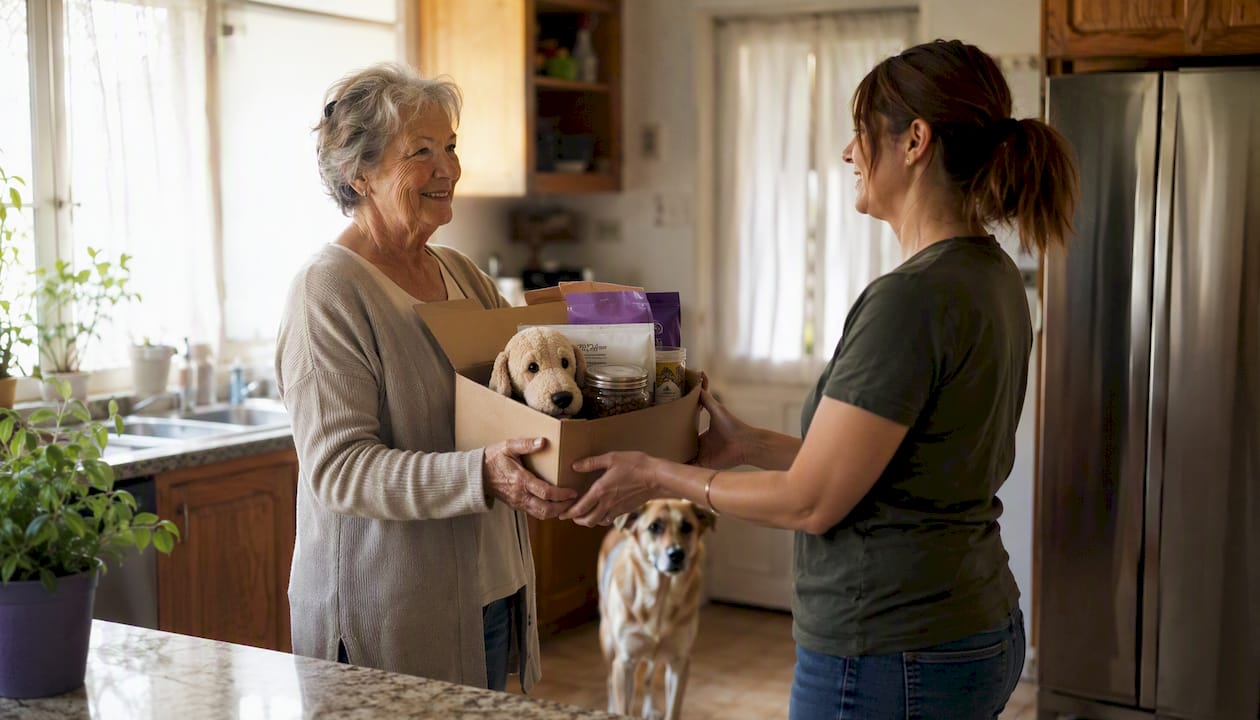
The common concerns for disabled and solo pet owners go beyond emergencies. Delayed probate can freeze funds needed for a pet’s care. A single designated caregiver may be unavailable when it counts. Missed medications or vet appointments compound quickly. Automated check-ins don’t solve all of these, but they close the most urgent gap: getting a trusted person to your pet fast.
What should you include in your pet profile and emergency instructions?
A complete, current profile cuts response time and improves placement outcomes for your pet. Emergency contacts who arrive with clear instructions can act immediately rather than guessing.
Essential fields to complete:
- Veterinarian name, clinic address, and phone number
- All medications: name, dose, frequency, and storage location
- Feeding schedule and food brand or prescription diet
- Behavioral notes (fear triggers, aggression history, comfort items)
- Microchip ID number and registration service
- Photos (current, clear, showing markings)
- Location of leash, carrier, and supplies
- Home access method (key location, lockbox code, or neighbor contact)
- Emergency medical preferences (authorized procedures, spending limits)
- Mobility or special needs notes
Store sensitive access information (lockbox codes, spare key location) within the service’s secure profile rather than in a shared document. Give your emergency contacts the service link so they know it’s coming, but let the platform deliver the details only when triggered.
Pro Tip: Label your pet’s medication bottles and food containers with a colored sticker that matches a laminated card on your fridge. A caregiver who has never been to your home can find everything in under two minutes.
For a printable planning worksheet, the pet care plan for living alone walks through each field step by step.
How do you choose the right automated wellness check-in service?
Choose a service that matches your escalation needs, privacy expectations, and the number of caregivers you can realistically recruit. Not every service handles all three well.
What to evaluate before you sign up:
- Escalation timing flexibility (can you set custom grace periods?)
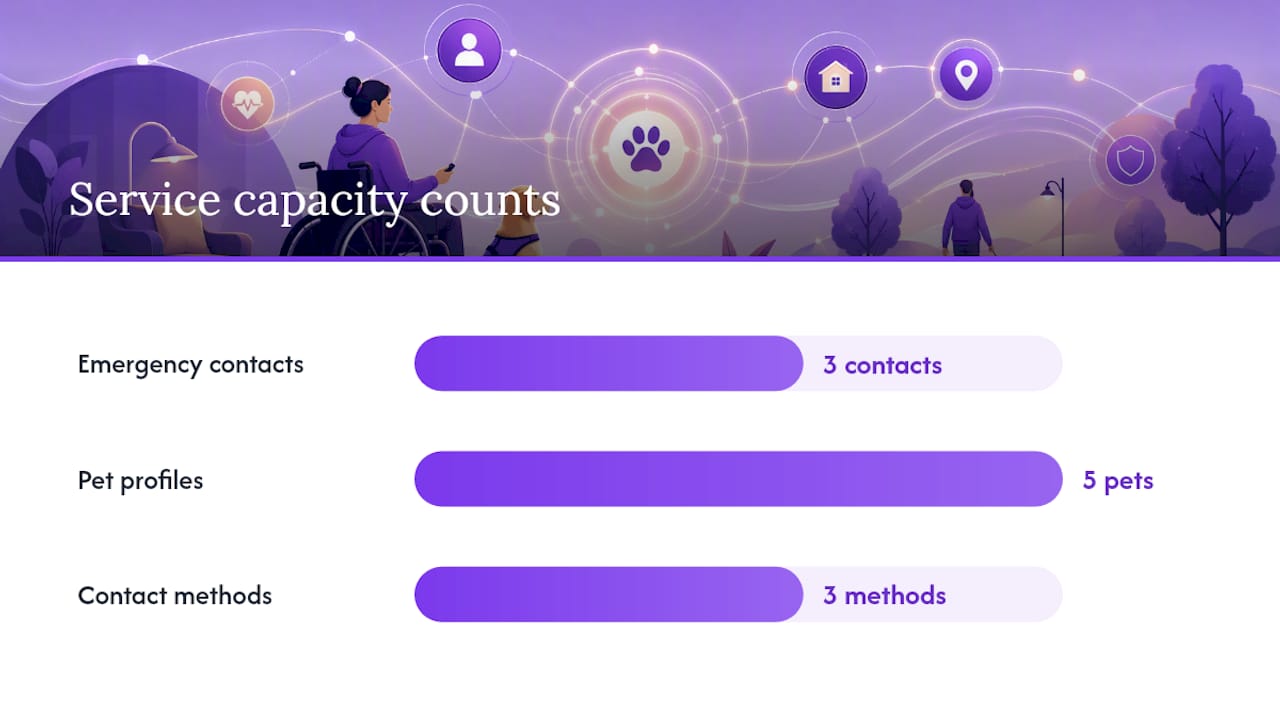
- Number of emergency contacts allowed (three is a practical minimum)
- How care instructions are delivered to contacts (secure link vs. plain text)
- Contact methods supported (SMS, phone call, email, or all three)
- Free trial availability before committing to a subscription
- Privacy policy for stored health and access data
- Reliability and uptime history
The trade-off between faster escalation and false alarms is real. A two-hour grace period suits most daily routines; a 30-minute window may trigger alerts during a long shower or nap. Build in enough buffer for your lifestyle, then add a backup contact to cover the gap.
| Criterion | What to look for | Mypetssafetynet |
|---|---|---|
| Emergency contacts | At least 2–3 tiers | Up to 3 contacts |
| Pet profiles | Multiple pets supported | Up to 5 pets |
| Countdown customization | Adjustable grace periods | Yes, customizable |
| Care instruction delivery | Secure, automatic | Pet care card sent on escalation |
| Trial availability | Free before paying | Free trial available |
| Contact methods | SMS, phone, email | All three supported |
Mypetssafetynet’s wellness check-in service covers all six criteria above and is built specifically for solo, disabled, and elderly pet owners. Start the free trial and confirm at least one backup contact before your first check-in runs.
How to set up your check-in plan this afternoon
You can have a working check-in and escalation plan in place in 30–60 minutes. Follow these steps in order:
- Sign up and choose your check-in method. Select SMS, phone call, or email based on what you’ll reliably see or hear each day.
- Add a primary contact and two backups. Include full names, phone numbers, and a note about their relationship to you. Ask each one specifically: “Can you be my pet emergency contact?” A specific ask gets a more reliable yes than a vague one.
- Complete your pet profile. Fill every field: vet, medications, feeding, behavior, photos, microchip ID, and supplies location.
- Set your escalation timing. Choose a grace period that fits your routine. Two hours works for most people; adjust if your health situation calls for shorter windows.
- Share access instructions and run a test check-in. Confirm your contacts know the service exists and that they’ll receive a secure link if escalation triggers. Run one test so you know the workflow works.
- Save and share your care card. Print a copy for your fridge and send a digital copy to each contact.
Checklist before you finish:
- Profile complete with photos and medications
- At least two contacts confirmed and briefed
- Grace period set and tested
- Printable care card saved
Pro Tip: Review your contact list and pet profile every three months, or immediately after a move, a new medication, or a change in your pet’s health. Outdated information is the most common reason escalations fail.
The chronic illness planning guide covers additional steps for owners managing ongoing health conditions alongside pet care.
What do these services typically cost, and how fast does escalation happen?
Most automated wellness check-in services use a monthly subscription model with a free trial period before any charge. Escalation timelines are configurable, typically ranging from 30 minutes to several hours after a missed check-in.
Typical cost structure:
- Free trial period to test the full service
- Monthly subscription for ongoing check-ins and emergency alerting
- Premium tiers may offer faster escalation, additional contacts, or expanded pet profiles
Typical escalation timeline:
- Check-in prompt sent (SMS, phone, or email)
- Grace period begins (owner-defined, commonly 1–4 hours)
- First emergency contact notified with care instructions
- If unreachable, second contact notified (usually within 30–60 minutes of the first)
- Third or last-resort contact notified if needed
One funding gap to plan for: if long-term care depends on a pet trust, probate can delay access to those funds by weeks or months. Short-term caregivers need to be prepared to cover costs temporarily, which is another reason to set aside a small, accessible fund outside the estate.
How do you get the most out of your check-in service?
Setting up the service is only the first step. Getting reliable results over time depends on how well you and your contacts understand the system.
Training yourself and your contacts:
- Walk each contact through what a triggered alert looks like before an emergency happens. Show them the care card format and confirm they can access it on their phone.
- Use the All Seniors Foundation’s practice walk-through approach and run a simulated escalation once a year so contacts stay familiar with the process.
- Keep a short written summary of your pet’s needs at your home, separate from the digital profile, for contacts who arrive before checking their phone.
The PetParentHotline planning guide recommends making small, specific asks of each contact rather than a general request for help. “Can you check on my dog if I don’t respond by noon?” is far more likely to get a committed yes than “Can you help with my pets?”
Mypetssafetynet’s support resources walk new users through each setup step, and the free trial gives you time to test the workflow with real contacts before committing. The AllBreedNorth Pet Guardian Protocol describes how ordered contact notifications and secure care-instruction delivery work in practice, which is a useful reference if you want to understand the mechanics before signing up.
Key Takeaways
Automated wellness check-ins, a complete pet profile, and at least two designated caregivers form the core of a reliable pet safety plan for disabled, elderly, and solo owners.
| Point | Details |
|---|---|
| Set up check-ins immediately | A free trial lets you test SMS, phone, or email check-ins before paying anything. |
| Complete your pet profile fully | Include vet, medications, photos, and access instructions so contacts can act without guessing. |
| Designate multiple caregivers | Name a short-term and a long-term caregiver; one contact is never enough redundancy. |
| Add legal protection | A pet trust bypasses probate and funds care immediately; consult an estate attorney. |
| Mypetssafetynet covers the gap | Supports up to 5 pets and 3 emergency contacts with customizable escalation and a free trial. |
Why automated check-ins are the most underused safety tool for solo pet owners
Most of the conversation around pet emergency planning focuses on wills, trusts, and rescue organizations. Those matter, but they all activate after the fact. A pet trust doesn’t feed your dog tonight. A rescue organization can’t respond in two hours if no one knows you’re incapacitated.
The role of automated wellness check-ins in disabled pet owner support is precisely this: they close the gap between “something happened” and “someone knows.” Legal tools and nonprofits handle what comes after. Check-ins handle the first critical hours, when the difference between a pet that’s safe and one that’s been alone for three days comes down to whether one person got a phone call.
What surprises us at Mypetssafetynet is how many owners have a trust, a designated caregiver, and a vet relationship, but no mechanism to trigger any of it. The plan exists on paper. The problem is that paper doesn’t make phone calls.
Mypetssafetynet gives your pets a real safety net
Your pets can’t call for help. Mypetssafetynet does it for them. The service sends you scheduled check-ins by SMS, phone, or email, and if you don’t respond, it automatically contacts your designated emergency contacts with your pet’s full care instructions, vet details, and home access information.

Built specifically for solo, disabled, and elderly pet owners, Mypetssafetynet supports up to 5 pets and 3 emergency contacts, with customizable countdown timers and a pet care card your contacts receive the moment escalation triggers. There’s no guesswork for them and no delay for your pet.
Start your free trial at Mypetssafetynet today, add your contacts, and complete your pet profile. Your plan can be live before tonight.
Trusted resources for further help
- Why Pet Estate Planning Is a Must for Older Adults
- Seniors And Pets: Make A Plan Before A Crisis
- Pet Care Backup Plan for Older Adults | Los Angeles
- Pet Guardian Protocol | Peace of Mind for Pet Parents
- Planning for your pet’s future when you cannot care for it
- MyPetsSafetyNet - Wellness Check-In for Pet Owners
- Pet Ownership During Chronic Illness: A Practical Guide