Digital Pet Care Files: Benefits for Solo and Elderly Owners
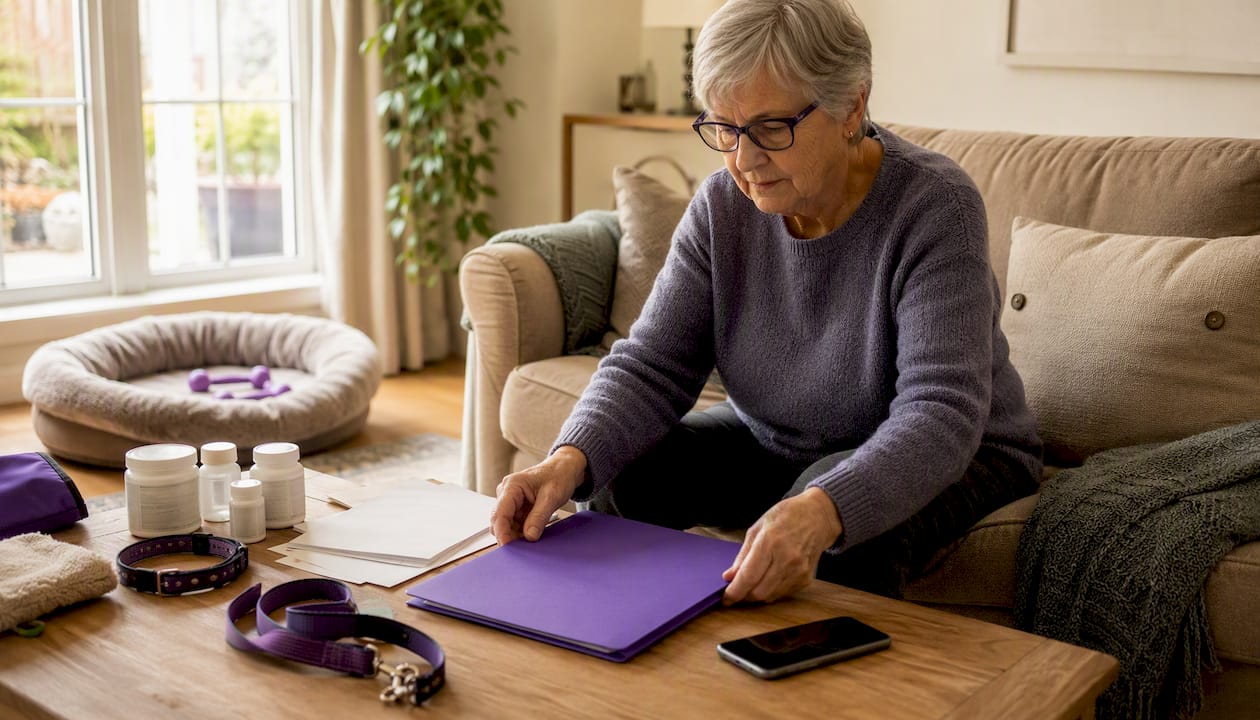
Owner-maintained digital pet care files, used alongside automated wellness check-ins, give solo, elderly, and disabled pet owners three things that matter most: early warning when something is wrong, a clear escalation path to emergency contacts, and continuity of care when you can’t speak for yourself. The first step is simple: create one online profile per pet, add your pet’s medications and vet contact, and name at least one emergency contact.
Why this matters right away:
- A VetMetrica study found that routine remote wellness monitoring flagged many dogs whose owners considered them perfectly healthy, suggesting that consistent check-ins catch problems owners miss on their own.
- AAHA recommends storing pet records both digitally and in hard copy so caregivers can act fast during any emergency.
- Mypetssafetynet automates the check-in and escalation process so your emergency contacts receive your pet’s full care instructions the moment you don’t respond.
Key Takeaways
Owner-maintained digital pet care files paired with automated check-ins give solo, elderly, and disabled pet owners early warning, reliable escalation, and continuity of care when they need it most.
| Point | Details |
|---|---|
| Early detection matters | VetMetrica monitoring flagged many dogs owners considered healthy, showing routine check-ins catch problems owners miss. |
| Escalation narrows the window | Automated non-response alerts reduce the gap from days to hours, giving caregivers time to act. |
| Complete files prevent errors | Include meds, doses, microchip info, vet contacts, and access details so any caregiver can step in correctly. |
| Test before you need it | Run a non-response simulation and confirm your caregiver receives and can open the emergency card. |
| Mypetssafetynet automates the process | Covers automated check-ins, escalation to three contacts, and pet profiles for up to five pets with a free trial available. |
Table of Contents
- What are the real benefits of digital pet care files?
- Who gains the most from this setup?
- How does the automated check-in process actually work?
- What should every digital pet care file include?
- How do you set up the system step by step?
- What privacy and security steps should U.S. owners take?
- How does a digital file fit into a broader emergency plan?
- How do you choose the right automated wellness-check service?
- What are the real limits of this system?
- Why Mypetssafetynet built this service
- Mypetssafetynet gives your pets a reliable backup plan
- Sources
What are the real benefits of digital pet care files?
The benefits of digital pet care files go well beyond having a tidy folder. When paired with automated check-ins, they create a safety system that works even when you can’t.
- Early detection. Routine owner-reported monitoring can flag health changes before a scheduled vet visit. The VetMetrica research showed the alert model predicted sick status with 93% accuracy in one age group and 83% in another, supporting the case for consistent remote wellness tracking.
- Automated escalation. When you don’t respond to a check-in, your emergency contacts receive your pet’s care instructions automatically. That narrows the window from days to hours, according to AloneAssist’s guidance on solo pet owner planning.
- Medication and routine reminders. A digital file stores exact doses, schedules, and last-dose times, so a backup caregiver can step in without guessing.
- Single source of truth. One updated file replaces scattered notes, old texts, and verbal instructions. Vets and caregivers get accurate information fast, which reduces errors during urgent care.
- Peace of mind. Knowing your pets have a documented, tested plan in place is genuinely reassuring, especially if you live alone or manage a chronic health condition.
A well-organized pet emergency contact list stored both digitally and in print can cut emergency response time dramatically, covering your primary vet, a 24-hour clinic, poison control, pet insurance, and trusted caregivers.
Who gains the most from this setup?
Solo, elderly, and disabled pet owners face a specific risk: if something happens to you, there may be no one nearby to notice. That single-point-of-failure is exactly what automated check-ins address.
- Solo owners have no household backup. A missed check-in is the signal that triggers action.
- Elderly owners may experience sudden medical events, falls, or hospitalizations with little warning. Knowing what happens to your pets if you’re hospitalized is a question worth answering before it becomes urgent.
- Disabled owners managing mobility or cognitive challenges benefit from simplified interfaces, phone-call check-in options, and caregiver-sharing features that don’t require technical skill.
- Anyone living independently with health concerns gains from a system that narrows the response window from days to hours when something goes wrong.
Pro Tip: If you use a screen reader or voice assistant, look for services that offer phone-call check-ins rather than SMS only. A spoken prompt is easier to respond to than a text, and it works even when your hands are occupied.
How does the automated check-in process actually work?
The flow is straightforward. You build a pet profile, schedule your check-ins, and the system handles the rest.
- Pet profile: You store your pet’s name, species, breed, medications, doses, vet contact, microchip number, and a recent photo.
- Scheduled check-in: At your chosen time, the service sends you an SMS, phone call, or email asking you to confirm you’re okay.
- Response window: You have a set window to respond. If you do, nothing else happens.
- Escalation: If you don’t respond after reminders, the service automatically contacts your emergency contacts and sends them your pet’s full care instructions and access details.
- Caregiver action: Your contact receives everything they need: feeding schedule, medication list, vet info, and where to find the keys.
Pro Tip: Start with a shorter response window, around two to four hours, to reduce the time your pet could be unattended. If you find you’re triggering false alerts, lengthen the window slightly rather than disabling the feature.
What should every digital pet care file include?
A complete file means a caregiver can walk in and care for your pet correctly without calling anyone for instructions. Use this checklist when assembling your pet’s emergency documents.
Identity
- Pet name, species, breed, age, and weight
- Recent photo plus a photo showing any distinguishing markings
- Microchip number and registry name
Medical
- Full medication list: drug name, dose, schedule, and last-dose time
- Known allergies and chronic conditions
- Vaccination records and proof of rabies certificate
- Pet insurance policy number and claims contact
Care routines
- Feeding schedule: food brand, amount, and timing
- Walk times, exercise limits, and bathroom cues
- Favorite calming items or comfort objects
Contacts
- Primary vet: name, address, phone
- Nearest 24-hour emergency clinic
- Two backup human caregivers with written consent notes
- Pet insurance contact and payment preferences
Access and logistics
- Where keys are stored and any alarm codes
- Carrier, crate, and leash location
- Location of go-bag and emergency supplies
Pro Tip: Set a calendar reminder every three months to review the file. Update it immediately whenever a medication changes, a vet switches, or a caregiver’s contact information changes.
PetHub recommends keeping a concise emergency passport as the first item in any folder, with supporting records behind it, so responders see the most critical facts first.
How do you set up the system step by step?
- Choose a platform that offers automated check-ins, escalation workflows, and document storage.
- Create a pet profile for each pet using the checklist above.
- Add emergency contacts and confirm they’ve agreed to receive alerts and act on them.
- Configure your check-in schedule: choose frequency, time of day, and response window.
- Set escalation rules: decide how many reminders go out before contacts are notified.
- Upload documents and photos and enable sharing so contacts can access the file.
- Run a test drill: trigger a scheduled test, confirm your caregiver receives the instructions, and simulate a non-response to verify the escalation path fires correctly.
- Document consent: keep a written note from each caregiver confirming they’re authorized to arrange or approve care on your behalf.
Pro Tip: Print a one-page emergency card and tape it to the inside of your front door or the side of your refrigerator. A caregiver or first responder who enters your home should be able to find your pet’s critical information without unlocking a phone.
Building a reliable pet care network before an emergency means your contacts already know what to do when the alert arrives.
What privacy and security steps should U.S. owners take?
Your digital pet file contains personal details: your address, access codes, and medical information about your pet. A few precautions keep it useful without exposing more than necessary.
- Store only the contact information caregivers need. Avoid broadcasting full personal details to everyone in the system.
- Use a strong, unique password for your account and enable two-factor authentication if the service offers it.
- Review permission scopes for shared caregivers. Grant access to the pet profile and emergency card, not your full account settings.
- Back up your file to a secure cloud service and keep a USB copy in a safe place at home.
- When sharing records with a vet or clinic, ask about their data retention practices before sending sensitive documents.
Pro Tip: Document written consent from every caregiver who may authorize care or payment on your behalf. A short signed note or a dated email thread is enough. This protects both you and them.
How does a digital file fit into a broader emergency plan?
A digital file is most useful when it’s part of a complete emergency plan, not a standalone document. AAHA’s evacuation guidance recommends preparing at least three days’ worth of supplies and keeping records in both digital and printed form.
Build a portable go-bag that includes:
- Three days of food and water
- Medications with dosing instructions
- Copies of vaccination certificates and microchip proof
- A printed emergency pet passport
- A recent photo of your pet for identification
Store and label everything:
- Digital copies in cloud storage and on a USB drive
- Printed folder labeled with your name and phone number
- Emergency card posted visibly at home
Map your evacuation plan:
- Identify two pet-friendly shelters or hotels near your home
- Add their addresses to your pet profile
- Confirm your microchip registry contact information is current
A disaster evacuation folder that puts vaccines, microchip proof, prescriptions, and photos at the top lets you meet shelter or hotel requirements quickly. Also consider a GPS collar or digital ID tag with a QR code linking to your emergency contacts, which helps if your pet escapes during an evacuation.
How do you choose the right automated wellness-check service?
Not every service is built for solo or elderly owners. Use this checklist when evaluating options.
Must-have features:
- Flexible escalation windows you can customize
- Multiple check-in channels: SMS, phone call, and email
- Document and photo storage within the pet profile
- Multi-pet management (at least three to five pets)
- Simple caregiver sharing with clear permission controls
Accessibility features to look for:
- Large-text or high-contrast interface
- Phone-call check-in option (not SMS only)
- Compatibility with screen readers or voice assistants
Reliability indicators:
- Clear testing mode so you can run drills without triggering real alerts
- Proof-of-delivery confirmation for notifications
- Transparent uptime record
Pricing and trial:
- Transparent monthly subscription with no hidden fees
- Free trial that lets you test the full escalation workflow
- Clear limits on number of pets and contacts included
Pro Tip: Before committing to any service, run a full non-response simulation during the free trial. Confirm that your caregiver receives the alert, can open the pet profile, and can read the emergency card on their phone. If any step fails, the system isn’t ready.
What are the real limits of this system?
A digital pet care file with automated check-ins is an early-warning and coordination tool. It is not a substitute for veterinary care, and it won’t diagnose or treat anything.
- False positives happen. You might miss a check-in because your phone died or you were in a meeting. Tune your response window and reminder settings to reduce unnecessary alerts without eliminating the safety net.
- False negatives are possible too. A technical failure or a missed notification could delay escalation. That’s why physical copies and a second caregiver matter.
- Incomplete files create gaps. An outdated medication list or an expired microchip registration can slow down emergency care at exactly the wrong moment.
- Single-caregiver dependency is a risk. Always name at least two backup contacts. People travel, get sick, and become unavailable.
A digital file and automated check-ins work best as one layer in a broader safety plan. The VetMetrica research makes clear that owner-reported monitoring can flag problems owners miss, but those flags are prompts to call your vet, not conclusions. The system narrows the window from incident to response and gets the right information to the right people. What happens next still depends on the humans in your network and the veterinary care they can access.
Why Mypetssafetynet built this service
At Mypetssafetynet, we built this service because the question “what happens to my pets if something happens to me?” deserves a real answer, not a vague plan. Solo pet owners, people managing health challenges, and anyone living independently face a genuine gap: if they can’t speak for themselves, their pets may wait too long for help.
Our automated check-ins, escalation workflows, and accessible caregiver-sharing features are designed to close that gap. The setup steps in this article map directly to what the service does. We invite you to run the test drill, confirm your caregiver receives the alert, and see for yourself that the system works before you ever need it.
Mypetssafetynet gives your pets a reliable backup plan
Solo pet owners who’ve read this far already know the gap they’re trying to close. Mypetssafetynet fills it with automated SMS, phone, and email check-ins, escalation to up to three emergency contacts, and a pet profile that stores care instructions for up to five pets. Your contacts receive everything they need the moment you don’t respond: feeding schedules, medication details, vet contacts, and access instructions.

Start with the free trial. Run the test drill on day one: trigger a non-response simulation, confirm your caregiver receives the alert and can read the emergency card on their phone. If it works, you’ll know your pets have a backup plan that doesn’t depend on anyone remembering to check on them. Start your free trial at Mypetssafetynet and give your pets the safety net they deserve.
Sources
- Development and practical application of an integrated alert system for an online generic HRQL measurement instrument (VetMetrica™)
- How to create a pet disaster evacuation plan | American Animal Hospital Association (AAHA)
- Pet Care Plan for Emergencies: A Solo Pet Owner’s Guide
- How to make an emergency plan for your pet | PetHub
- How to Create a Pet Emergency Contact List: Essential Info to Save (2025)