MyPetsSafetyNet: Emergency Check-Ins to Protect Your Pet
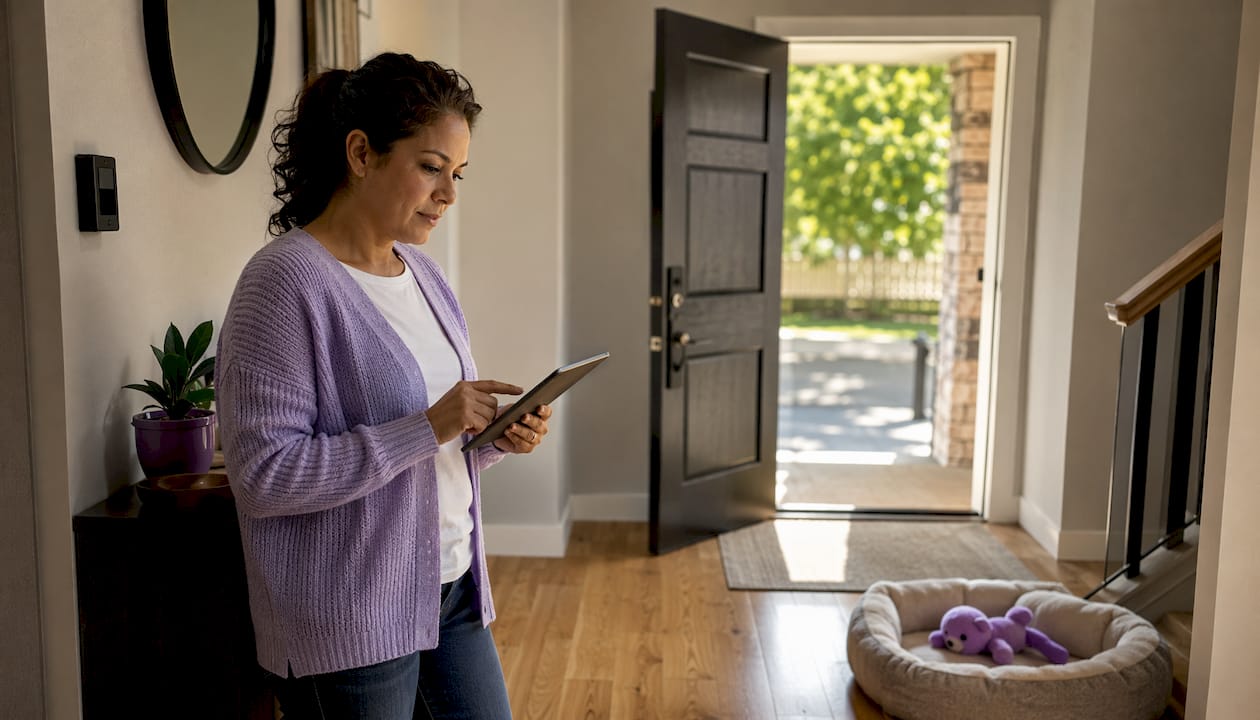
Mypetssafetynet is an automated wellness check-in and emergency notification service that alerts your designated contacts so your pets get cared for if you can’t look after them. If you live alone with a pet, this is the safety net you’ve been looking for. Both the CDC and the Center for Pet Safety recommend including pets in household emergency plans, and Mypetssafetynet is built to make that plan automatic.
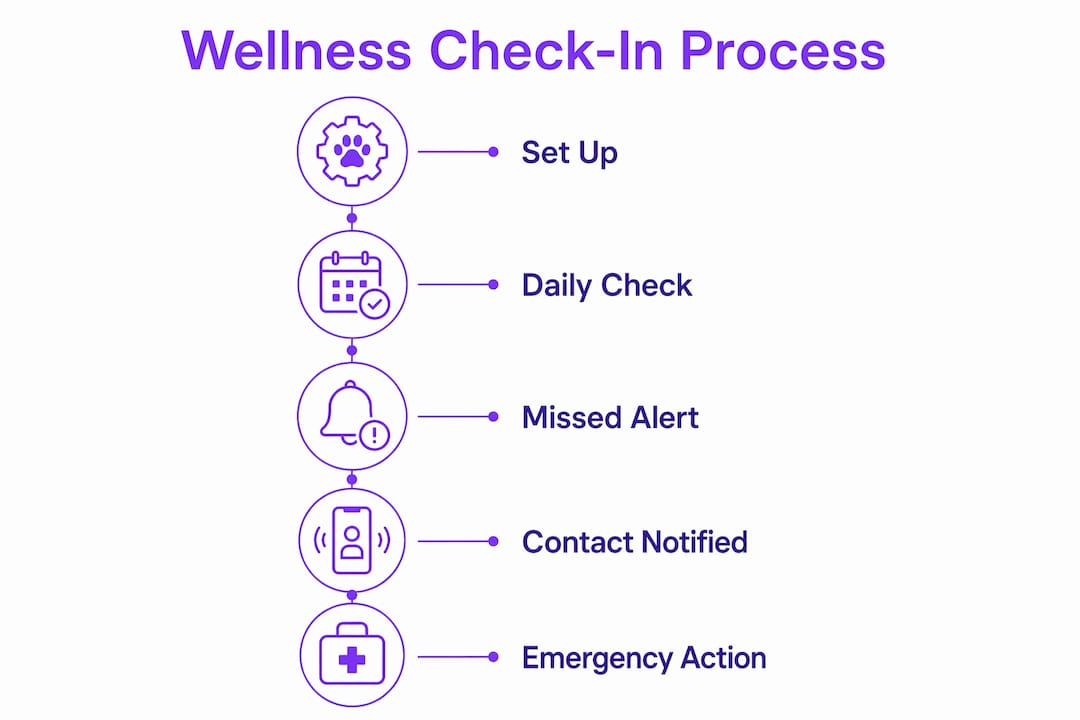
Table of Contents
- How does Mypetssafetynet’s wellness check-in system work?
- Who benefits most from this service?
- What should you prepare before an emergency happens?
- What legal and practical steps do you need to take?
- What should you expect when signing up?
- What should your emergency contacts do when they get an alert?
- Why is Mypetssafetynet built specifically for solo U.S. pet owners?
- Key Takeaways
- Why we built Mypetssafetynet
- Your pets are covered when you sign up today
- Useful sources and further reading
How does Mypetssafetynet’s wellness check-in system work?
The short version: a scheduled check-in runs, you don’t respond within the set window, and your emergency contacts get notified automatically. No manual intervention needed.
Here’s the full flow:
- Enrollment: Create your account, add your pet profile, and list your emergency contacts with their preferred contact channels.
- Scheduled check-in: The system sends you a wellness ping via SMS, phone call, or the app at your chosen time.
- Response window: You have a set window to confirm you’re okay. If you respond, the check-in closes normally.
- Escalation cascade: No response triggers the cascade. Contacts are notified in the order you set, through SMS, phone, or email.
- Verification and closure: Once a contact confirms they’ve checked on you and your pet, the alert closes and the system logs the response.
For automated check-in mechanics, the typical daytime scenario runs within minutes of a missed check-in. Overnight windows may be slightly longer to avoid unnecessary alerts from a pet owner who simply went to bed early. The system is designed to be sensitive enough to catch a real emergency without generating false alarms that exhaust your contacts.
The Center for Pet Safety and public-health agencies like the CDC recommend combining digital notification systems with physical preparedness and legal documentation for the most reliable outcome in emergencies.
Who benefits most from this service?
Mypetssafetynet is built for a specific person: someone whose pet has no backup caregiver if they’re suddenly out of the picture. That covers more people than you might expect.
Ideal users include:
- Solo pet owners who live alone, with no partner or roommate to notice a problem
- Older adults or people managing chronic health conditions who want a proactive plan
- Shift workers or frequent travelers whose schedule creates natural gaps in oversight
- Single-household caregivers who are the sole person responsible for feeding, medication, and vet visits
Limitations to know: The service focuses on companion animals. Certain farm animals, exotic species with specialized care needs, or situations requiring immediate veterinary intervention may fall outside what a contact cascade can address alone. For those cases, Mypetssafetynet works best as one layer of a broader plan that includes a vet on call and a local pet care network.
For owners facing financial hardship, community programs like Marin Humane’s Pet Safety Net offer food, vaccinations, and limited veterinary assistance and can complement a notification service.
What should you prepare before an emergency happens?
A notification only works if your contacts can actually act on it. That means doing the prep work now, not after something goes wrong.
Quick claim: the gap between a notification and real pet care closes fast when your contacts already have keys, written instructions, and vet information in hand.
| Item | Why it matters | Where to store it |
|---|---|---|
| Medications + dosing schedule | Contacts can’t guess doses | Mypetssafetynet account + fridge magnet |
| Feeding schedule | Prevents over- or underfeeding | Printed sheet inside front door |
| Vet contact + records | Required for treatment authorization | Account + physical folder |
| Microchip ID number | Proves ownership if pet is transported | Account + wallet card |
| Keys or entry code | Contact can’t help if they can’t get in | Trusted contact holds a copy |
| Carrier or crate | Safe transport during emergencies | Labeled and accessible |
| Behavior notes | Reduces stress and escape risk during emergency transport | Attached to carrier |
Emergency kit checklist:
- Current medications in labeled containers
- Enough food and water for 72 hours
- Copies of vaccination records and vet contact info
- A recent photo of your pet (for identification)
- Signed permission note authorizing your caregiver to seek veterinary care
- Leash, collar with ID tag, and a spare
For a complete packing reference, boarding and evacuation guides recommend including comfort items like familiar bedding to reduce stress during short-term care.
Pro Tip: Store a digital copy of every document inside your Mypetssafetynet account and keep a physical backup in a labeled folder on your fridge. Your contact should know exactly where to look the moment they walk in.
What legal and practical steps do you need to take?
A signed authorization prevents delays. Without it, your contact may not be able to legally transport your pet or authorize treatment, even in a genuine emergency.
Core documents to prepare:
- Signed temporary pet-care authorization naming your contact
- Vet release form allowing your contact to approve treatment
- Medication consent form
- Proof of ownership (adoption papers, purchase receipt, or registration)
- Microchip registration details
| Document | Purpose | Where to store |
|---|---|---|
| Temporary pet-care authorization | Grants legal care rights to your contact | Mypetssafetynet account + physical copy with contact |
| Vet release form | Allows contact to approve vet treatment | Vet’s file + your emergency folder |
| Medication consent | Authorizes administering prescribed meds | With medications |
| Proof of ownership | Prevents disputes if pet is transported | Account + physical folder |
| Microchip registration | Confirms identity if pet is lost | Account + wallet card |
For full templates and emergency document guidance, Mypetssafetynet’s blog covers exactly what language to include in each form.
If you rent, check your lease or HOA rules about who may enter your unit and whether a caregiver needs written landlord permission. A simple note from you, kept with your emergency documents, covers most situations. Make sure at least one contact physically holds a key or knows your entry code.
What should you expect when signing up?
Setup takes one sitting. The process is straightforward, and you don’t need any technical background to complete it.
Expected setup steps:
- Create your Mypetssafetynet account online
- Add your pet profile (species, breed, age, medical notes)
- Upload your emergency documents and vet records
- Assign emergency contacts and choose their notification channels (SMS, phone, email)
- Opt in to SMS wellness check-ins and confirm your check-in schedule
- Review and save your cascade order
Plans typically follow a monthly or annual subscription model, with an annual option offering a lower per-month rate. A free trial window lets you test the check-in flow before committing. Exact current pricing is listed on the Mypetssafetynet website, as rates can be updated.
Support is available through in-app help, email, and phone. If you run into any issue during setup, the support team can walk you through it.
What should your emergency contacts do when they get an alert?
Contacts need a clear, numbered sequence so they act quickly and consistently, without having to figure out next steps under pressure.
- Acknowledge the alert immediately via the notification channel they received it on.
- Try direct contact with you by phone or text to rule out a false alarm.
- Verify location and access — confirm they have keys or the entry code before heading over.
- Follow the written instructions you’ve left: feeding schedule, medications, and behavior notes.
- Transport the pet if needed — use the carrier you’ve labeled, bring the signed authorization and vet contact info.
- Log all actions in the Mypetssafetynet account so the record is complete.
For guidance on caregiver roles and responsibilities, Mypetssafetynet’s resources walk contacts through each step in plain language.
One safety note: contacts should confirm they have legal permission to enter before doing so, and should call emergency services if there’s any sign of a medical emergency at the property. Personal safety comes first.
Why is Mypetssafetynet built specifically for solo U.S. pet owners?
Most emergency plans assume someone else is home. Mypetssafetynet is built around the reality that many pet owners are the only person in their household, and a gap of even a few hours can be dangerous for a pet that depends on scheduled feeding or medication.
What sets the service apart for solo owners:
- Automated check-ins run on your schedule, not a manual trigger
- The contact cascade reaches people in your chosen order, so the right person responds first
- Secure document storage means contacts have everything they need without you having to send files in a crisis
- Privacy-first data handling keeps your personal and pet information protected
- U.S.-based support is available when you need help
“Because your pets depend on you, and we want to make sure they’re never left alone.” — Mypetssafetynet’s mission
The CDC’s pet emergency planning guidance and the Center for Pet Safety both emphasize that digital notification works best when paired with physical preparedness. Mypetssafetynet is designed with that pairing in mind: the service handles the notification, and the prep work you do now handles everything that comes after.
Key Takeaways
Mypetssafetynet gives solo pet owners in the U.S. an automated check-in and contact cascade that closes the gap between an emergency and timely pet care.
| Point | Details |
|---|---|
| Automated check-in cascade | A missed wellness check triggers contact notifications in your chosen order, via SMS, phone, or email. |
| Prep work is the multiplier | Keys, signed authorizations, vet records, and written instructions let contacts act without delay. |
| Legal docs prevent delays | A signed temporary pet-care authorization and vet release form allow contacts to transport and treat your pet legally. |
| Setup takes one sitting | Create an account, add contacts and pet profile, upload documents, and opt in to SMS check-ins. |
| Mypetssafetynet is the safety net | The service is built specifically for solo U.S. pet owners who need a reliable, automated backup plan. |
Why we built Mypetssafetynet
Solo pet ownership is common, and the worry that comes with it is real. We built Mypetssafetynet because no existing tool was designed specifically for the person who lives alone with a pet they love and has no automatic backup if something goes wrong. Our commitment is straightforward: safety-first design, privacy-respecting data handling, and U.S.-based support that’s actually reachable when you need it.
[Note for final draft: insert proprietary response-time data, customer testimonials, and case studies here to further substantiate the service’s real-world effectiveness.]
Your pets are covered when you sign up today
Solo pet owners who want a reliable backup plan now have a clear path forward. Mypetssafetynet handles the notification automatically so your contacts know exactly when to step in, and your pet never goes without care.

Getting started takes about 10 minutes:
- Create your account and add your pet profile
- Assign emergency contacts and set their notification channels
- Upload your key documents and opt in to automated SMS check-ins
Questions? The support team is reachable by in-app help, email, or phone. Sign up at Mypetssafetynet and give yourself the peace of mind your pet deserves.
Useful sources and further reading
Authoritative resources for pet emergency planning:
- Healthy Pets, Healthy People | CDC — Free printable checklists and guidance on including pets in household emergency plans.
- Center for Pet Safety — Independent research, product testing, and consumer education on pet safety, including emergency preparedness.
- Animal Welfare Resources | APHIS — Federal guidance on animal care standards and welfare regulations in the U.S.
Community safety-net programs:
- Marin Humane Pet Safety Net — Local program offering food, vaccinations, and limited vet assistance for owners in hardship; a useful complement for owners who need financial support alongside a notification service.
Mypetssafetynet blog resources:
- What Happens to My Pets If I’m Hospitalized? — Operational walkthrough of how Mypetssafetynet coordinates with contacts during a hospitalization.
- Proactive Pet Planning: Your 2026 Emergency Guide — Comprehensive prep checklist for solo owners.
- Solo Pet Owner Safety Planning: Your 2026 Guide — Targeted planning advice for single-household pet owners.
- Pet Care Emergency Document Essentials — Templates and step-by-step guidance for every document your contacts will need.