Prep Clinics in 10 Minutes: Vet Alerts for Solo, Senior & Disabled
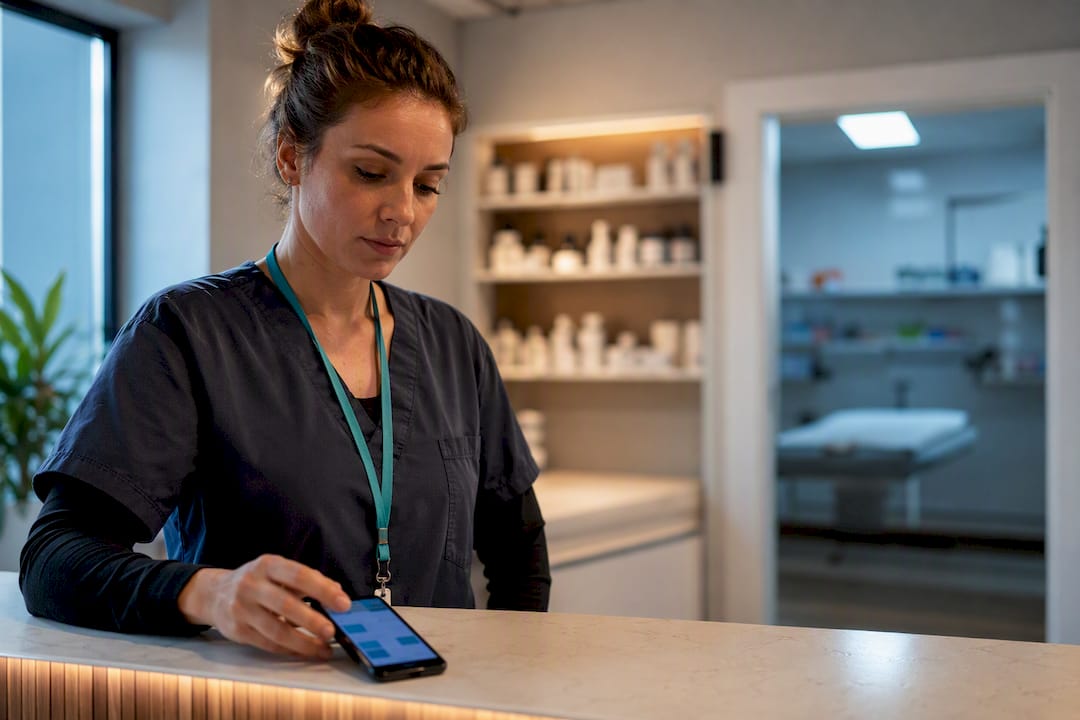
Yes. If you subscribe to a wellness check-in service, add your veterinarian or clinic as an alert recipient today. Right now, before you read another word, enter your clinic’s phone number and email into your check-in service’s contact list, then call the clinic to let them know they may receive an automated alert if you don’t check in. Some wellness check-in services build vet contacts and escalation timing into their setup, so this can take about ten minutes.
TL;DR:
- Most missed check-ins are harmless but should trigger alerts first to human caregivers who can verify on-site conditions before involving the vet.
- Store comprehensive pet and clinic information, including medication details and emergency contacts, in your check-in service to ensure rapid response.
- Configure your alert system to notify your overnight contacts first, followed by your primary vet, and then an emergency clinic if needed; keep message templates under 200 characters.
- Pre-register your pet with the clinic, confirm it accepts automated alerts, and prepare a pet emergency go bag with key supplies, medical records, and identification.
- Regularly test your alert setup every three to six months, especially after vet visits, and document response times to ensure system reliability in emergencies.
Table of Contents
- Who Should Get Notified First, and When Does the Vet Come In?
- What Vet and Clinic Details Should You Store?
- How Do You Configure the Check-In Service to Include Your Vet?
- How Do You Get Your Clinic on Board With Alerts?
- What Belongs in a Pet Emergency Go Bag?
- How Often Should You Test Your Alert Setup?
- Why Solo and Senior Owners Choose to Include Their Vet
- Set Up Vet Alerts With MyPetsSafetyNet
- Sources
- FAQ
Who Should Get Notified First, and When Does the Vet Come In?
Your veterinarian shouldn’t be the first call. Two human caregivers who can physically reach your pet should sit at the top of your contact list, because a phone call means nothing if nobody can get through your front door. Your primary vet comes next, and a 24/7 emergency clinic sits as the final backstop for situations where your regular clinic is closed or unreachable.
The order matters because most missed check-ins turn out to be harmless, a dead phone battery, a forgotten alarm, a bad connection. Human caregivers can verify what’s actually happening on the ground before anyone escalates to a medical response. But some situations justify skipping straight to the vet: a pet with a known chronic condition, a recent surgery, or a caregiver who reports a visible injury.
Here’s how the recipient order typically breaks down:
- First alert: Two named human contacts who have keys or building access
- Second alert: Your primary veterinary clinic, notified with pet details attached
- Final escalation: A 24/7 emergency hospital if the clinic is closed or a caregiver flags a medical emergency
Notifying the clinic early, even before a caregiver arrives, gives the veterinary team time to prepare equipment and staff instead of scrambling once the pet actually arrives.
What Vet and Clinic Details Should You Store?
A vet alert is only useful if it arrives with enough information to act on. Vague notifications waste the exact minutes that matter most in a real emergency. Store these details in your check-in service and share copies with your caregivers:
- Clinic main line and after-hours or on-call number, plus a separate 24-hour emergency hospital contact in case your regular clinic is closed.
- Clinic address and email, so caregivers can confirm location and send records ahead of arrival.
- Pet identifiers, including microchip number, current vaccine dates, and a photo for identification.
- Current medications and doses, along with a one-paragraph medical history summary covering chronic conditions and recent treatments.
- Preferred contact method for the clinic (phone versus email) and a note confirming written authorization for caregivers to act on your behalf.
- Where physical records and house keys are kept, in case a caregiver needs to grab paperwork on the way out the door.
The AVMA recommends keeping veterinarian, emergency hospital, and poison control numbers on hand at all times, and pairing those numbers with medication and treatment history lets a caregiver hand over exact dosages the moment they reach the clinic. For a full template covering every field, this emergency document checklist walks through what to prepare in advance.
How Do You Configure the Check-In Service to Include Your Vet?
Most check-in platforms give you a dedicated emergency-contact field, separate from general notes. Use that field, not a notes section, because notes often don’t trigger automated alerts the way a proper contact field does. If your vet’s information sits buried in a comments box, the system may never actually send them anything.
Set up the workflow in this order:
- Add your clinic to the emergency-contact field, not a notes or memo field, so the automated alert system can reach them directly.
- Set escalation intervals that match real response times. A common structure: 30 minutes after a missed check-in, text your two human caregivers; at 90 minutes with no response, call the clinic.
- Build a short message template for caregivers to relay to the clinic, one that includes your pet’s name, current medications, microchip number, and an estimated arrival time.
- Save the pet profile with medical history attached so the same information transfers automatically every time an alert fires.
Some standalone check-in apps use a simple countdown or “dead-man” timer that fires an SMS with location and pet details if you don’t respond, which is the same basic mechanism worth looking for whether you use a general safety app or a pet-specific service. Some check-in services integrate pet profile and escalation timing into one setup rather than scattering them across separate tools. For examples of exactly what to write in that caregiver message, this guide to caregiver instructions has ready-to-use language.
Pro Tip: Keep your message template under 200 characters. A caregiver reading it out loud to a vet tech over the phone needs speed, not a paragraph.
How Do You Get Your Clinic on Board With Alerts?
A vet alert only works if the clinic already knows it’s coming. Call your clinic and ask whether they’re willing to accept automated notifications tied to your account, and whether they want any documentation on file first, proof of ownership, a photo ID, or a signed authorization form. Most clinics say yes without hesitation, but skipping this call means your first “test” of the system happens during an actual emergency.
Pre-registering your pet does more than save a few minutes of paperwork. Pre-registration lets clinic staff prepare equipment and check your pet’s history before they even walk through the door, which matters most when a caregiver, not you, is the one bringing your pet in.
While you’re on the phone with the clinic, take care of a few other things:
- Leave a one-page brief covering chronic conditions, allergies, and current medications.
- Confirm the clinic will accept instructions from your named caregivers, not just from you directly.
- Ask what written authorization they require for a caregiver to approve treatment in your absence.
Confirming your emergency contacts are actually willing and able to act, and making sure at least one has a key, closes the loop between the alert and someone actually showing up.
What Belongs in a Pet Emergency Go Bag?
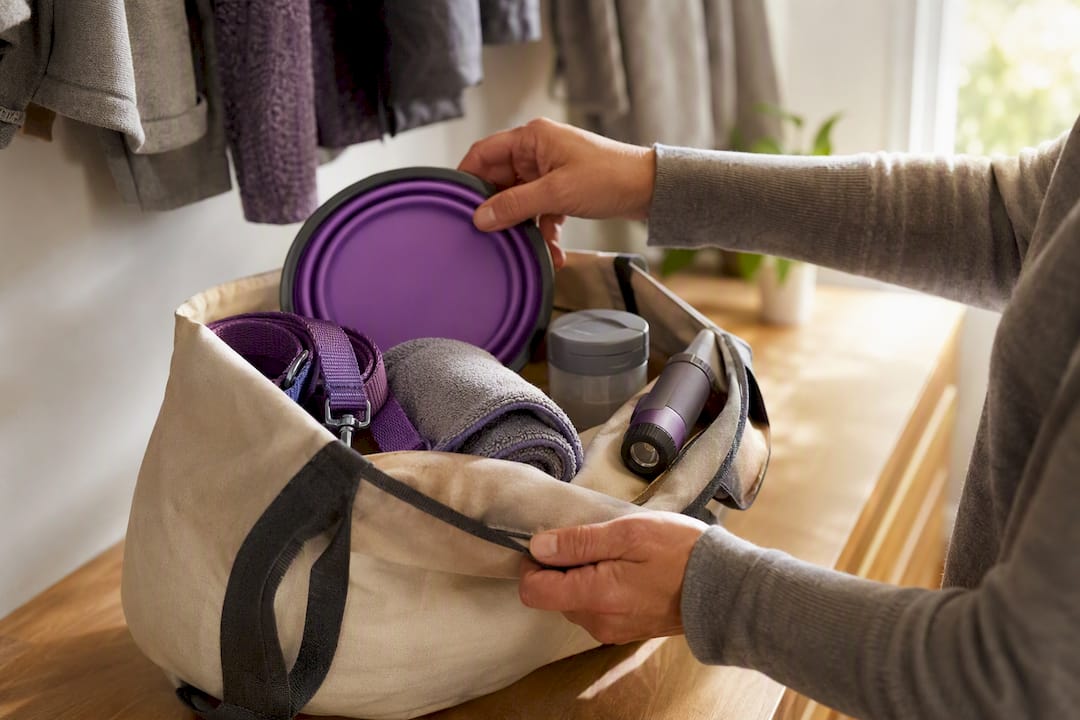
A Go Bag turns a chaotic scramble into a five-minute grab-and-go. Pack it before you need it, not while a caregiver is standing in your hallway waiting on you to remember where the leash is.
Your Go Bag should include:
- A recent photo of your pet for identification
- Paper copies of medical records and vaccination history
- Current medications in their original labeled containers
- A carrier, leash, and muzzle if your pet may need one under stress
- A few days of food and any comfort item that keeps your pet calm
Store the bag right by your main exit, and give at least one caregiver a key to your home along with a card listing your vet’s contact information. On top of the Go Bag, order pet rescue-alert stickers for your front door and any other entrance, and update the details on them every six months so first responders know exactly how many pets to look for. A Go Bag guide built for solo owners covers additional supplies worth packing depending on your pet’s needs.
How Often Should You Test Your Alert Setup?
An alert system nobody has tested is a guess dressed up as a plan. Run a full, clearly labeled non-emergency test with every contact on your list, including your vet if the clinic has agreed to that step, and ask them to confirm receipt when it’s practical to do so.
- Send a test alert to all contacts and note who responds and how quickly.
- Review contact numbers, clinic hours, and your pet’s medication list every three to six months, or immediately after any vet visit that changes a prescription.
- Log each test with the date, who confirmed, and any problems you ran into, then adjust your message template or escalation timing based on what you find.
A short habit like this is what separates a system you trust from one you hope works. Pro Tip: Schedule your test for the same day you refill a prescription, so updating meds and testing the alert become one habit instead of two.
Why Solo and Senior Owners Choose to Include Their Vet
The owners who reach out to us aren’t worried about hypotheticals. They’re worried about a fall, a missed alarm, a bad morning that turns into something worse, and what happens to a dog or cat who has no idea any of it is happening. Adding a vet to your alert chain doesn’t replace human caregivers, but it closes a gap they can’t always close on their own, especially when a pet has a condition that needs fast, specific medical attention.
We built MyPetsSafetyNet around a simple belief: peace of mind comes from preparation, not luck. If you take one thing from this article, let it be this order: two human caregivers you trust, then your vet, then the emergency line. That sequence, tested and logged, is what turns anxiety into an actual plan.
— MyPetsSafetyNet
Set Up Vet Alerts With MyPetsSafetyNet
Certain wellness check-in platforms support pet profiles that store medications and microchip numbers, configurable escalation from human caregivers to veterinarians, and pet care instruction cards caregivers can hand a clinic on arrival.

You don’t need a smartphone to use it. According to MyPetsSafetyNet’s own setup process, it works over SMS or a phone call, and setup takes less than ten minutes with customizable schedules and up to five pets covered. If you’d rather see your pet’s information laid out before you commit to anything, the free pet card tool is a quick way to organize what you already have. When you’re ready to build out full escalation and vet alerts, the monthly plan starts with a 7-day free trial and no credit card required.
Sources
- First aid tips for pet owners — AVMA
- Disaster preparedness — ASPCA
- How to build a pet care plan for emergencies — Best Friends
- Pet first-aid vs urgent care guide — Newport Veterinary
- NorthStar VETS emergency pet handbook
FAQ
Should I include my vet in wellness check-in alerts?
Yes. Adding your veterinarian as an alert recipient means the clinic can prepare for your pet’s arrival while human caregivers are still en route, shortening the time between a missed check-in and actual care.
What information does my vet need in an alert?
Your vet needs your pet’s name, current medications and doses, microchip number, a brief medical history, and your caregiver’s estimated arrival time so staff can prepare before anyone walks in.
How do I get my clinic to accept automated alerts?
Call your clinic directly and ask if they’ll accept notifications tied to your account. Some clinics ask for proof of ownership or a signed authorization form before agreeing.
How often should I test my vet alert setup?
Test your full alert chain, including the vet contact, every three to six months or right after any appointment that changes your pet’s medication.
Does MyPetsSafetyNet support vet contacts and escalation?
Some wellness check-in services let you add a veterinarian to escalation workflows, store pet medical details in profiles, and set custom timing for notifications to caregivers and clinics.