Voice Pet Alerts: Automated Wellness Checks For Solo Owners

Voice pet alerts are automated wellness check-ins, delivered by phone call, text, or email, that notify a designated caregiver with your pet’s care details the moment you fail to respond. For solo or vulnerable pet owners, MyPetsSafetyNet is the practical way to set one up without building a system yourself.
A working setup needs four things:
- Scheduled voice calls (or SMS/email) at a time you choose
- A configurable countdown window before escalation
- Caregiver contact management for backups
- A pet profile with meds, vet info, and a printable information card
The ASPCA recommends exactly this combination for emergency pet planning, and daily automated check-ins can narrow the gap between an emergency and discovery from days to hours.
Key Takeaways
Voice pet alerts work because a missed automated check-in, not a delayed discovery, becomes the signal that gets help to your pet fast.
| Point | Details |
|---|---|
| Three core elements | Pair an automated trigger, a backup caregiver with access, and a printed pet card for a complete plan. |
| Set a realistic window | Match your response window and escalation order to your actual health risk and caregiver proximity. |
| Test monthly | Run a live test call to every contact and re-test after any schedule or contact change. |
| Share access sparingly | Give caregivers only the feeding, medication, and vet details they need, not full personal records. |
| MyPetsSafetyNet handles setup | Its free trial includes scheduled check-ins, escalation workflow, and a printable pet card generator. |
Table of Contents
- How Do Voice Pet Alerts Work?
- Who Benefits Most From An Automated Pet Alert System?
- What’s The Setup Checklist For Voice Pet Alerts?
- How Long Until An Alert Escalates To A Caregiver?
- Is My Data And Home Access Information Safe?
- What Does A Voice Pet Alert Service Typically Cost?
- What Should A Caregiver Do When They Arrive?
- Why We Built This
- How MyPetsSafetyNet Puts This Into Practice
- Frequently Asked Questions
- Sources
How Do Voice Pet Alerts Work?
Three elements make an emergency pet-care plan work: an automated early-warning trigger, a designated backup caregiver with access, and a physical pet information card. That’s the ASPCA’s own framework for pet emergency planning, and it’s the minimum viable version of any voice pet alert system.
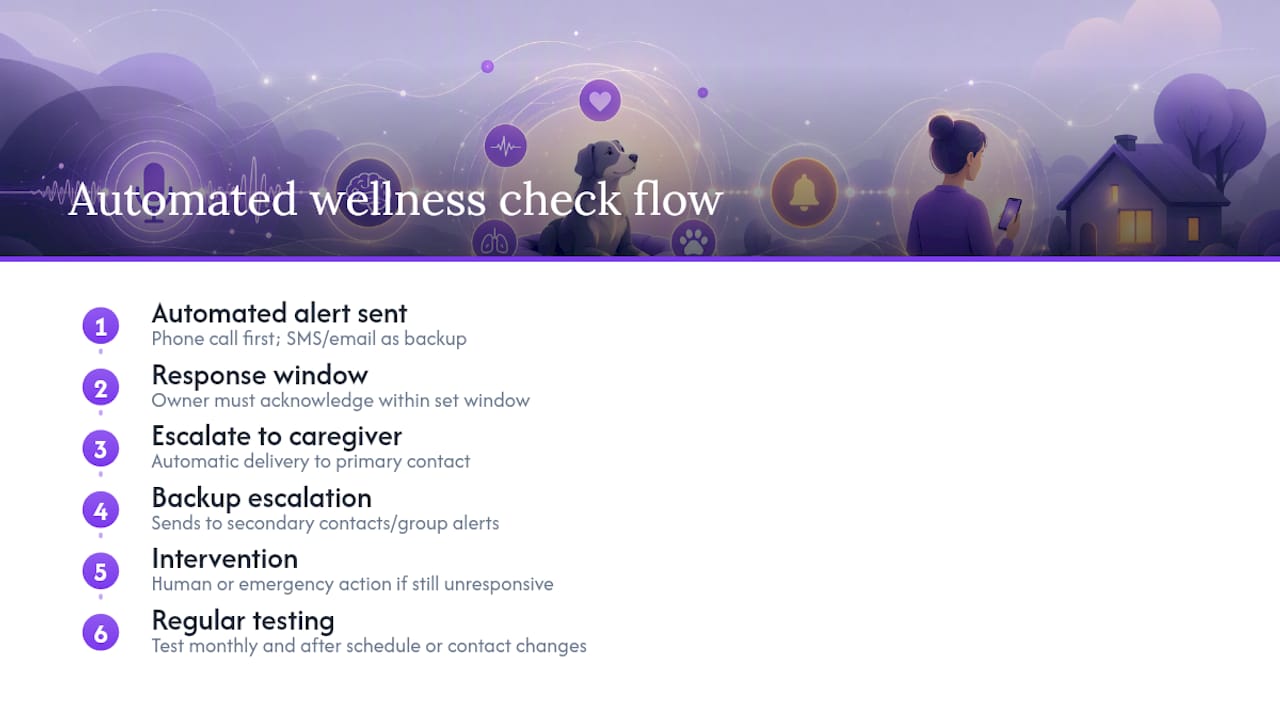
The trigger is straightforward. The service calls, texts, or emails you at a set time. You respond with a tap, a reply, or by picking up the phone. If you don’t respond within your set window, the system doesn’t wait around. Here’s the flow:
- Scheduled call goes out at your chosen time
- You have a response window (you set the length)
- No response triggers escalation to your caregiver
- Caregiver receives your pet profile and next steps automatically
Caregiver management matters as much as the trigger itself. You need a primary contact and at least one backup, each with clear access instructions and, ideally, written authorization language covering routine vet decisions if you’re unreachable. Without that authorization, a vet clinic may hesitate to treat your pet on a caregiver’s word alone.
The physical card rounds it out: feeding schedule, medication and dosage, vet name and phone number, and emergency contacts, kept somewhere visible near the entrance. MyPetsSafetyNet’s free card generator builds one automatically from your pet profile.
Pro Tip: Set your response window based on your actual risk, not a default. A 30-minute window works for someone managing a chronic condition; two hours might suit a healthy owner who just wants a daily safety net without constant pings.
Who Benefits Most From An Automated Pet Alert System?
Solo owners, older adults, people managing mobility or health conditions, and anyone whose caregivers can realistically respond within the escalation window get the most value here. The system only works if someone on the other end can act fast.
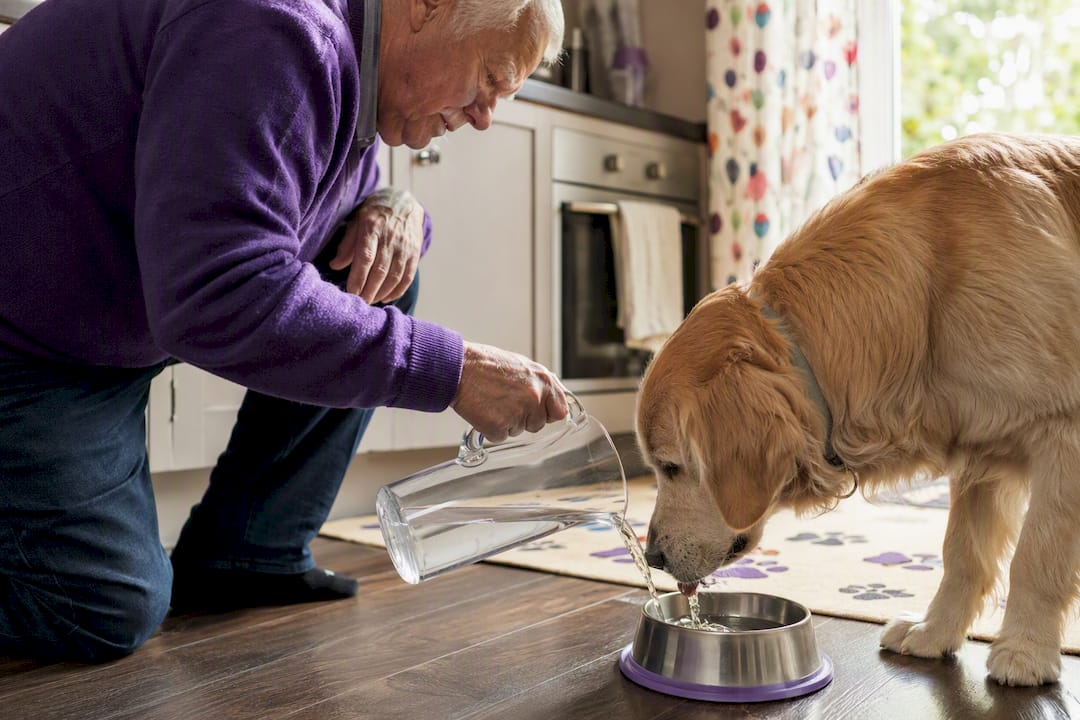
The upside is real. A missed response becomes the alert itself, which shrinks the window between an emergency and someone finding out. Automating the daily check reduces the emotional weight on family members, too. Research on independent-living automation found that removing routine safety verification from a family’s plate shifts conversations from anxious check-ins toward actual connection.
Benefits:
- Faster discovery if something goes wrong
- Less daily worry for family and caregivers
- Pet routines stay protected even during a crisis
Limitations:
- Depends on phone or internet connectivity
- Caregivers must actually be reachable and willing to respond quickly
- Digital literacy gaps can slow setup for some users
What’s The Setup Checklist For Voice Pet Alerts?
A working system takes seven to ten steps, most of which take minutes. Here’s the order that works:
- Create your account and build a pet profile (name, breed, photo).
- Add vet contact info and medication or feeding details.
- Designate a primary caregiver and at least one backup.
- Share access instructions with each caregiver (keys, lockbox code, entry notes).
- Print your pet information card and place it near your main entrance.
- Set your check-in schedule and response window.
- Configure escalation messages so caregivers know exactly what to do.
- Run a live test call and confirm delivery to every contact.
- Document the test result and fix anything that failed.
- Re-test monthly, or immediately after any change to your routine or contacts.
For the test call, keep the scripts short. Your response: “Confirmed, all okay.” Your caregiver’s expected action on an escalation alert: “Received alert, heading to check on [pet name] now.” Simple scripts mean nobody hesitates when it counts. MyPetsSafetyNet’s guide to automated check-ins walks through testing in more depth if you want to go further.
How Long Until An Alert Escalates To A Caregiver?
Escalation windows vary by design, with shorter windows for immediate local checks and longer windows for non-urgent situations, depending on individual risk and caregiver response time. Treat these as starting points, not fixed rules. Your own window should match your health risk and how fast your caregivers can respond.
Most systems layer their notification channels:
- Voice call to you first, at your scheduled time
- SMS as a backup if the call goes unanswered
- Email or group-text alert to your caregiver network if you miss both
- Optional escalation to a neighbor or emergency services, if you’ve configured it
Phone calls remain the most accessible channel for older adults, which is why most voice pet alert systems default to a call before falling back to SMS or email. If your primary caregiver lives nearby, put them first in the sequence; if they’re farther away, put a neighbor or building manager ahead of them.
Is My Data And Home Access Information Safe?
Share only what a caregiver actually needs to act: feeding schedule, medications, vet contact, and where to find a key or lockbox code. Skip anything beyond that.
A few habits protect both your privacy and your pet:
- Use a strong, unique password for your check-in account
- Enable two-factor authentication if the service offers it
- Limit full home-access details to caregivers who genuinely need them
- Avoid listing sensitive personal medical information on the printed pet card
Home access deserves its own thought. Decide in advance who holds a key, whether a lockbox makes more sense than a spare key under a mat, and write authorization language a vet clinic will actually accept.
Pro Tip: Keep a signed authorization note, on paper and in your pet profile, stating that your designated caregiver may approve routine veterinary care in your absence. Clinics move faster when that permission is already in writing.
What Does A Voice Pet Alert Service Typically Cost?
Most voice pet alert services run on a monthly subscription with a free trial period. Plans usually include a set number of check-ins per week, a cap on pets covered, and a limited number of emergency contacts, with faster escalation or more contacts often reserved for higher tiers.
Common structures include:
- Monthly subscription with an annual discount option
- Free trial covering full functionality for a limited time
- Premium tiers adding contacts, pets, or faster escalation
During a trial, actually run test calls to every caregiver contact and confirm the escalation sequence fires correctly. Before subscribing anywhere, check the cancellation and refund terms in writing.
What Should A Caregiver Do When They Arrive?
An alerted caregiver’s first job is a safety check: confirm the pet is secure, check on the owner if present, and follow the written pet-care instructions exactly. Speed and a clear sequence matter more than improvising.
- Verify your own identity as the designated caregiver before acting.
- Access the home using the instructions provided (key, lockbox, building contact).
- Check whether the owner is present and responsive; call emergency services immediately if not.
- Stabilize the pet: feed, administer medication, or address urgent needs per the care instructions.
- Contact the vet if treatment is needed, using the documented authorization.
- Arrange temporary housing or boarding if the owner is hospitalized or unreachable for an extended period.
Write down what you did and who you contacted. That record matters later, whether for the owner, the vet, or another caregiver who steps in next. MyPetsSafetyNet’s guide to temporary custody covers longer-term housing arrangements if the situation extends beyond a day or two.
Why We Built This
We built MyPetsSafetyNet because too many pet emergencies get discovered by accident, days late, by a neighbor noticing something’s wrong. Our goal is simple: shrink that gap to hours, and take the guesswork out of who does what when it happens. We recommend testing your escalation chain monthly and keeping your caregiver list current. Every account starts with a free trial.
How MyPetsSafetyNet Puts This Into Practice
If you’re managing a health condition alone, or you’re simply the only person who feeds the cat, MyPetsSafetyNet gives you the full system this article just described, already built and ready to configure.

The service handles the pieces that matter most: scheduled wellness check-ins by voice, SMS, or email, a configurable escalation workflow, pet profiles covering up to five pets, and contact management for up to three emergency contacts. The free pet information card generator builds your printable card directly from your pet’s profile, so you’re not filling out a second form.
Start with the free trial on the MyPetsSafetyNet homepage and use it to run a real test call to each of your caregivers before you commit to anything. That test, more than any feature list, tells you whether the system actually fits your household.
Frequently Asked Questions
What exactly are voice pet alerts? They’re automated wellness check-ins delivered by phone call, text, or email that notify a designated caregiver with your pet’s care details if you don’t respond within your set window.
How is this different from a group text with family? A group text relies on someone remembering to send it. A voice pet alert system checks in on a schedule automatically and escalates on its own if you miss it, without anyone having to remember anything.
Should I use SMS, phone calls, or email? Phone calls tend to reach people fastest and work well for owners who aren’t glued to a phone screen. SMS and email work best as backup channels in an escalation sequence, not as the only channel.
What if my caregiver doesn’t respond either? That’s why most systems support multiple backups and group-alert escalation. If your primary contact misses the alert, it should automatically reach your secondary contact next.
How often should I test my system? Monthly, at minimum, and again immediately after you change your schedule, add a pet, or swap a caregiver contact.
Sources
- Making a Plan for Your Pet | ASPCA
- Pet Care Plan for Emergencies: A Solo Pet Owner’s Guide
- PMC article on social care and automation benefits