Build and Test a Pet Check In Plan in Minutes: 5 Steps for Seniors
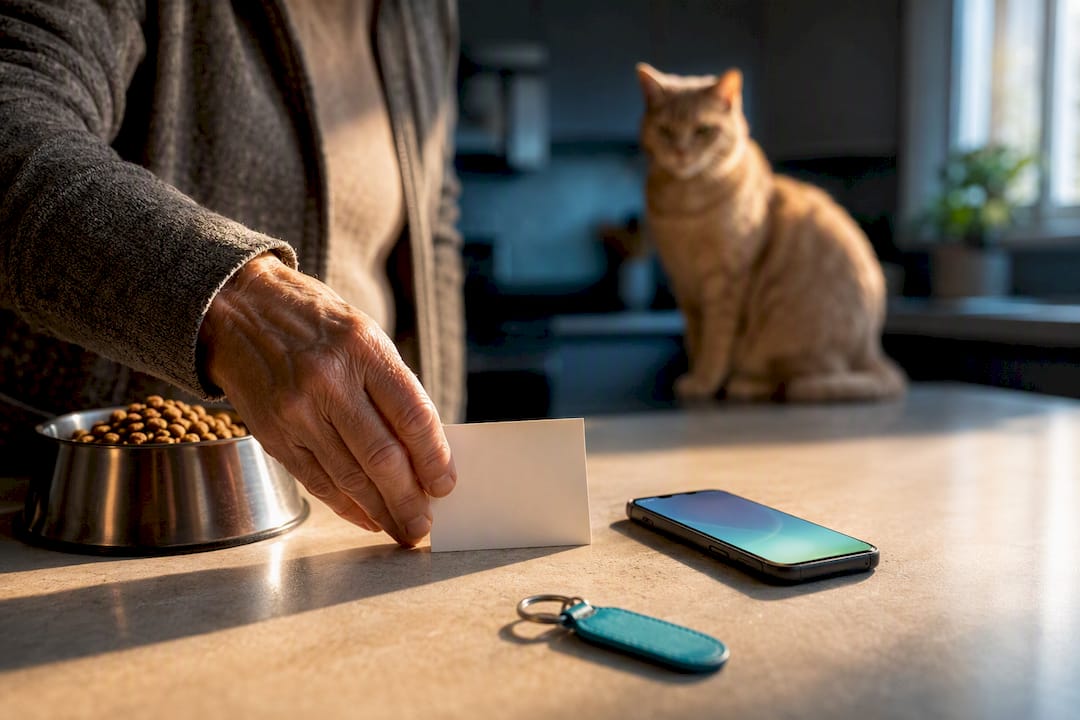
Automated pet check-ins are scheduled SMS, phone, or email prompts that ask “are you okay?” If you don’t respond, they alert the people you’ve chosen to check on you and your pets. That single mechanism closes the gap between “something happened” and “someone showed up,” often within hours instead of days. MyPetsSafetyNet is one platform built specifically to run this process for pet owners living alone.
TL;DR:
- Configurable escalation chains and multi-channel alerts ensure emergency contacts are notified promptly when responses are missed within the set grace period.
- Building a comprehensive pet profile and emergency plan, including access instructions and backup contacts, significantly improves response reliability during urgent situations.
- Automated services like MyPetsSafetyNet streamline the process with profiles for up to five pets, tailored care instructions, and alerts triggered immediately if check-ins go unanswered.
- Testing and rehearsing the check-in and response procedures at least once a year help maintain an effective emergency response plan, especially after changes in circumstances or contacts.
Table of Contents
- How Do Pet Check-Ins for Seniors Actually Work?
- Set Up Your Pet Check-In Plan: A Step-By-Step Checklist
- How Should You Choose Emergency Contacts Who Can Act Fast?
- What Belongs on a Pet Emergency Information Card?
- How Does MyPetsSafetyNet Turn This Plan Into an Automated Service?
- Why This Matters for Independence and Companionship
- Get Started With Automated Check-Ins Today
- Trusted Resources for Templates and Planning Help
- Sources
- FAQ
How Do Pet Check-Ins for Seniors Actually Work?
A check-in system runs on a simple loop: it contacts you at a set time, waits for a response, and escalates if that response doesn’t come. Most services let you pick the cadence (daily, every other day) and a grace period, which is the window between a missed check-in and the moment your emergency contacts get notified.
That grace period matters more than people realize. A daily check-in call closes the detection gap by acting as a reliable trigger, not a medical device. It doesn’t diagnose a fall or a stroke. It simply notices silence and acts on it. Without that trigger, a solo pet owner’s absence might go unnoticed for days, which is exactly the scenario that leaves a dog or cat without food or water far longer than anyone would choose.
Look for these features when comparing options:
- Multiple pet profiles so cats, dogs, birds, or reptiles are each documented with their own care notes.
- Configurable check-in intervals, since a daily cadence suits some owners while others prefer every 48 hours.
- Multi-channel alerts (SMS, phone call, email) because a missed text shouldn’t be the only line of defense.
- A defined escalation order, so contact one is tried before the system moves to contact two.
Automated daily check-in systems that follow this structure alert a preconfigured circle of trusted people, so help can arrive within hours rather than days.
Set Up Your Pet Check-In Plan: A Step-By-Step Checklist
Building this plan takes less time than most people expect. Work through it in one sitting if you can.
- Pick a cadence and response window. Daily check-ins catch problems fastest but require a quick habit of confirming you’re fine. Every other day asks less of you but stretches the worst-case detection time. Choose the shorter window if you live alone and have no daily visitors.
- Write two separate triggers. One for a short absence (you’re at a doctor’s appointment and running late) and one for “I cannot return home” (hospitalization, a fall, an emergency). Each trigger should name exactly what happens next: does a neighbor peek in, or does someone take custody of the pet?
- Assemble your pet’s records in one place. Medication names and doses, feeding schedule, vet contact, and microchip number all belong in a single shared document your contacts can reach.
- Create physical backups. A wallet card listing emergency contacts and pet details helps responders act fast even if a phone is dead or a digital app is unfamiliar territory.
- Test the system before you need it. Run one practice check-in, let it lapse on purpose, and confirm your primary contact actually receives the alert and knows what to do with it.
Pro Tip: Rehearse the “cannot return home” scenario out loud with your primary contact at least once a year, and update it immediately after a move, a new pet, or a medication change. Senior-focused guides consistently recommend this kind of periodic rehearsal, since plans quietly go stale without it.
For a full written template to build alongside this checklist, the emergency pet care plan guide walks through each document you’ll want on hand.
How Should You Choose Emergency Contacts Who Can Act Fast?
Proximity beats loyalty here. A sibling three states away who loves your dog can’t beat a neighbor two doors down who’s home most afternoons. Caregivers who work with seniors consistently advise picking contacts based on proximity and ability to respond quickly, not just on who’s willing to help in theory.
Before you name someone, ask them directly:
- Can they physically lift a carrier, load a large dog into a car, or handle an anxious cat?
- Do they have any allergies that would make in-home animal contact difficult?
- Are they willing to keep the pet for a few hours, or only until a longer-term plan kicks in?
- How far away do they actually live, and what’s their schedule like on weekdays versus weekends?
Name at least two contacts, a primary and a backup, and check in with both every few months. Jobs change, people move, and a contact who was perfect last year might be unreachable this year. The guide on how many emergency contacts to name breaks down how to structure a short list so nobody defaults to the wrong person.
What Belongs on a Pet Emergency Information Card?
Whoever shows up to check on your pet needs information fast, not a scavenger hunt through drawers. The card should include your pet’s name and a clear photo, medication names and doses copied straight from the vet’s label, a feeding schedule (how much, how often, any restrictions), and your vet’s name and phone number alongside the microchip registry contact.
Add access notes too: where a spare key is hidden (described securely, not written in plain text for anyone to find), how to disarm an alarm system if you have one, and any pet-specific handling quirks like “bites when scared” or “needs a leash before the door opens.”
Keep this information in more than one spot:
- A wallet card you carry, matching ASPCA’s recommended format.
- A refrigerator magnet copy, since responders check kitchens first.
- A digital copy shared with your emergency contacts.
- A printed copy near your front door for quick grab-and-go access.
A short written plan naming trusted people and recording access methods measurably improves response reliability during hospital visits or evacuations, according to caregiver planning research.
How Does MyPetsSafetyNet Turn This Plan Into an Automated Service?
Everything above works as a paper plan, but paper doesn’t send a text message at 9 a.m. when you don’t check in. That’s the gap MyPetsSafetyNet fills: it automates the check-in cadence, the escalation chain, and the pet-care handoff so your contacts get real information the moment they’re needed, not just a “call your mother” text with no context.
The platform’s core structure includes:
- Scheduled check-ins by SMS, phone, or email, set to whatever interval fits your routine.
- A configurable countdown, so you decide exactly how long a missed response takes before contacts are notified.
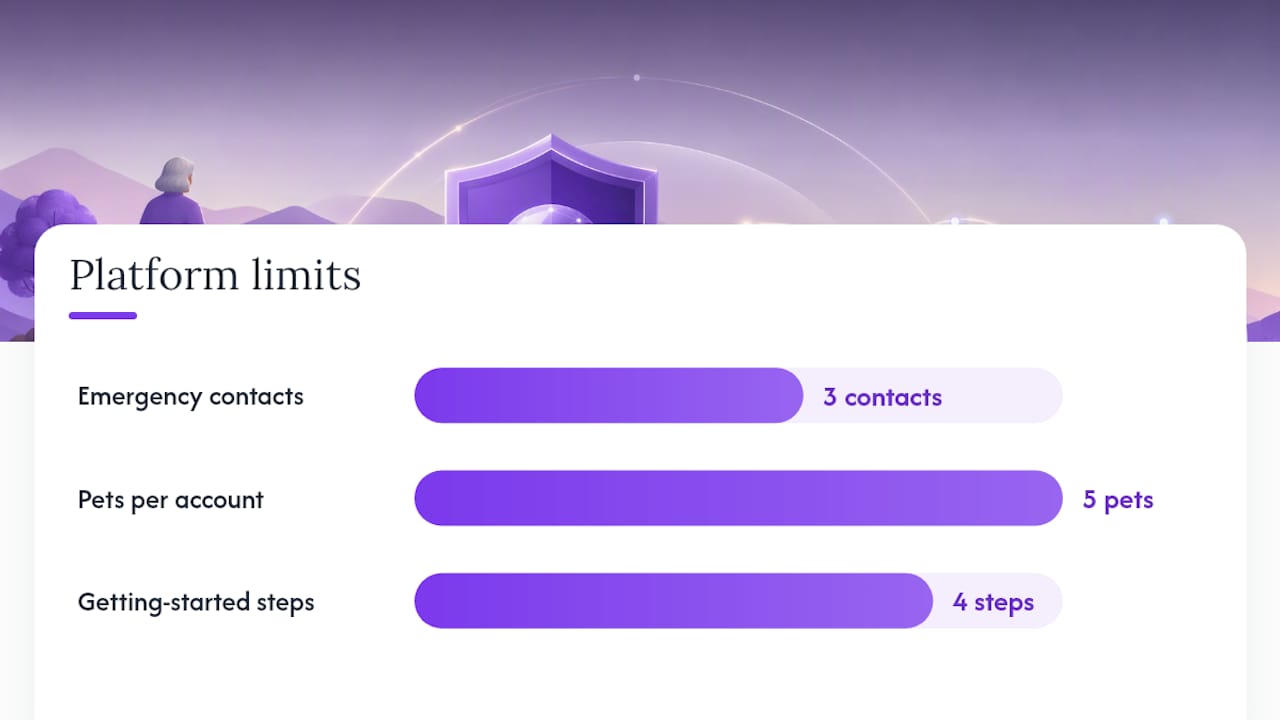
- Escalation across up to three emergency contacts, tried in the order you choose.
- Profiles for up to five pets, each carrying its own care instructions, so a multi-pet household doesn’t fall through the cracks.
- An automatically generated pet care instruction card, pulling from the details you enter once instead of asking you to retype them for every contact.
Getting started takes four steps: create an account, add your pets and their care details, add your emergency contacts, and pick your check-in schedule.
Pro Tip: Set your first check-in interval shorter than you think you need, then loosen it once you’ve confirmed your contacts respond reliably. It’s easier to relax a tight plan than to tighten a loose one after a scare.
Why This Matters for Independence and Companionship
Pets give seniors daily purpose. Research on companionship and well-being backs up what most pet owners already know in their gut: caring for an animal gives structure to a day and reason to get up in the morning. A check-in plan doesn’t just protect your pet. It protects your ability to keep living independently, with a pet, without a family member deciding its “too risky” for you to do so alone.
Start small. Name two contacts today, and run one test check-in this week.
— MyPetsSafetyNet
Get Started With Automated Check-Ins Today
MyPetsSafetyNet gives you what a paper plan alone can’t: an alert that actually fires the moment you go quiet, instead of relying on someone noticing days later that your mail is piling up. It’s built around exactly the setup this article walks through, automated instead of manual.

Once you sign up, you’ll add your pets and their care details, name up to three emergency contacts, and choose a check-in cadence that fits your routine. If you don’t respond within your chosen window, your contacts receive an alert along with the pet care instructions you’ve already entered, so they know exactly what to do without calling you first to ask. Multiple pets and tailored workflows for seniors living alone let you test the system before committing.
Ready to see it in action? Start your free trial and have your first check-in scheduled in minutes, or visit the main MyPetsSafetyNet site to explore how the service fits your household.
Trusted Resources for Templates and Planning Help
A few outside resources are worth bookmarking alongside your check-in plan. The ASPCA’s pet planning packet offers downloadable wallet cards and checklists. The All Seniors Foundation’s backup plan worksheet covers local program guidance. For a deeper look at safety adjustments around the home, PAW Vet Practice’s senior pet safety checklist is a solid companion read.
Sources
- Making a Plan for Your Pet | ASPCA
- Pet care backup plan for older adults — All Seniors Foundation
- The benefits of pets for seniors’ health and well-being | Kendal at Home
FAQ
What are pet check-ins for seniors?
They’re scheduled SMS, phone, or email prompts that confirm you’re okay, and if you miss one, they alert the emergency contacts you’ve named so your pet gets checked on quickly.
How often should I schedule a check-in?
Daily works best for solo owners with no regular visitors, though every other day is reasonable if you have some outside contact built into your week.
How many emergency contacts do I need?
Name at least two, a primary and a backup, chosen for proximity and their ability to respond fast rather than just their long-term willingness to help.
Does MyPetsSafetyNet support multiple pets?
Yes, the platform supports profiles for up to five pets, each with its own care instructions that get shared with your contacts automatically if a check-in is missed.
What should be on a pet emergency card?
Your pet’s name and photo, medications with exact doses, feeding schedule, vet contact, microchip number, and clear access notes for whoever responds.