Turn Days Into Hours: Private Missed Pet Check Ins for Solo Owners
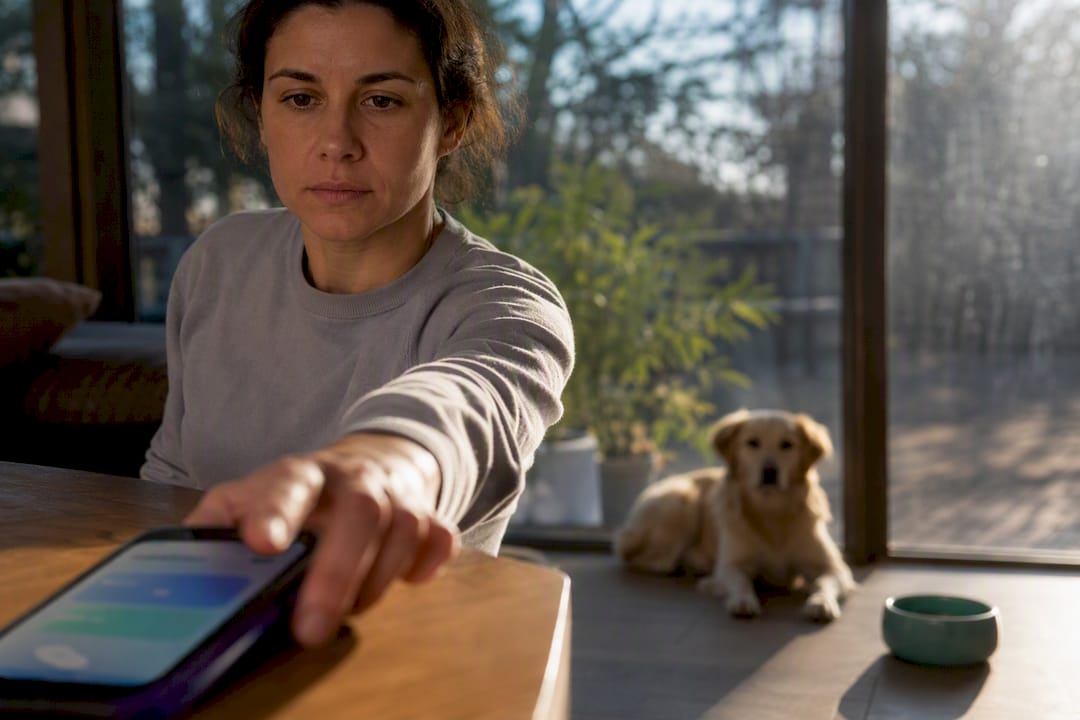
Missed pet check-in alerts work by automatically notifying your chosen emergency contacts, complete with pet care details, the moment you fail to respond to a scheduled check-in. That single trigger can turn a silent emergency into a same-day rescue for your pet instead of a days-long tragedy. Some services build this early-warning system around your daily routine, so someone always knows when to check on you and your animals.
TL;DR:
- Automated pet check-in alerts trigger escalation within minutes of no response, significantly reducing the risk of pets being left unattended during emergencies.
- Setting up at least two emergency contacts, including one with access to your home, ensures quick response times and better pet safety.
- Configuring retry windows and contact order carefully prevents false alarms and ensures alerts reach the right person promptly.
- Running practice check-ins and briefing contacts in advance improve response speed and clarity during actual emergencies.
- Using services like Mypetssafetynet simplifies setup, provides pet care details to responders, and requires no special equipment for effective pet safety monitoring.
Table of Contents
- What Are Missed Pet Check-In Alerts?
- Set This Up Now: An Actionable Checklist to Protect Your Pets
- Configuring Alerts: Settings That Affect Speed and False Alarms
- What to Tell Your Emergency Contacts (and How to Rehearse It)
- Limitations, Privacy, and Safety Trade-Offs
- How Mypetssafetynet Helps: Features, Proof Points, and What to Expect
- Some service providers emphasize the importance of shrinking the gap between an emergency and someone noticing from days to hours with daily check-ins. Setting up check-ins promptly and briefing emergency contacts early is recommended for pet owners living alone.
- Start a Free Trial With Mypetssafetynet
- Sources
What Are Missed Pet Check-In Alerts?
A missed pet check-in alert is an automated notification triggered when you don’t respond to a scheduled wellness check by text, phone, or app. Instead of waiting for someone to notice you’ve gone quiet, the system escalates on your behalf within a set time window.
That distinction matters because automated triggers don’t get distracted, forget, or assume you’re “probably fine.” Public health guidance on pet emergency preparedness points to the same lesson from disaster response: the faster an emergency gets discovered, the better the outcome for any dependent left behind, animal or human.
How automated check-ins differ from a friend calling to check on you
A friend who calls when they think of it is a human-staffed check-in. It’s kind, but it’s inconsistent. An automated wellness check-in service works differently. It contacts you on a fixed schedule, waits for a response, and alerts your designated contacts if none arrives. Research on daily check-in services notes that automated systems reliably trigger escalation on non-response, which makes them the dependable early-warning mechanism for people living alone, especially those with pets who can’t call for help themselves.
Channels typically include:
- SMS text prompts you confirm with a simple reply
- Automated voice calls that log a keypress or voice response
- Mobile app push notifications
- Email, usually as a backup rather than a primary channel
Text and voice calls tend to get faster responses than email, since most people check their phones far more often than their inboxes.
A typical escalation order looks like this: no response triggers a retry, then a second retry, then an alert to your primary contact (often family), followed by a secondary contact such as a neighbor with a key, and finally emergency services if your plan includes that step.
This is the discovery window in action. Waiting days for someone to notice you’ve disappeared can mean a pet goes without food, water, or medication for far too long. Waiting hours because an automated system already flagged the problem changes the entire outcome.
Set This Up Now: An Actionable Checklist to Protect Your Pets
You don’t need special equipment to start protecting your pet today. Basic mobile check-ins work fine, and safety guidance for solo pet owners confirms that many services run entirely on SMS or automated calls with no extra hardware required.
Here’s what to put in place this week:
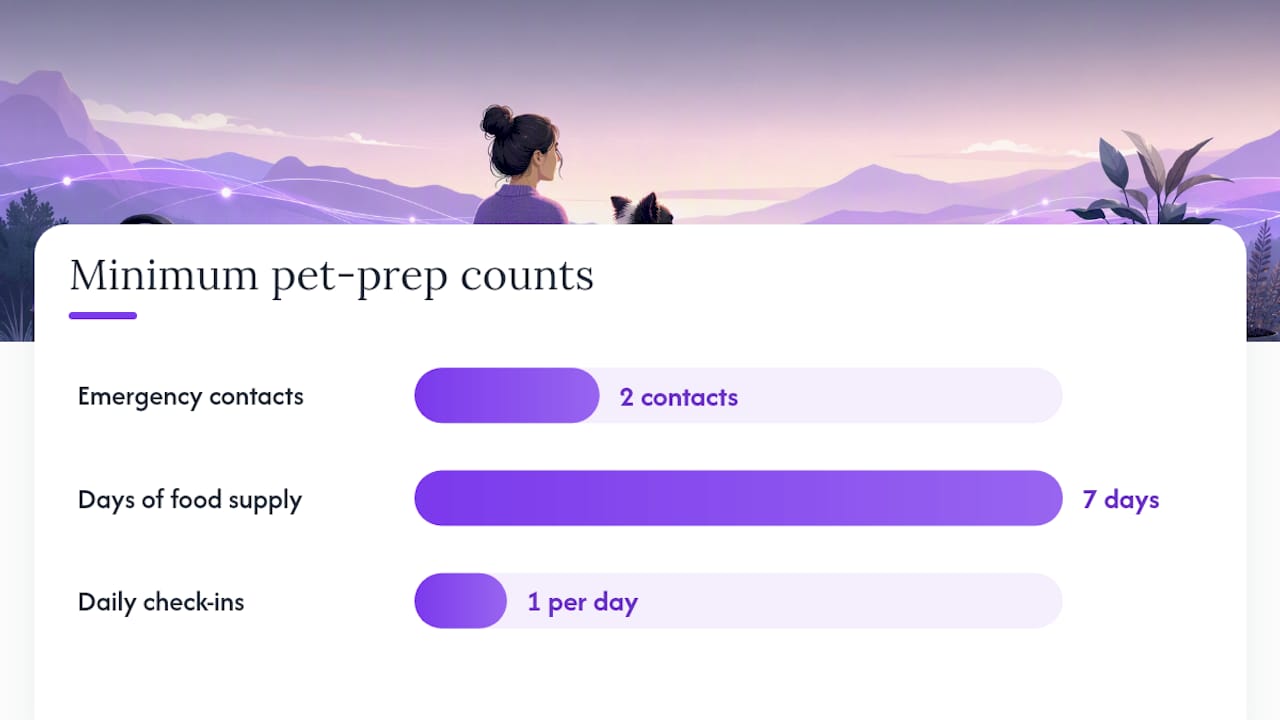
- Name at least two emergency contacts and make sure one lives close enough to physically check on your pet. Give them clear expectations before you need them, not after.
- Give one contact a key to your home, or at minimum a way to get in without breaking a window.
- Post a pet information card near your front door listing feeding schedule, medications, your vet’s name and number, and where the carrier is kept. ASPCA disaster preparedness guidance recommends this alongside a visible pet-alert sticker so responders know animals are inside.
- Build a pet emergency kit: a week’s supply of food, any medications, copies of vet records, a leash, and a carrier, all in one grab-and-go spot.
- Pick a daily check-in time that fits your routine, then run a test alert so your contacts see exactly what it looks like before it’s real.
For a full breakdown of contact selection, see this guide to naming pet emergency contacts.
Pro Tip: Run your first test check-in on a Saturday morning and text your contacts afterward asking “did you get it?” That single question catches spam-filtered messages and wrong phone numbers before they matter.
Configuring Alerts: Settings That Affect Speed and False Alarms
The settings you choose determine whether your alerts feel reassuring or annoying. Get them wrong and you’ll either miss a real emergency or get so many false alarms you start ignoring the system.
- Wait window and retries. A sensible default, according to guidance on automated check-in configuration, is a small number of retries spaced a few minutes apart, followed by an alert to your primary contact if there’s still no response, with a secondary contact and possible emergency services notification after a moderate delay.
- Contact order. Put a neighbor with a key ahead of out-of-town family for the first alert. Family should still be looped in, but the person who can physically walk over in ten minutes should hear first.
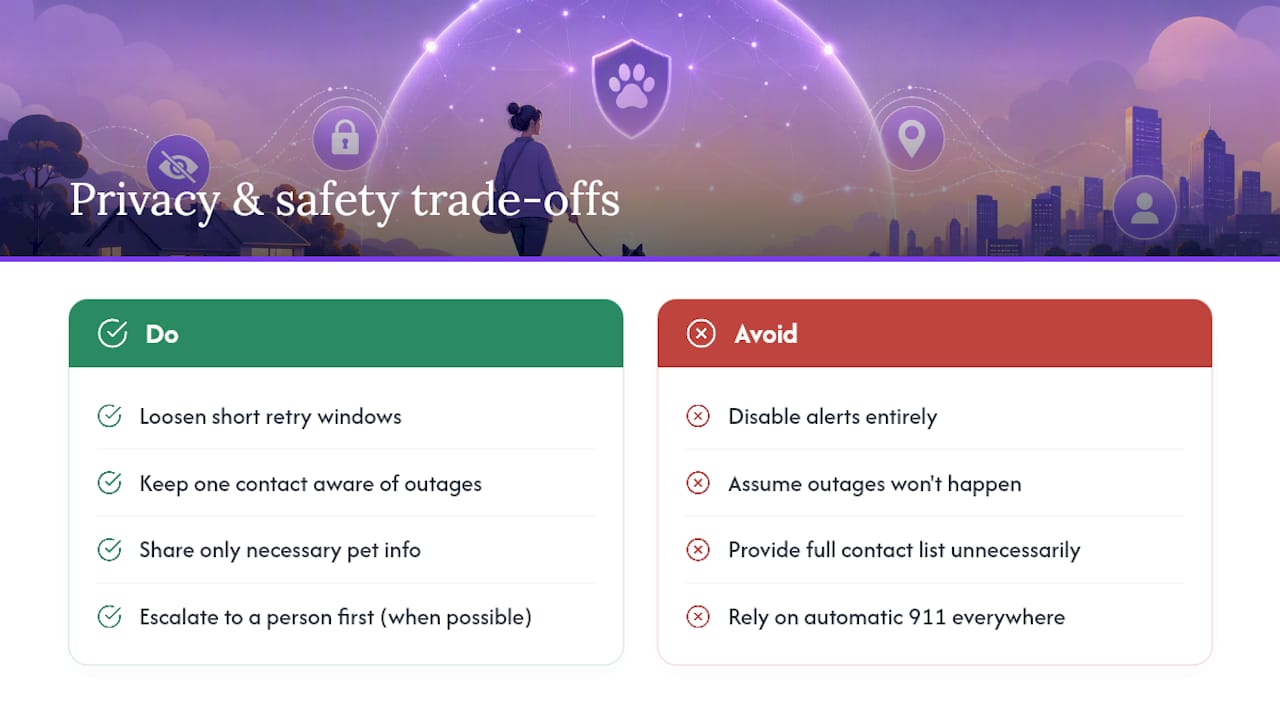
- 911 or automatic dispatch. Some platforms offer direct emergency services integration. It’s worth enabling if you live alone with no nearby contacts, but it can trigger unnecessary dispatches if your retry window is too short.
- Time-based rules. Loosen retry timing overnight, when you’re more likely to be asleep and slower to respond, and tighten it during the day when a missed check-in is more likely to signal a real problem.
What to Tell Your Emergency Contacts (and How to Rehearse It)
Your contacts can only act fast if they already know what’s expected of them. Research on solo-owner safety planning found that briefing contacts in advance and running a practice check-in improves real-world response far more than simply adding names to a list.
Give each contact a short, specific script before an emergency ever happens:
- “If you get an alert from my check-in service, that means I haven’t responded in [X] minutes. Please call me first.”
- “If I don’t answer, go to my house. The key is [location], and my pet’s info card is by the front door.”
- “My cat needs her medication by 8 p.m. daily. It’s in the kitchen cabinet, labeled.”
Assign roles clearly: one person holds the key, one knows the medication schedule, and one is your backup ride to the vet if needed. Then run a full timed drill, start to finish, so nobody is improvising during an actual crisis.
Limitations, Privacy, and Safety Trade-Offs
No system is flawless, and knowing the limits helps you configure around them rather than get caught off guard.
False alarms happen most often when retry windows are too short or your schedule doesn’t match your real routine. Loosen the timing rather than disabling alerts altogether. Power or phone outages can block a response even when you’re fine, so keep at least one contact aware that outages are a possible explanation before they panic. On the privacy side, most services collect your phone number, contact list, and basic pet details. Share only what’s needed for care instructions, and skip fields that ask for more than that.
Automatic 911 dispatch isn’t available or appropriate everywhere. Many owners prefer escalating to a human contact first, since a neighbor can often confirm there’s a real emergency faster than dispatch can act on an automated signal alone.
How Mypetssafetynet Helps: Features, Proof Points, and What to Expect
Some services offer features addressing this gap: scheduled check-ins by SMS, phone call, or email set to your routine; automatic escalation to emergency contacts with pet care details; pet profile and care instruction card generation; and support for multiple pets under one account.
For owners managing more than one animal, this guide to multi-pet check-ins walks through setting up profiles for each pet individually. Disabled pet owners and those managing chronic health conditions can also find relevant accessibility features in this overview of telehealth-supported check-ins.
Some service providers emphasize the importance of shrinking the gap between an emergency and someone noticing from days to hours with daily check-ins. Setting up check-ins promptly and briefing emergency contacts early is recommended for pet owners living alone.
Start a Free Trial With Mypetssafetynet
Mypetssafetynet gives you a working safety net in less time than it takes to read this article, no long-term commitment required to try it. Unlike a general reminder app or a plain calendar alert, it pairs your check-in schedule directly with your pet’s care details, so the person who gets notified already knows what your pet needs.

Start by grabbing your free pet information card, which you can print and post by your door today, no signup required. When you’re ready to set up text-based check-ins, the SMS consent page walks you through exactly how the messaging works and what you’ll receive. Signing up for the free trial gets your first check-in schedule running immediately, with your emergency contacts loaded in and ready to receive an alert the moment you need them.
Sources
For deeper guidance beyond this article, the CDC’s healthy pets emergency preparedness page covers broader disaster planning for pet owners, while the ASPCA’s disaster preparedness guidance details home stickers and emergency kits. If your pet’s records need updating, this guide to finding a USDA accredited veterinarian explains how to locate one and keep documentation current for your emergency kit.
- CDC healthy pets emergency preparedness
- ASPCA disaster preparedness for pets
- Daily check-in services for seniors: How they work
- Automated Check-in Services in 2026: The Complete Guide | ConfirmOk