Multi-Pet Check-Ins: Automated Safety for Solo Owners
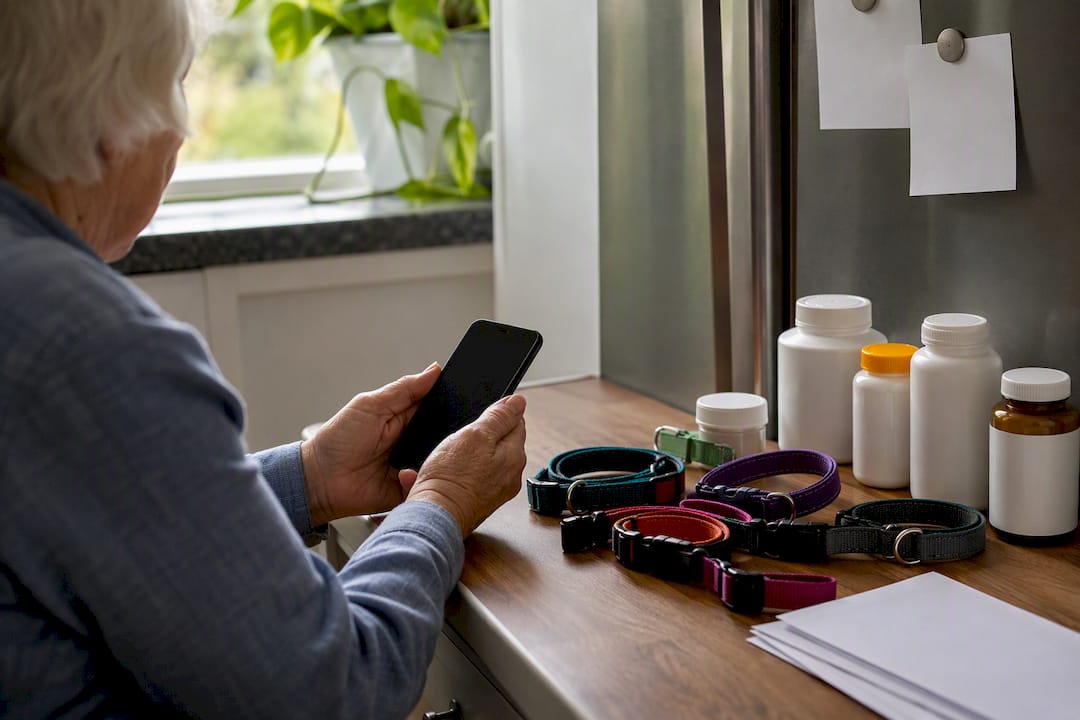
Multi-pet check-ins are automated wellness prompts that reach you by text, call, or email and trigger a pet-care escalation for every animal in your home if you don’t respond. Two things make the system work:
- Scheduled prompts (SMS, phone call, or email) go out on the timeline you set
- Per-pet care profiles and emergency-contact escalation activate the moment a check-in goes unanswered
Create your account, add every pet, list at least two emergency contacts, and run one test today.
Pro Tip: A test check-in you fail on purpose is the only way to know your escalation plan actually works before you need it.
Key Takeaways
Multi-pet check-ins protect every animal in a household by pairing scheduled owner prompts with automatic, per-pet emergency escalation when a response doesn’t come.
| Point | Details |
|---|---|
| Set up per-pet profiles | Record feeding, medication, vet contacts, and carrier location separately for each animal. |
| Add multiple contacts | List a primary and at least one backup contact in priority order for escalation. |
| Test before you rely on it | Miss a check-in on purpose to confirm contacts actually receive alerts and instructions. |
| Keep physical backups current | Maintain a printed fridge sheet, spare key, and signed vet authorization letter. |
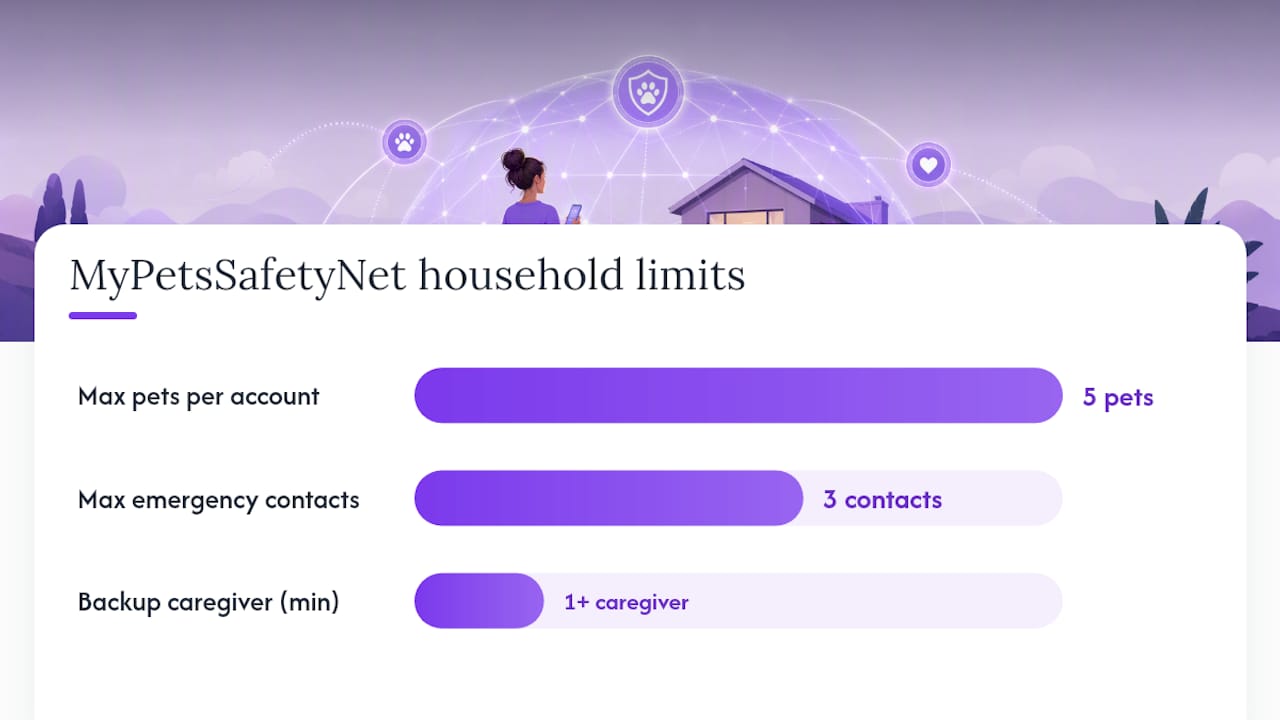
| Choose a plan that fits your household | MyPetsSafetyNet supports up to 5 pets and 3 emergency contacts with a free trial to test the full flow. |
Table of Contents
- How Do Multi-Pet Check-Ins Actually Work?
- What Features Matter Most for Multi-Pet Households?
- How Do You Set Up Check-Ins for Multiple Pets?
- What Does a Multi-Pet Check-In Subscription Cost?
- What Accessibility Features Help Elderly or Disabled Owners?
- What Data Do These Services Store, and Is It Private?
- When Is Automation Not Enough on Its Own?
- Why This System Matters More Than It First Appears
- Try Multi-Pet Check-Ins With MyPetsSafetyNet
- Useful Resources for Setting Up Your Check-Ins
- Frequently Asked Questions
How Do Multi-Pet Check-Ins Actually Work?
The flow is simple: you get a scheduled prompt, you respond, and the system resets the clock. Miss it, and a countdown starts. Once that grace period expires, the platform automatically alerts your emergency contacts with pet-specific care details attached.
Delivery usually happens through SMS, an automated phone call, or email, sometimes all three in sequence. Phone and text-first design matters because it doesn’t depend on app literacy, smartphone ownership, or a stable data connection. This kind of daily check-in closes what safety advocates call the “detection lag”, the dangerous gap between when something happens to you and when anyone finds out your pets need help.
A typical timeline looks like this:
- Initial prompt sent at your chosen time
- Reminder sent after a set interval if there’s no response
- Escalation to emergency contacts after a grace period, often somewhere between 30 and 120 minutes, depending on your settings
Pro Tip: Set shorter grace periods if you manage medication schedules for multiple pets, since a longer wait window matters less for a cat with dry food out than for a dog on twice-daily insulin.
When escalation fires, contacts don’t just get a panicked text. They receive a secure link containing feeding schedules, medication details, and vet contacts for each pet on your account, so a neighbor with no prior pet-sitting experience can still act correctly.

What Features Matter Most for Multi-Pet Households?
Not every check-in service was built with three cats and a dog in mind. Here’s what actually moves the needle when you’re coordinating care for a whole household of animals rather than one.
Per-pet profiles are the foundation. Each animal needs its own record covering feeding times, medications, behavioral quirks, vet contact information, microchip number, and where the carrier lives. A generic “pet notes” field doesn’t cut it once you’re past one animal.
Multiple emergency contacts with ordered escalation matter just as much. If your first contact doesn’t pick up, the system should move to the second and third automatically, rather than leaving you dependent on one person’s availability.
Other features worth prioritizing:
- Flexible scheduling with daily, weekly, or custom intervals, plus a pause option for travel or hospital stays
- Redundant delivery channels (SMS, voice call, email) since a missed call shouldn’t be the only failure point
- Account limits that match your household. MyPetsSafetyNet supports up to 5 pets and 3 emergency contacts per account, which covers most multi-pet homes without forcing you into an enterprise-tier plan
- Secure links that share care instructions with contacts, no app download required on their end
- A printable “fridge sheet” generator for the caregiver who shows up in person
Pro Tip: Add at least one nearby backup caregiver who holds a spare key and has already read your printed pet care sheet. Digital alerts move fast, but someone still has to physically walk in the door.
| Point | Details |
|---|---|
| Per-pet profiles | Store feeding, medication, and vet details separately for each animal, not in one shared note. |
| Escalation order | Set contacts in priority order so a missed response reaches someone quickly. |
| Account limits | Confirm the plan covers your full household; some cap pets and contacts lower than others. |
How Do You Set Up Check-Ins for Multiple Pets?
Setup takes less time than most people expect. Here’s the sequence:
- Create your account and choose your preferred delivery channel (text, call, or email)
- Add a profile for each pet: name, feeding schedule, medications, vet info, microchip number, carrier location, and temperament notes
- Add and confirm your emergency contacts, listing a primary and at least one backup, and share physical instructions or spare keys with them directly
- Configure your check-in schedule, grace period, and escalation order based on how many pets and how urgent their care needs are
- Run a full test: miss a check-in on purpose and confirm your contacts actually receive the alert and instructions
Keep physical backups at home too:
- A printed fridge sheet with feeding and medication details
- A signed vet authorization letter permitting emergency treatment
- A written note on spare key location for whoever responds
Pro Tip: If a contact says they never got the alert, check spam folders first and confirm their number supports SMS. That single fix resolves most failed test runs.
Marketing pages for similar daily check-in tools cite 14-day free trials as standard, which gives you a real window to test escalation before committing to a paid plan.
What Does a Multi-Pet Check-In Subscription Cost?
Most providers, including subscription-based check-in apps built for standard smartphones, run on a monthly subscription that starts with a free trial. Many let you pause billing temporarily if you’re hospitalized or traveling somewhere with backup care already arranged.
Before subscribing, confirm:
- How long the free trial lasts and whether a card is required upfront
- The cancellation and pause policy
- The maximum number of pets and emergency contacts included
- Whether extra contacts or heavy SMS use trigger additional fees
Judge value by more than price. Ask about escalation speed, customer support hours, and whether the platform actually delivers alerts reliably across carriers, not just in a demo.
What Accessibility Features Help Elderly or Disabled Owners?
A phone-first design matters more here than almost anywhere else. Voice-call prompts with large-print SMS backups reduce friction for owners with vision or dexterity limitations, and confirmation should be dead simple: press 1 on a call, or reply with a single tap on a text.
- Voice prompts and large-print text alternatives for accessibility needs
- One-tap or single-keypress confirmation instead of multi-step app navigation
- Telehealth integration so a vet contact can be looped in during an escalation, not just an emergency contact
Pro Tip: If daily confirmation feels like a burden, delegate limited admin access to a trusted helper who can update contacts or trigger a check-in on your behalf without controlling your whole account.
A short accessibility checklist worth keeping: trusted contacts who hold spare keys, a printed pet care sheet on the fridge, and a medical ID card noting “pet at home” so first responders know to act.
What Data Do These Services Store, and Is It Private?
The system stores your contact details, pet profiles, vet information, and any authorization notes you’ve added, each one there because a contact needs it to act during an emergency. None of this becomes public. Escalation shares data only through secure links sent directly to your named contacts.
- Data stored: contact info, pet profiles, vet details, care authorization notes
- How it’s shared: secure, contact-only links, never posted publicly or shared broadly
A trustworthy provider lets you edit, pause, or delete your data on request. Before subscribing, ask about data retention windows, whether information is encrypted in transit, and exactly how contacts receive their alerts. Roughly 8 people can typically be added to a Care Circle on comparable platforms, so ask what your plan actually allows.
When Is Automation Not Enough on Its Own?
Automated check-ins detect silence. They can’t call 911, drive to your house, or perform a medical procedure. That gap matters most in three scenarios: a medical emergency needing immediate professional response, an extended absence requiring real evacuation help, or a pet with complex medical needs that a first responder can’t manage alone.
- Pair check-ins with a named guardian who has agreed in advance to take pets in
- Pre-arrange short-term boarding or a sitter contract, not just a verbal promise
- Keep a signed vet authorization on file so emergency care isn’t delayed by paperwork
Automation closes the detection lag, the dangerous gap between an emergency and someone noticing. But it only works if your contact list and care instructions stay current. A perfect system with an outdated phone number protects no one.
Why This System Matters More Than It First Appears
Most people underestimate how much a missed check-in reveals about their own setup, not the software. Full setup for a multi-pet household typically takes under 30 minutes, and the first test run almost always turns up something small: a disconnected phone number, a contact who never actually has a spare key, a vet office that changed its number last year. That’s the system doing its job before it’s ever needed for real. Run a test this week, then update your fridge sheet while the gaps are still fresh in your mind.
Try Multi-Pet Check-Ins With MyPetsSafetyNet
MyPetsSafetyNet was built around one household reality: most pet owners have more than one animal depending on them, and a missed check-in for a house with two dogs and a cat needs more coordination than a single-pet app can offer. The service sends scheduled SMS, phone, or email prompts, stores a full care profile for each pet, and automatically escalates to your emergency contacts with complete care instructions if you don’t respond in time.

You can pause or resume check-ins around travel or hospital stays, generate a printable pet care sheet for your fridge, and manage up to 5 pets and 3 emergency contacts on one account. The free trial gives you enough time to add every pet, confirm your contacts, and run a real test before you pay anything. Start by creating your account and adding your first pet profile today.
Useful Resources for Setting Up Your Check-Ins
Frequently Asked Questions
How many pets can one check-in account cover? Most services set a per-plan limit. MyPetsSafetyNet accounts support up to 5 pets and 3 emergency contacts, which covers the majority of multi-pet households.
What happens if I don’t respond to a check-in? After your grace period expires, typically 30 to 120 minutes depending on your settings, the system automatically alerts your emergency contacts and sends them your pet care instructions.
Do I need a smartphone to use multi-pet check-ins? No. Most platforms, including MyPetsSafetyNet, support standard phone calls and SMS text, so a basic mobile phone or landline setup works.
Can I pause check-ins while traveling with a pet sitter already arranged? Yes. Most subscription plans, including MyPetsSafetyNet, let you pause or adjust your schedule when someone else is already handling care.
Is automated check-in enough on its own for pet safety? No. It closes the gap between an emergency and someone finding out, but you still need a named guardian, spare key access, and a signed vet authorization for true backup coverage.